

WeRead Skill suits readers who want to manage personal reading data inside an AI assistant: checking the bookshelf, reviewing statistics, searching highlights, exporting Markdown notes and generating book lists all happen in plain conversation.
WeRead Skill: Give Your AI Assistant Access to Your Bookshelf, Reading Stats and Highlights
What it is
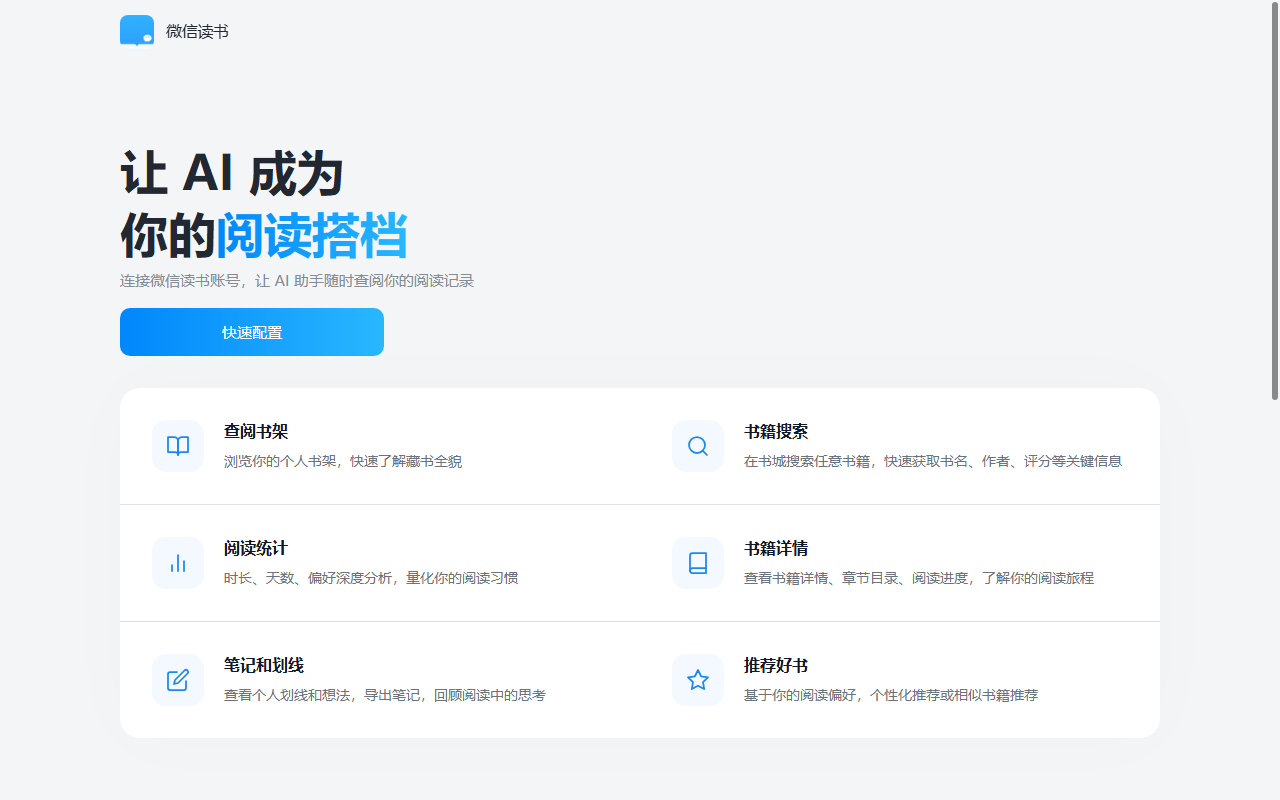
WeRead Skill is an official extension that connects WeRead to AI assistants. Once you authorize it with an API key, the assistant can call your personal bookshelf, reading progress, notes and highlights, and answer questions in natural language: what you are reading now, how many hours you logged this year, which highlights to export, and what to read next. In practice it turns a passive reading app into a conversational entry point for your own reading data.
Key features
- Bookshelf browsing: see the whole shelf at a glance and locate titles together with their reading status.
- Book search: search the bookstore and get core metadata such as title, author and rating.
- Reading statistics: analyse reading time, active days, favourite categories and reading depth.
- Book details: pull the table of contents, progress and synopsis for a single title.
- Notes and highlights: search historical highlights and thoughts, then export them in batches as Markdown.
- Recommendations: build personal book lists and similar-title suggestions from your shelf and reading habits.
How to install and authorize
- Install the skill: open the official page at https://weread.qq.com/r/weread-skills and copy the install command
下载 https://cdn.weread.qq.com/skills/weread-skills.zip 安装 skillinto an AI assistant that supports skills, then wait for the download and security review to finish. - Get an API key: on the same page choose “Log in to WeRead”, scan the QR code, and copy the personal key that is generated.
- Authorize: send the key to the assistant, or set the environment variable
export WEREAD_API_KEY=your_keyand source it, so the assistant may read your reading data. - Verify: ask a simple question such as listing unfinished books on your shelf to confirm the connection works.
Why it is useful
- Native data access: the skill calls official interfaces, so no manual export or syncing is needed.
- Controllable privacy: you generate and keep the API key yourself, and requests run inside the current session.
- Lightweight setup: one install command is enough; no code or complex environment work.
- Conversational workflow: searching, statistics and exports all happen in dialogue.
- Note-portable: Markdown output plugs into mainstream knowledge tools.
Use cases
- Reading reviews: generate a quantitative report of time, categories and progress at year end or quarter end.
- Shelf management: find purchased-but-unread titles and their progress in one question.
- Note archiving: export highlights and thoughts to Obsidian or Notion to build a personal knowledge base.
- Book list planning: filter the bookstore by your own preferences to get candidates worth reading.
- Content research: pull reading data quickly when writing reviews or collecting ideas.
Things to keep in mind
- Authorization is mandatory; without a valid key no personal reading data can be read.
- Data access is limited to the authorized account, so a new account needs a new key.
- Exported notes are plain Markdown, so final layout depends on the tool you import them into.
- Feature scope, available titles and interface permissions follow the official WeRead page.
FAQ
What is WeRead Skill? An official AI-assistant extension from WeRead that lets the assistant read your bookshelf, progress and highlights, then handle searches, statistics, exports and recommendations.
Does it cost anything? The skill itself is installed through a command; account permissions and any pricing follow the official WeRead page. No price is promised here.
What format do notes come in? Markdown files exported in batches, ready for Obsidian, Notion or similar knowledge tools.
Is the data safe? The API key is generated and kept by you, data is used in the current session only, and the key can be reset or revoked at any time.
Frequently asked questions
What is WeRead Skill?
It is an official AI-assistant extension from WeRead. After authorization, the assistant can call your bookshelf, reading progress and highlights, then answer questions, produce statistics, export notes and suggest books.
How do I install and authorize it?
Copy the install command from the official page into an AI assistant that supports skills, then scan the QR code to get a personal API key and configure it for the assistant.
What format are exported notes in?
Notes and highlights are exported as Markdown files, which drop straight into Obsidian, Notion or any Markdown-based knowledge base.
Is my reading data safe?
The API key is generated and held by you, requests run in the current session, and the official gateway does not pass data to third parties. You can reset or revoke the key when you stop using it.



