

Miguo AI is an AI drawing assistant for artists that generates line art, base colour and lighting step by step and exports layered PSD files, suited to comic serialisation, animation pre-production, game art and illustration.
Miguo AI: The Layered Drawing Assistant Built for Artists
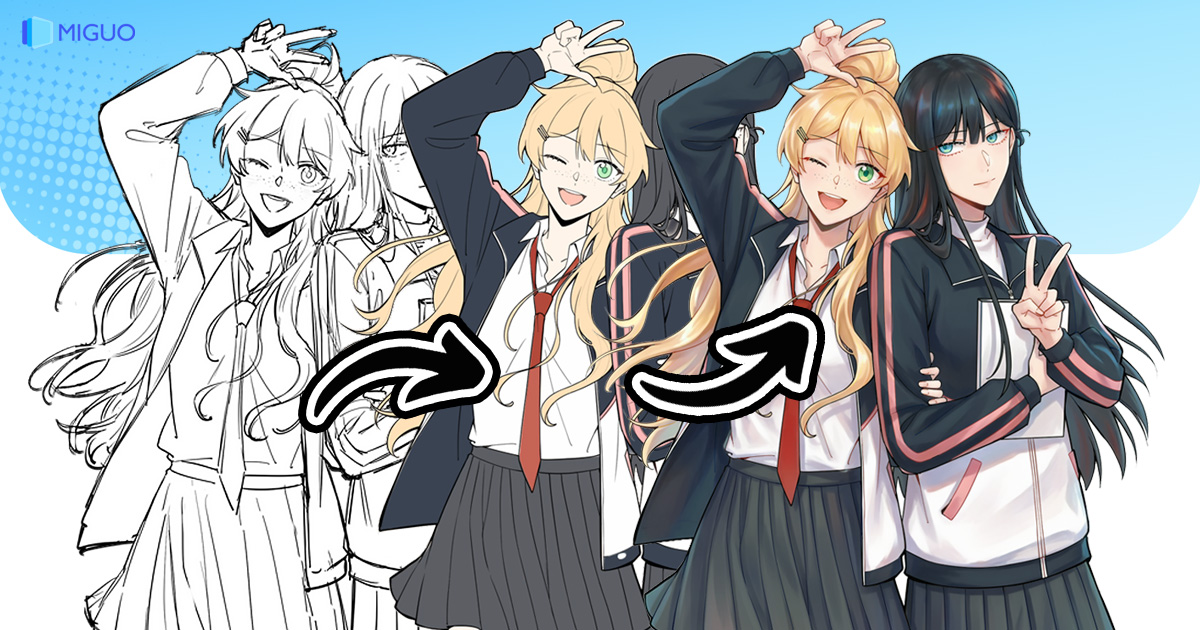
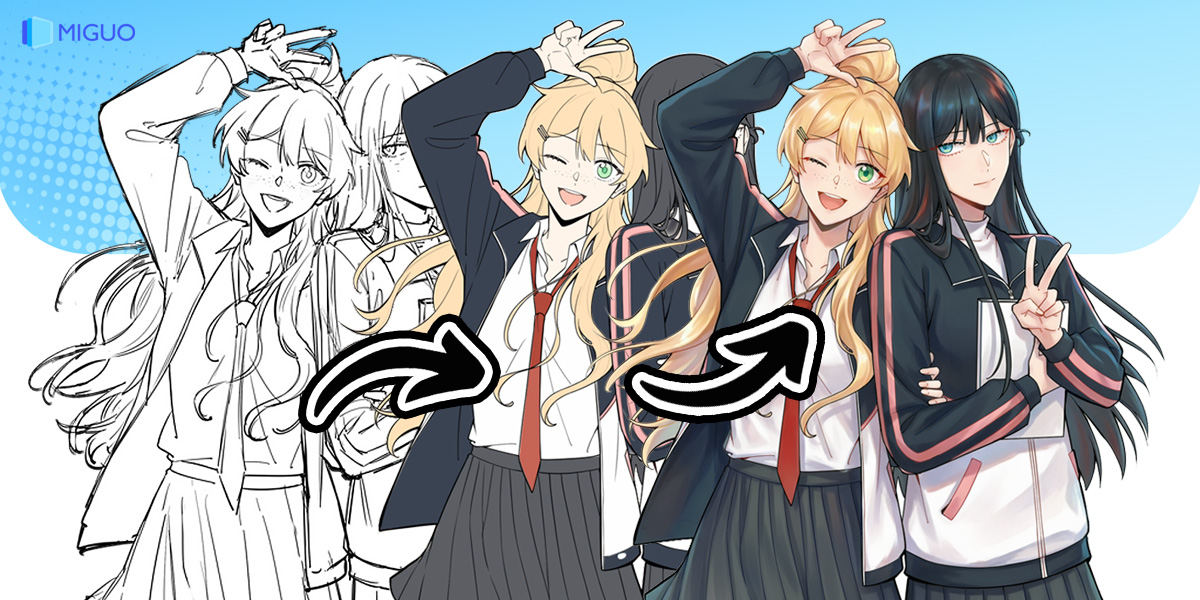
Miguo AI is an AI drawing assistant aimed at illustrators and comic creators, with a focus on Japanese anime styling. What sets it apart is that it is not a black box that swallows a prompt and spits out one finished image. It works in the order artists already use — "sketch → line art → base colour → light and shadow" — and every stage can be previewed, edited and rolled back on its own. The final output is an editable layered PSD rather than a flat JPG, so it drops straight into an existing workflow in Photoshop or Clip Studio Paint. Everything runs in the browser, with no software to install and no high-end graphics card required.
Main Capabilities
Smart Line Art Processing
Upload a refined sketch and the AI removes stray strokes, repairs broken lines and keeps as much detail as possible, turning the draft into clean line art. Four styles are available: refined, soft, bold and crisp.
Progressive Layered Generation
The workflow follows "sketch → line art → base colour → light and shadow", with each step kept on its own layer and editable independently. Artists can step in and correct things at any point; the AI speeds the work up rather than taking it over.
Layered PSD Output
Unlike most AI art tools that only hand back a JPG or PNG, Miguo AI exports a genuine layered PSD. Line art, base colour and lighting sit on separate layers, ready to be refined one by one in Photoshop.
Smart Colouring and Lighting
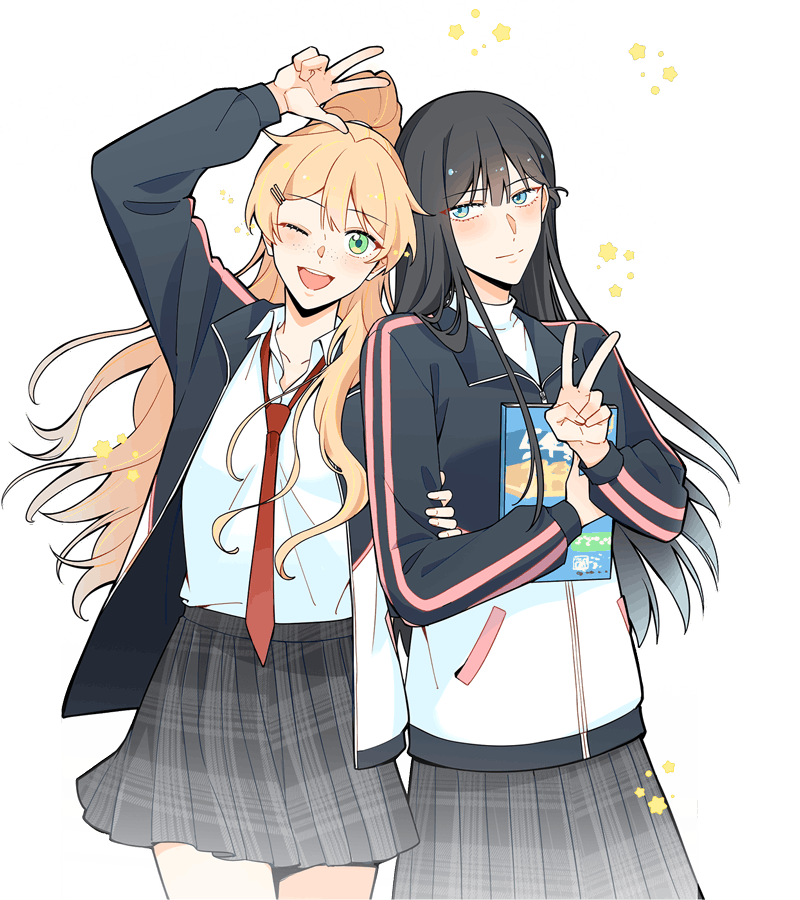
Nine colouring styles are supported, including national-comic, watercolour and cel shading, with the AI filling colour layer by layer. Lighting can be rendered from the front, back, left, right or top, completing complex setups in a single click.
Line Art Extraction
Pull usable line art out of real photographs or reference images, turning raw material into a starting point and cutting down tracing time.
Character Pose Generation
Supply a character reference sheet plus a quick mannequin pose sketch and the tool generates the character in that pose, useful for character design and multi-angle illustrations.
Dual Interface Modes
Professional mode uses a layout familiar from Photoshop or SAI, so anyone with drawing software experience can start immediately. Chat mode is driven by plain text instructions, letting beginners describe what they want.
Speech Bubble Handling
Built for comics, it batch-processes dialogue bubbles and captions with automatic layout, translation and redrawing — a real time saver on a serialised title.
How to Use
- Open the Miguo AI site in your browser; the international and domestic editions have separate entry points. No download or installation is needed.
- Pick a mode: professional mode if you know your way around drawing software, chat mode if you are starting out.
- Step one: upload a refined sketch, choose a line art style, and let the AI clean up stray strokes and repair breaks.
- Step two: choose a colouring style and let the AI fill colour layer by layer, adjusting each layer as needed.
- Step three: choose a lighting direction and let the AI add shadows and highlights.
- When finished, download the layered PSD and do your final polish in Photoshop or Clip Studio Paint.
Where It Fits
- Serialised commercial comics: turn drafts into clean line art, colour in batches, and let the tool handle bubble layout and translation, while layered output keeps revisions practical.
- Pre-production for animation: speed up character design and storyboard cleanup so a small team can take on higher-quality projects.
- Game art: generate multi-angle character illustrations from a character sheet; layered PSD files suit Live2D work and make it easy to preview lighting options.
- Illustration and fan art: try many line and colour combinations from a single sketch, with human intervention available at every step.
- Art teaching: break a piece into its progressive layers for demonstration, and hand out editable source files for practice.
Limitations and Notes
- Publicly available material does not state clear pricing or subscription plans; check the official site for current charges.
- A stable internet connection is required, and a modern browser such as Chrome or Edge is recommended. A high-end graphics card is not required, but generation still happens online.
- Input is JPG or PNG and output is primarily a layered PSD. If you need a flat image, you will have to export it yourself.
- Claims such as "animation production costs down more than 50%, efficiency up tenfold" come from the vendor; real results depend on the complexity of the work and how much manual correction is involved.
- Check the platform's current terms and licensing before using output commercially.
- Windows, macOS and Linux are all supported, though actual experience depends on your browser environment.
FAQ
What is the biggest difference between Miguo AI and typical AI art tools? It exports a layered, editable PSD instead of a single finished image, and it builds the piece step by step through "sketch → line art → base colour → light and shadow", with each stage previewable, editable and reversible.
Do I need to install software or buy a powerful graphics card? No. Miguo AI runs in the browser. Open the site and start working; there is no complex installation and no requirement for a high-end GPU.
Which input and output formats are supported? JPG and PNG for input, layered PSD for output, ready to be imported into Photoshop, Clip Studio Paint and similar tools for further editing.
Can a beginner use it straight away? Yes. Chat mode works with simple text instructions, while anyone comfortable with drawing software can use professional mode, which resembles Photoshop or SAI.
What comic-specific features does it offer? Beyond line art and layered colouring, it handles speech bubbles and captions in batches, with automatic layout, translation and redrawing.
Frequently asked questions
What is the biggest difference between Miguo AI and typical AI art tools?
It exports a layered, editable PSD instead of a single finished image, and builds the piece step by step through sketch, line art, base colour and lighting, each stage previewable and reversible.
Do I need to install software or buy a powerful graphics card?
No. Miguo AI runs in the browser. Open the site and start working; there is no complex installation and no requirement for a high-end GPU.
Which input and output formats are supported?
JPG and PNG for input, layered PSD for output, ready to import into Photoshop, Clip Studio Paint and similar tools for further editing.
Can a beginner use it straight away?
Yes. Chat mode works with simple text instructions, while anyone comfortable with drawing software can use professional mode, which resembles Photoshop or SAI.
What comic-specific features does it offer?
Beyond line art and layered colouring, it handles speech bubbles and captions in batches, with automatic layout, translation and redrawing.



