
Fazhi is an AI legal assistant app from Zhejiang Hithink RoyalFlush Network Technology with about 140 million case records and 3 million regulations. It supports natural-language Q&A, case and statute research, contract review by photo or image, document Q&A, legal document drafting, and company registration and litigation lookup, on iPhone, iPod touch, Mac and Apple Vision with iOS 12.0 or later.
Fazhi App: Hithink's AI Legal Assistant for Research, Contract Review and Drafting
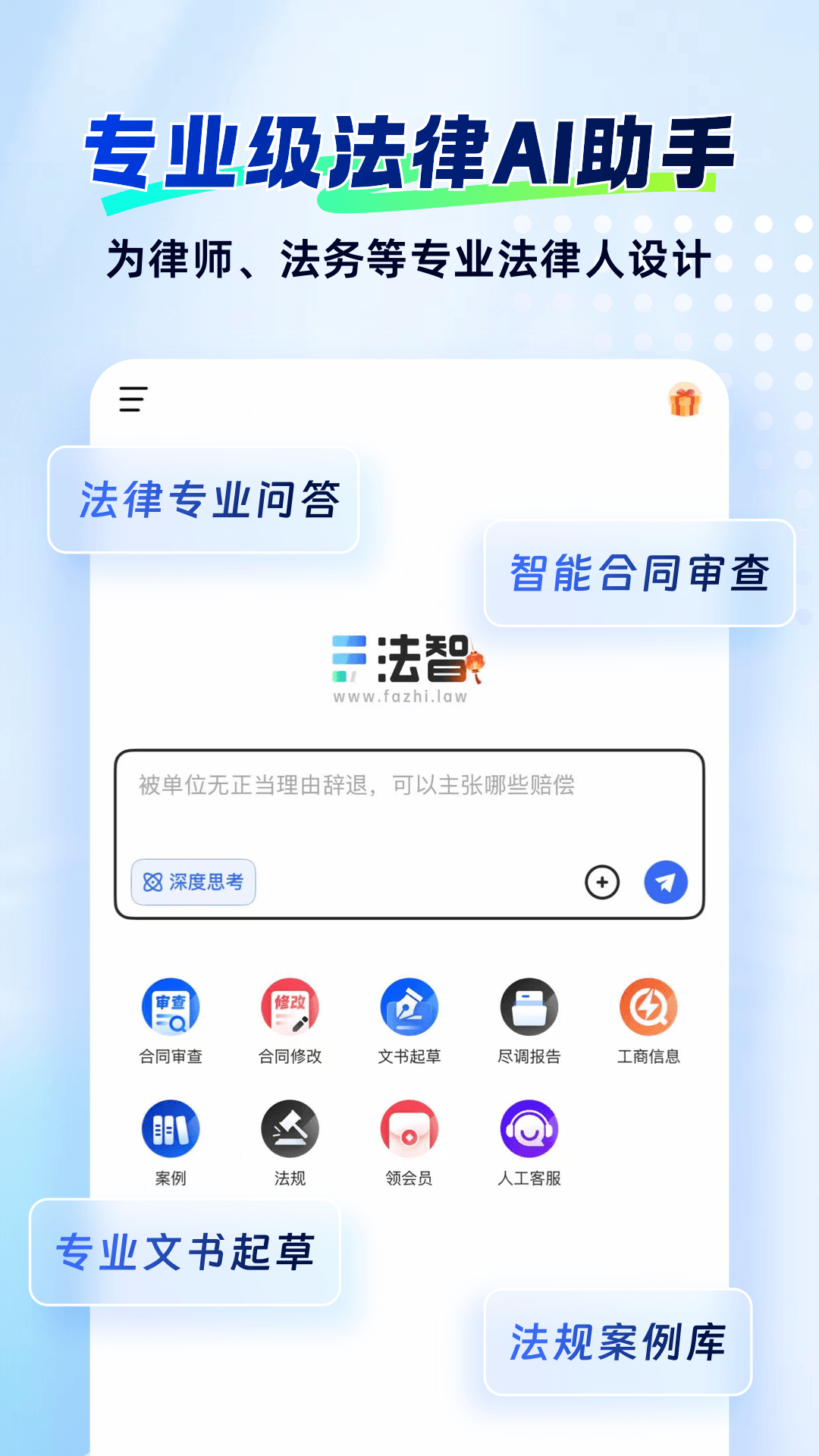
Fazhi is an AI legal assistant app from Zhejiang Hithink RoyalFlush Network Technology. It targets the most time-consuming parts of legal work: locating statutes and precedents, reviewing contracts, reading evidence files, drafting documents and checking a company's background. The app carries a database of roughly 140 million case records and 3 million regulations, accepts photographed contracts for review, and generates complaints, statements of defence and powers of attorney from templates. It runs on iPhone, iPod touch, Mac and Apple Vision and requires iOS 12.0 or later.
The problem it addresses is concrete. For lawyers, in-house counsel and ordinary parties alike, the bottleneck is rarely knowing the law itself. It is aligning material scattered across statute databases, case libraries, contract templates and corporate registry records onto one question. The usual workaround is four or five browser tabs and a lot of copy-paste. Fazhi puts those entry points under a single natural-language question and returns matched statutes and typical cases alongside the answer, so the user can keep pulling the thread.
Structurally it is not a search box. Three capabilities are stacked: conversation, which decomposes the question and explains it; document handling, which processes uploaded contracts and evidence; and the database layer, which anchors retrieval accuracy. The six features listed below are described with an eye to what each one actually does and where it fits in a workflow.
Six core features covering the main stages of legal work
Conversational answers that cite statutes and cases
You describe the facts or ask the question directly in a chat window, for example how the burden of proof is allocated in a particular type of dispute. The system answers in real time and tries to match relevant regulations and typical cases. Compared with keyword search, the advantage is follow-up: ask for the conclusion, then the basis, then how exceptions apply, without rebuilding the query each time.
Legal research on 140 million cases and 3 million regulations
The research module indexes about 140 million case records, 3 million regulations, more than ten thousand contract templates and over 500,000 practitioner articles. For anyone writing a research memo or mapping comparable rulings, the value is that cases, statutes, templates and practice notes sit behind one entry point: locate the material first, then return to the conversation and ask the model how the pieces relate.
Contract review, including photos and images
Contract review uses the model's comprehension and reasoning to inspect clauses and return suggestions. The practical detail is image support: paper contracts, scans a counterparty emailed over, or a photo saved from a chat can go straight into review without being converted into an editable document first.
Document Q&A across files, web pages, audio and images
After you upload material, the app extracts and summarises the core content and answers questions about it. Supported inputs include documents, web pages, audio recordings and images, which suits evidence sorting, meeting notes and long agreements: let the tool thin the material down, then decide what deserves a closer look.
Drafting: complaints, defences and powers of attorney
Enter the cause of action, party details and claims, and the app produces documents such as complaints, statements of defence and powers of attorney in a standard format. What it saves is layout and boilerplate, leaving attention for the factual narrative and the design of the claims. The output still needs checking against the specific court's formatting and element requirements.
Company lookup: registration, shareholders and litigation
The company module consolidates business registration data and covers basic company information, shareholder structure and litigation records, useful for due diligence and background checks before a commercial decision. Keeping this inside the same app means you can follow up in the conversation, asking which categories of dispute a company appears in as a defendant, so the move from data to judgement stays continuous.
How to use it: from question to finished draft
- Describe your situation in plain language and get an initial conclusion together with the statutes and cases it points to.
- Keep asking follow-ups to close the gaps, and switch to legal research when you need the actual text of a regulation or a comparable judgment to verify.
- When a contract needs checking, photograph it or upload the image into contract review and go clause by clause through the flagged risks and suggested edits.
- For evidence files, recordings or long agreements, run document Q&A first to get a summary, then bring that summary back into the conversation to weigh claims and defences.
- With the material assembled, have the drafting feature produce a first version, then fill in the factual detail, verify the claims and send it on through your normal process.
Who it suits
- Lawyers and trainees: comparable-case research, contract reading and first drafts, with less repetitive work.
- In-house counsel and compliance staff: routine contract checks, supplier background verification and a first line of internal answers.
- Founders and small business owners: see contract risk and a counterparty's record before there is a legal team in place.
- Law students and exam candidates: attach abstract provisions to concrete cases and test the conditions of application in dialogue.
Limits worth knowing
- The source does not disclose subscription pricing, free quota or paid tiers. Confirm actual scope and billing inside the app.
- Output is supporting material, not legal advice, and does not replace a practising lawyer's judgement on a specific matter. Any document filed with a court must be checked item by item for facts, claims and format.
- Update frequency and jurisdictional coverage of the statute and case databases are not stated. For cross-border matters or recently amended provisions, verify against official publication channels.
- Company lookup depends on third-party registration and litigation data, which may be delayed or incomplete and should not be the sole basis for a transaction decision.
- The client is listed for iPhone, iPod touch, Mac and Apple Vision, requiring iOS 12.0 or later. No Android or web version is mentioned, so users outside Apple's ecosystem should confirm availability first.
Frequently asked questions
Who makes Fazhi?
It is released by Zhejiang Hithink RoyalFlush Network Technology as an AI legal assistant app that combines conversation, legal research, contract review, document Q&A, drafting and company lookup in one application.
How large is the database?
The stated figures are 140 million case records and 3 million regulations, plus more than ten thousand contract templates and over 500,000 practitioner articles.
Can I review a contract by taking a photo?
Yes. Contract review accepts photos and images, so paper contracts and scans can be photographed and sent straight into the review flow.
Can generated documents be filed as they are?
Treat them as drafts. Format and required elements must match the receiving court's rules, and the factual statements and claims must be confirmed by the party or the lawyer representing them.
Frequently asked questions
Who makes Fazhi?
It is released by Zhejiang Hithink RoyalFlush Network Technology as an AI legal assistant app that combines conversation, legal research, contract review, document Q&A, drafting and company lookup in one application.
How large is the database?
The stated figures are 140 million case records and 3 million regulations, plus more than ten thousand contract templates and over 500,000 practitioner articles.
Can I review a contract by taking a photo?
Yes. Contract review accepts photos and images, so paper contracts and scans can be photographed and sent straight into the review flow.
Can generated documents be filed as they are?
Treat them as drafts. Format and required elements must match the receiving court's rules, and the factual statements and claims must be confirmed by the party or the lawyer representing them.



