

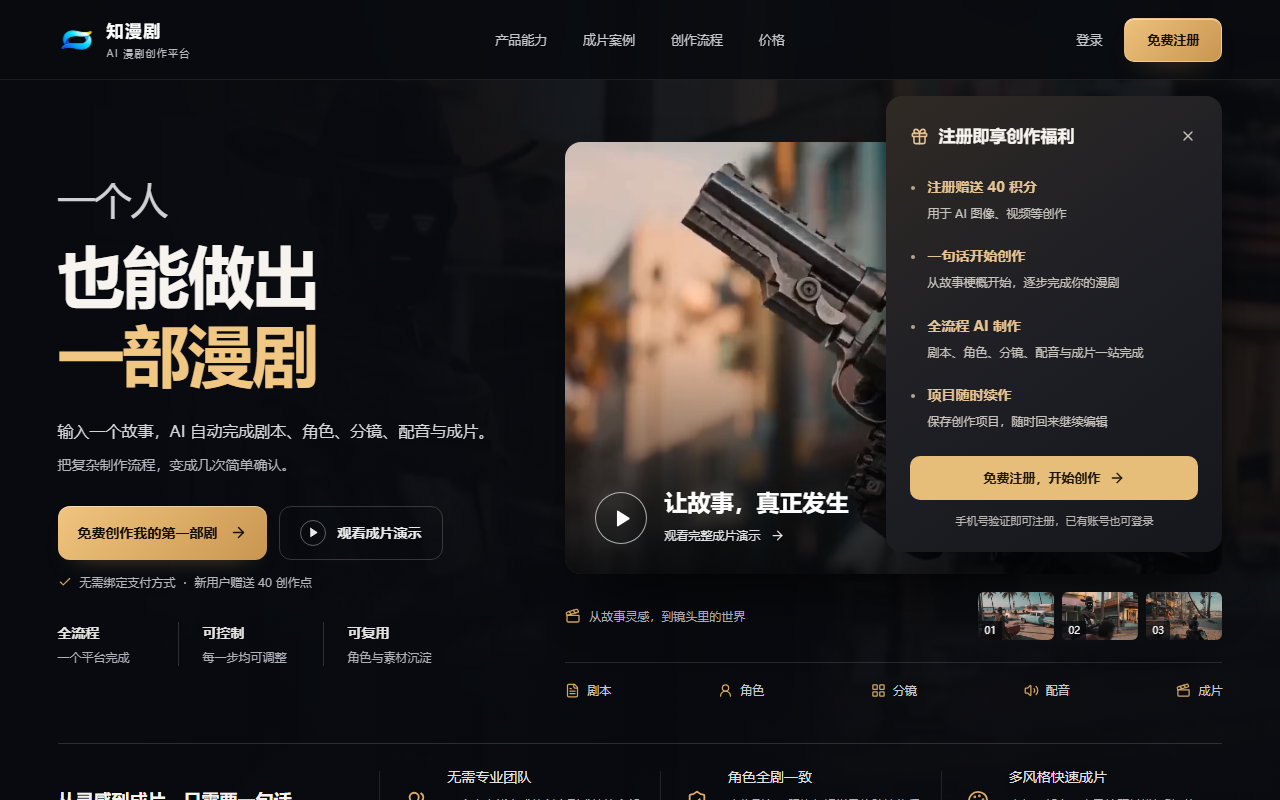
ZhiManJu is an AI production platform that turns static comics into animated comic-drama videos. It offers automatic storyboarding and camera moves, AI voice-over and sound, cutout-based scene recomposition, template packaging and multi-format import, aimed at comic authors, social media creators, novel promoters and educators.
ZhiManJu: Turn Static Comics into Animated Comic-Drama Videos with AI
ZhiManJu is an all-in-one AI production platform built specifically for comic drama, the short animated format adapted from comic panels. Its core job is to turn existing static comic material into animated video with camera movement, voice-over and packaged titles. Storyboard splitting, push-pull-pan-tilt moves, human-like voice synthesis, cutout-based scene recomposition and template packaging all live in one workspace, so no professional editing or illustration skill is required. According to the official introduction, an episode that traditionally takes several days can be compressed to under an hour.

Main capabilities
AI storyboarding and camera movement: After you upload a comic, the platform identifies the main subjects and characters, splits static pages into dynamic shots with varying shot sizes, and adds push, pull, pan and tilt movements. The official example describes a fight scene where the AI focuses on the protagonist and pushes in from a wide shot to a close-up.
AI voice-over and sound design: A built-in human-like voice library covers multiple languages, genders and emotional styles, so you can type dialogue and generate narration and character lines. A licensed background music and sound effect library helps set the mood quickly.
Smart cutout and scene recomposition: Layered material processing extracts characters from their backgrounds and rearranges them in wide scenes. You can resize and reposition characters freely to create blocking and space changes beyond the original artwork, and even place characters from different panels into the same conversation scene.
Template-based packaging: Cover templates, animated subtitle bars and transition effects let you package a release-ready look without designing from scratch.
Multi-format input: Single comic images and multi-page comic PDFs are both supported; pages are split and ordered automatically, which suits batch processing and serial production.
How to use it
- Open the platform: Go to the official site at https://aw.jiaxunai.cn/ , register, sign in and enter the creation workspace.
- Create a project: Click "New project" and choose the aspect ratio for your publishing platform — 9:16 for vertical platforms, 16:9 for horizontal ones.
- Import material: Upload local comic images or a PDF; pages are arranged in order automatically, and you can drag to reorder them in the media library so the story flow is correct.
- Generate automatically: Click "Auto storyboard" and the AI analyses each page, splits shots and adds camera movement to produce a previewable animated draft.
- Refine: Adjust shot size, movement direction and duration on the timeline, add voice-over with a chosen AI voice, then drag music and effects onto the audio track and balance the levels.
- Package and export: Pick a cover template and subtitle style, review the result, then export in high definition to your device or publish to social platforms.
Use cases
- Creator IP building: Comic authors turn serialized work into animated episodes and post them regularly to keep existing readers engaged and reach new ones.
- Social media operations: Publishers and solo creators produce suspense or romance shorts quickly; animated comic drama tends to hold completion and interaction rates better than static posts.
- Novel promotion: Web fiction authors adapt standout chapters into promotional trailers so readers can feel the dramatic conflict through visuals and voice.
- Teaching and culture sharing: Educators turn historical stories, literary classics or popular science topics into short animated videos for classrooms or online distribution.
- Personal projects: Hobbyists can adapt their own short stories or fan works into video form without a production background.
Product highlights
- One closed workflow: Material handling, storyboarding, editing and export happen in a single platform instead of several applications.
- Low barrier to entry: Drag-and-drop plus a few parameter adjustments are enough; no art or editing experience is needed.
- Noticeable throughput gain: The official claim is a reduction from several days to under an hour per episode, which makes daily publishing more realistic.
- Vertical optimisation: The tool is tuned for comic drama rather than general video, including comic material handling, motion effects and mouth-shape simulation for character dialogue.
Limitations
ZhiManJu animates comic material you already have; the imagery comes from your uploaded artwork rather than being generated from scratch, so source quality and panel order strongly affect the result. AI storyboards, camera moves and voices are drafts and should be reviewed shot by shot for cropping, sentence breaks and subtitle accuracy before release. The efficiency figures in the official introduction assume an ideal workflow; real time depends on page count, how many voice revisions you make and export quality. For commercial publishing, verify that you hold the rights and licences for the original comic.
The features and figures above come from official public materials; the actual experience depends on the current product version.
Frequently asked questions
Who is ZhiManJu designed for?
It suits comic authors promoting their IP, social media creators producing story-driven shorts, web fiction authors building trailers, educators making teaching content, and hobbyists who want to animate their own scripts. No art or editing experience is required.
Which file formats can I import?
Official materials list single comic images and multi-page comic PDFs. Pages are split and ordered automatically after upload, and you can drag items in the media library to correct the story order.
How long does one episode take?
The vendor states that an episode which traditionally takes several days can be compressed to under an hour. Actual time depends on page count, how many revisions you make to voices and camera moves, and the export quality.
Can I publish the output directly?
Review it first. AI storyboards, camera movement and voices are drafts; check cropping, sentence breaks and subtitle accuracy shot by shot, and confirm you hold the rights to the original comic before commercial release.
Do I need a video editor installed?
No. Import, auto storyboarding, voice-over, sound effects, subtitle packaging and export all run in one browser workspace.



