
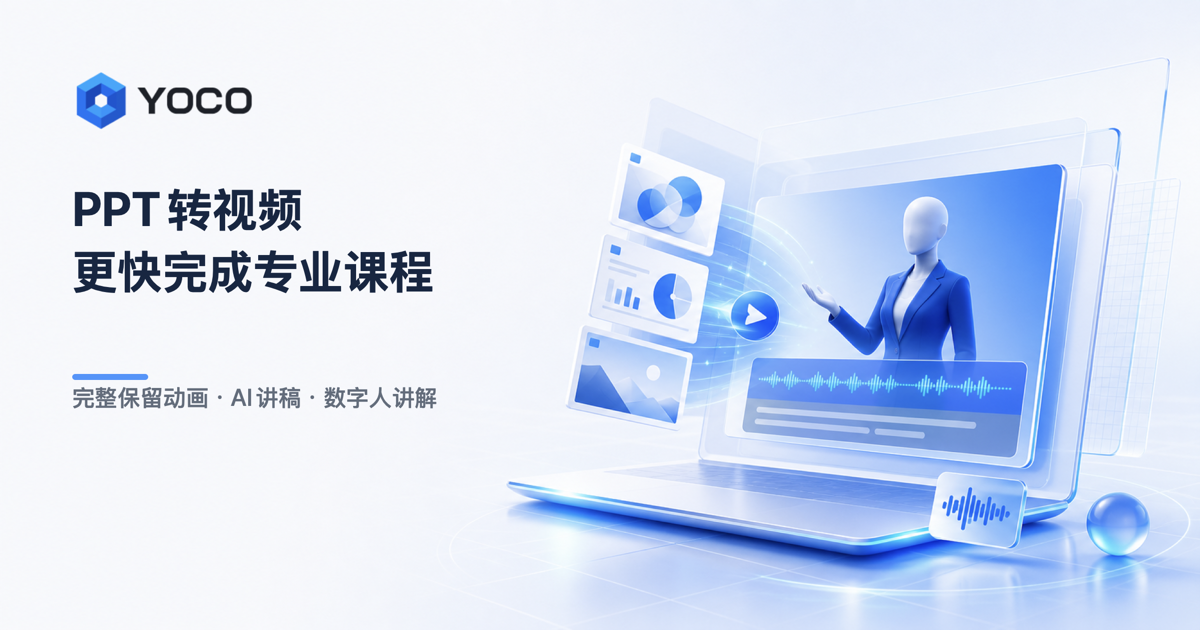
YOCO Smart Course Creation is an AI creation tool focused on generating narrated videos from PPT presentations. You upload a PPT, and it automatically produces a professional digital-human narration video while fully preserving all PPT animations, creating a real classroom feel in which narration is synchronized with on-screen actions.
What Is YOCO Smart Course Creation?
YOCO Smart Course Creation is an AI creation tool focused on generating narrated videos from PPT presentations. After you upload a PPT, the platform automatically produces a professional digital-human narration video.
It deeply parses the PPT's underlying animation and presentation logic, preserving all animation effects such as entrance, emphasis, and exit, along with multimedia content including video, audio, and 3D models (.glb). The result is precise synchronization—"what is spoken matches what is shown" like a real classroom experience.
Product Positioning
YOCO Smart Course Creation is designed for teachers, corporate trainers, paid-knowledge teams, HR staff, product managers, and self-media creators. It is positioned as a productivity tool for turning PPTs into videos.
The platform includes multiple mainstream AI models that automatically generate scripts according to animation steps. It supports real-person digital avatars, voice cloning, and semantically driven motion generation, making digital-human narration natural and fluent.
Core Features
Deep Parsing of All PPT Animations
It fully preserves all animation effects in the PPT, including entrance, emphasis, exit, and motion paths, as well as multimedia content such as video, audio, and 3D models (.glb). The resulting video remains fully faithful, avoiding static page exports common in traditional tools.
AI Script Generation
The platform has multiple mainstream large models and automatically generates narration page by page and step by step according to animation triggers. It supports content polishing, knowledge expansion, and script optimization, and you can also edit and adjust the script manually. It uses a multidisciplinary knowledge base to recognize PPT text and images, and selects the best model for academic or business scenarios.
1:1 Real-Person Digital Avatar
Supports real-person visual cloning and voice cloning, with visual and voice restoration as high as 98%+ and voice timbre similarity as high as 99%+. You can generate a digital avatar by uploading a photo.
Semantically Driven Motion Generation
Digital-human movements are deeply tied to the script's meaning. The system automatically matches gestures and expressions based on the narration content, avoiding mechanical loops and creating a more natural presentation effect.
Multi-Language Voiceover and Subtitles
Supports realistic AI voiceovers in Chinese, English, Japanese, Korean, Russian, Thai, and more, with subtitle generation in 100+ languages and bilingual subtitle display, supporting international content distribution.
Smart Reading Aid
Provides intelligent analysis for mathematical formulas, chemical formulas, and technical terms. It can understand two-dimensional structures such as fractions, radicals, and integrals, and converts complex formulas into natural spoken explanations.
Rich Video Template Library
Includes a large library of film-grade templates, supports one-click layout, quick opening and ending credits, and customization of brand logos, subtitle styles, and other elements.
Real-Time Editing and Preview
Supports script editing, emphasis underline/annotation, digital-human adjustments, subtitle editing, undo/redo, and other operations. Changes can be previewed immediately.
Continuous PPT Updates and Reuse
When you modify and re-upload a PPT, the system automatically keeps the scripts, voiceovers, and video results for unchanged pages. You only need to adjust the changed pages, avoiding repeated production work.
Multiple Video Layout Options
Supports flexible adjustment of digital-human position, aspect ratio, subtitle area, and other layout factors, helping you complete professional video formatting with one click.
How to Use
- Visit the YOCO Smart Course Creation official website ( https://www.yoco.me/ ), register and log in.
- Upload a local PPT file. The platform automatically parses page content, animations, multimedia assets, and presentation logic.
- Choose an AI model. The system automatically generates narration for each page and each animation step. You can also manually edit and optimize the script.
- Choose a video template and layout, and freely adjust the digital-human position, aspect ratio, subtitle area, brand logo, etc.
- Configure the digital human and voice: select a digital-human image, voiceover voice, or dedicated digital avatar. Real-person voice cloning and semantically driven motion generation are supported.
- Set subtitles and language: choose single-language or bilingual subtitles, configure multilingual voiceover, and customize subtitle font, color, background, and display style.
- Choose a video template and opening/ending credits: the built-in template library supports course packaging, corporate training, product demos, and other scenarios, helping you quickly generate a consistent opening and ending.
- Preview and edit: support script modification, emphasis annotation, digital-human adjustment, subtitle editing, undo/redo, and real-time preview.
- Generate the video: the system automatically completes voiceover, digital-human animation, animation synchronization, and video rendering to create a professional narrated video.
- Update and reuse: if the PPT content changes, re-upload it, and the system automatically retains unchanged pages' scripts, voiceovers, and production results.
Use Cases
- Education micro-courses and online course creation: Teachers can quickly turn courseware into micro-course videos, recorded courses, and online teaching resources. PPT animations and presentation logic are fully preserved, improving student focus.
- Standardized corporate training: HR and internal trainers can convert training PPTs into standardized video courses. This supports knowledge retention and scaled distribution; training efficiency can improve by 5x.
- Paid knowledge content production: Training institutions and instructors can batch-produce paid course videos, reduce video production costs, and launch knowledge products faster.
- Product demos and solution explanations: Product managers and pre-sales teams can quickly generate product introductions, solution demos, and customer training videos, improving communication efficiency.
- Self-media and knowledge creation: Bloggers and knowledge creators can use digital humans and AI scripts to continuously produce professional content without appearing on camera.
- Bilingual courses and international distribution: Convert Chinese courses into English, Japanese, Korean, and other language teaching videos with bilingual subtitles, supporting content export and global distribution.
The platform covers universities, vocational education, corporate training, and content production teams, helping organizations improve digital courseware production efficiency.
Advantages
- 100% restoration of PPT animation effects: deeply parses the PPT's underlying operating structure and fully preserves all standard animations such as entrance, emphasis, exit, and motion paths.
- An industry-first step-by-step narration approach per page: scripts are generated in segments according to the order in which animations are triggered, enabling precise timing between speech and visuals.
- AI script generation with multidisciplinary knowledge support and scenario-adaptive model selection.
- Natural digital-human presentation: high visual and voice fidelity, with movements driven by the script's meaning.
- Multi-language global adaptation: supports voiceovers in Chinese, English, Japanese, Korean, Russian, Thai, and 100+ language subtitles.
- Supports SaaS online use and on-premises deployment, covering universities, vocational education, enterprise training, and content production teams.
Limitations and Price Check
YOCO Smart Course Creation offers multiple plans, including a free experience version, Personal, Professional, and Enterprise editions. Professional is suitable for training institutions, course teams, and paid-knowledge teams. Enterprise supports team collaboration, brand customization, on-premises deployment, and dedicated services.
The platform supports both SaaS online use and on-premises deployment, so you can choose based on actual needs. Note that product pricing, version entitlements, and availability are subject to change. Specific prices should be confirmed on the official website's latest plan page. We recommend visiting https://www.yoco.me/ to verify current details.
Frequently Asked Questions (FAQ)
Can YOCO Smart Course Creation preserve PPT animations?
Yes. YOCO deeply parses the PPT's underlying operating structure and fully preserves standard animation effects such as entrance, emphasis, exit, and motion paths. It also supports multimedia content including video, audio, and 3D models (.glb), so the video presentation is fully faithful.
Which languages does YOCO Smart Course Creation support?
It supports realistic AI voiceovers in Chinese, English, Japanese, Korean, Russian, Thai, and more, plus subtitle generation in 100+ languages and bilingual subtitle display.
If I modify the PPT, do I need to recreate the video from scratch?
No. After re-uploading the modified PPT, the system automatically retains the scripts, voiceovers, and video results of unchanged pages, so you only need to adjust the changed parts.
What plans are available?
YOCO provides a free experience version, Personal, Professional, and Enterprise plans. Professional targets training institutions, course teams, and paid-knowledge teams. Enterprise supports team collaboration, brand customization, on-premises deployment, and dedicated services. Specific pricing should be confirmed on the official website.
Alternatives
YOCO Smart Course Creation belongs to the PPT-to-video and digital-human video generation category. Similar alternative tools typically include PPT-to-video converters, digital-human broadcast generators, online course recording tools, and video editing tools.
When comparing alternatives, focus on these dimensions:
- Whether PPT animations and multimedia content are fully preserved
- Fidelity of digital-human appearance and voice
- Intelligence level of AI script generation
- Range of multi-language voiceover and subtitle support
- Pricing model and deployment method (SaaS or on-premises)
Specific product lists and prices should be confirmed from each tool's official website.
Further Reading
- YOCO Smart Course Creation official website: https://www.yoco.me/
Frequently asked questions
Can YOCO Smart Course Creation preserve PPT animations?
Yes. YOCO deeply parses the PPT's underlying structure and fully preserves standard animation effects such as entrance, emphasis, exit, and motion paths. It also supports multimedia content including video, audio, and 3D models (.glb), so the video presentation is fully faithful.
Which languages does YOCO Smart Course Creation support?
It supports realistic AI voiceovers in Chinese, English, Japanese, Korean, Russian, Thai, and more, with subtitle generation in 100+ languages and bilingual subtitle display.
If I modify the PPT, do I need to recreate the video from scratch?
No, you don't need to redo everything. After re-uploading the modified PPT, the system automatically keeps the scripts, voiceovers, and video results of unchanged pages, and you only need to adjust the changed parts.
What plans are available?
YOCO offers a free trial version, Personal, Professional, and Enterprise plans. Professional is designed for training institutions, course teams, and paid-knowledge teams. Enterprise supports team collaboration, brand customization, on-premises deployment, and dedicated services. Specific pricing should be confirmed on the official website.



