

Voxiyo is a voice-note tool: what you say is transcribed into text, organised with tags, folders and search, and an AI assistant can summarise the key points, generate to-dos and answer questions about that recording. It also integrates with tools such as Notion and Obsidian and supports cloud backup.
What Voxiyo is
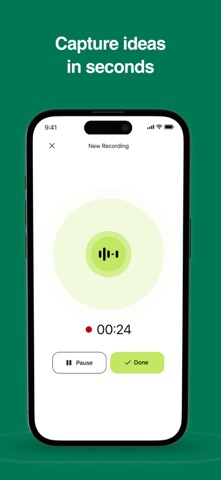
Voxiyo is an AI productivity tool built around voice notes. The path is short: speech is transcribed into text, the note is filed with tags, folders and search, and an AI assistant then summarises the key points, generates to-dos or answers questions about that specific recording. For people who think out loud, take notes while listening in a meeting, or simply cannot type at that moment, it turns "saying it" into "text you can search".
The tool also integrates with note apps such as Notion and Obsidian, and can back notes up to the user's own cloud storage.
Core features
- Instant AI transcription: speech becomes text quickly, so it is easy to record and review.
- Smart organisation: tags, folders and fast search keep a large note collection findable.
- AI assistant: summarise a recording, extract key points and generate to-dos.
- Chat with your notes: ask questions about a recording to get a deeper read of it.
- Built-in to-do list: turn an idea into a task right away.
- Sharing: send notes to friends and colleagues.
- Cloud backup: keep notes in your own cloud to reduce the risk of losing them.
A typical workflow
- Record or import a piece of audio.
- Wait for the transcript, then fix the obvious mistakes.
- Add tags and file it in a folder so it can be found later.
- Ask the AI for key points and a to-do list.
- Share it with a colleague, back it up, or sync it to Notion or Obsidian.
Who it suits
- Meetings and interviews: record while listening and leave with a transcript and the key points.
- Quick capture: dictate while walking or commuting instead of reaching for a keyboard.
- Lectures and classes: turn long explanations into text you can revisit.
- Content work: dictate an outline first, tidy it into a draft afterwards.
Things to keep in mind
- The material provides no transcription accuracy figures, supported languages or pricing; check the product's own documentation for what is actually available.
- Transcript quality depends on audio quality, speaking pace, accent and background noise — cross-check anything important against the original recording.
- AI summaries are an aid; confirm the points that drive decisions yourself.
- Get consent before recording other people and follow the rules that apply where you are.
FAQ
Can Voxiyo turn a recording into to-dos automatically?
Yes. The AI assistant can pull key points from a recording and generate to-dos, and the built-in to-do list takes them directly.
Which tools does it integrate with?
The material shows integration with note tools such as Notion and Obsidian, plus backup of notes to your own cloud. The exact options available are shown in the product settings.
How accurate is the transcription?
The material gives no accuracy figures. Real results depend on recording quality, speaking pace and background noise, so record a sample from your own workflow before relying on it.
Frequently asked questions
Can Voxiyo turn a recording into to-dos automatically?
Yes. The AI assistant can pull key points from a recording and generate to-dos, and the built-in to-do list takes them directly.
Which tools does it integrate with?
The material shows integration with note tools such as Notion and Obsidian, plus backup of notes to your own cloud. The exact options available are shown in the product settings.
How accurate is the transcription?
The material gives no accuracy figures. Real results depend on recording quality, speaking pace and background noise, so record a sample from your own workflow before relying on it.



