SoWork is SenseTime's voice-driven AI agent workbench: system-level voice wake-up turns speech into instructions, 200+ agents in 15 enterprise departments work together, tasks can be dispatched remotely from WeChat, Feishu, DingTalk, or QQ, the studio covers voiceover, voice cloning, and audio/video generation, S-Design turns one sentence into designs, and scheduled tasks plus enterprise customization are supported.
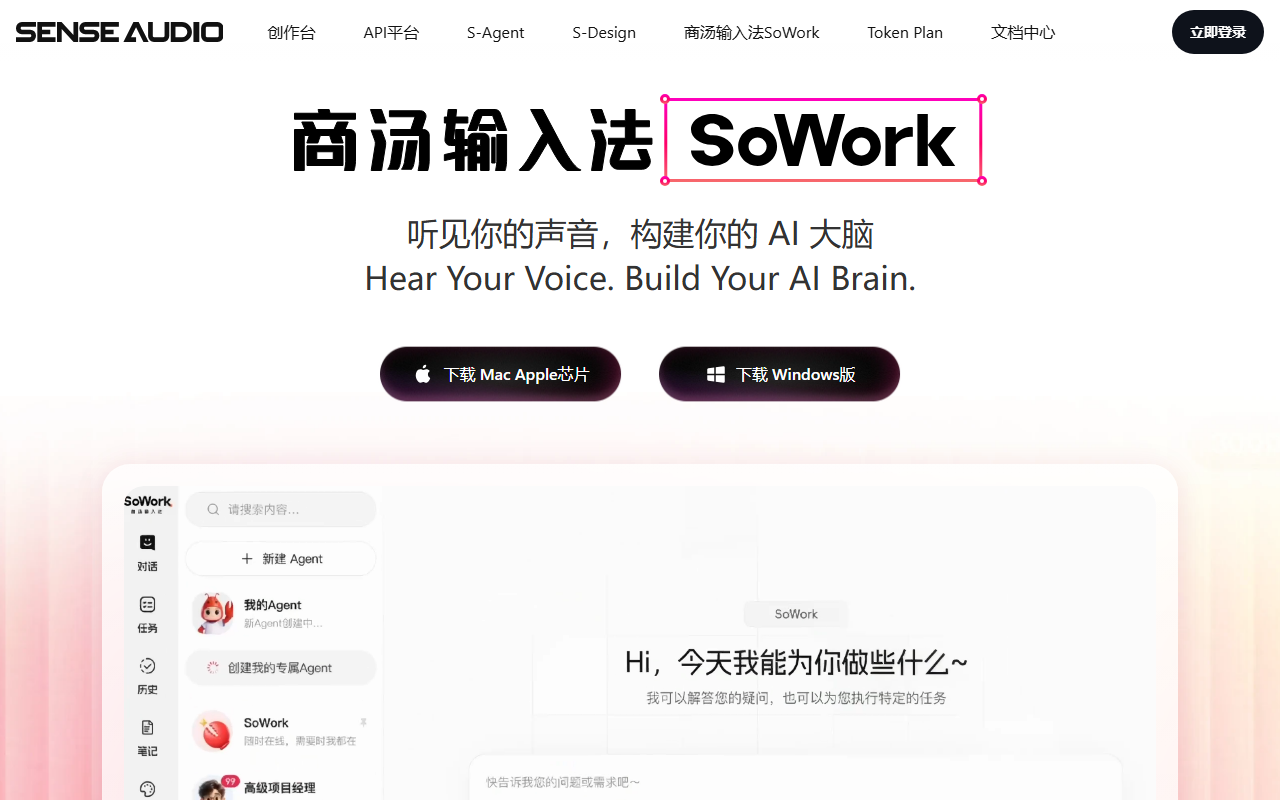
SoWork: SenseTime's Voice-Driven AI Agent Workbench
SoWork (official site: https://senseaudio.cn/SoWork ) is an AI voice input and agent tool from SenseTime. Give instructions by voice and more than 200 AI agents — organized by real enterprise scenarios — collaborate to finish the job; you can also command the SoWork on your computer remotely through WeChat, Feishu, DingTalk, or QQ and receive results in real time. It bundles a one-stop creation studio and the S-Design platform, covering the full content pipeline from voiceover, voice cloning, and audio/video generation to PPT and poster design, making AI a genuinely always-online, on-call work partner.
Main Features
- Global voice input: System-level wake-up; speak in any app to enter instructions.
- Conversational rewriting: Express needs in natural dialogue; execution starts the moment you finish speaking.
- AI expert team: 200+ agents organized into 15 departments by real enterprise scenarios.
- Scheduled tasks: Create automated workflows in natural language; they fire on time.
- Cross-platform remote control: Command your desktop SoWork from WeChat, Feishu, DingTalk, or QQ.
- Creation studio: Top audio/video models covering voiceover, voice cloning, and music generation end to end.
- S-Design platform: One sentence drives the full design flow from requirement to delivered file.
- Enterprise customization: Custom voices, model tuning, and dedicated voice agents.
How to Use
- Install: Download the desktop client from the official site (https://senseaudio.cn/SoWork ).
- Wake by voice: Use a hotkey in any app to summon global voice input and speak your need.
- Summon agents: Pick agents from the 200+ expert library to form your own AI team.
- Create tasks: Describe requirements or set scheduled tasks in natural language; SoWork dispatches the models.
- Link IM remote control: Scan a WeChat QR code or connect Feishu, DingTalk, or QQ to command SoWork from chat.
- Use the studio: Choose voiceover, voice cloning, music, or video generation tools to create content.
- Use S-Design: Describe a design need in one sentence; generate PPTs, posters, and web pages from templates in one click.
Core Strengths
- Voice as the entry point: System-level global wake-up makes "speak, and it's a command" the most natural interaction.
- AI as a team: 200+ agents in 15 scenario-based departments — team collaboration, not single-point Q&A.
- Always on: Scheduled tasks plus background execution keep work moving while you're away from the desk.
- Available anywhere: WeChat, Feishu, DingTalk, and QQ are all connected — the chat window is your remote console.
- Full-pipeline creation: Voiceover, voice cloning, music, and video generation handled in one studio.
- Zero-barrier design: S-Design runs the whole flow from requirement to delivery in natural language, with one-click templates.
- SenseTime backbone: SenseAudio in-house speech models and SenseTime's large models make recognition and generation more reliable.
- Enterprise-grade service: Voice customization, model tuning, and dedicated voice agents for individuals and professionals alike.
Who It's For
SoWork suits professionals and teams who want to move work forward without hands on the keyboard: leads who assign tasks while handling other business, managers who want to dispatch jobs and collect results from WeChat, marketing and content teams producing voiceovers, posters, and PPTs at scale, and enterprises that want to turn repetitive routines into scheduled automation. Unlike single-point transcription tools, SoWork treats voice as the entry to orchestrating a team of agents: one command mobilizes several agents with divided roles, and tasks flow automatically between cloud and local. If you often have work to push forward in meetings, on the road, or away from the desk, download the client from the official site and build your first AI team with one spoken instruction and a few commonly used agents.
Frequently asked questions
What does SoWork do?
It is SenseTime's AI voice input and agent tool: speak instructions and 200+ agents organized into 15 enterprise-scenario departments collaborate to finish tasks, with scheduled automation and remote dispatch from WeChat, Feishu, DingTalk, or QQ.
How do I use SoWork?
Install the desktop client from the official site, summon voice input with a hotkey in any app, pick agents to form your team, create tasks or schedules in natural language, or scan the WeChat QR code to command it from chat.
Can SoWork be used from a phone?
The desktop client runs on your computer, but you can dispatch it remotely and receive results in real time from WeChat, Feishu, DingTalk, or QQ on your phone.
What creation abilities does SoWork have?
The studio integrates voiceover, voice cloning, music, and video generation; the S-Design platform turns one sentence into a full design flow, producing PPTs, posters, and web pages.