

VibeKnow suits individual creators, teachers, training departments, and content organizations that need to turn documents, web links, and other text-based material into explainer videos quickly, especially for knowledge content with clear structure, data, and processes.
VibeKnow: The AI Creation Platform That Turns Documents and Web Links into Explainer Videos
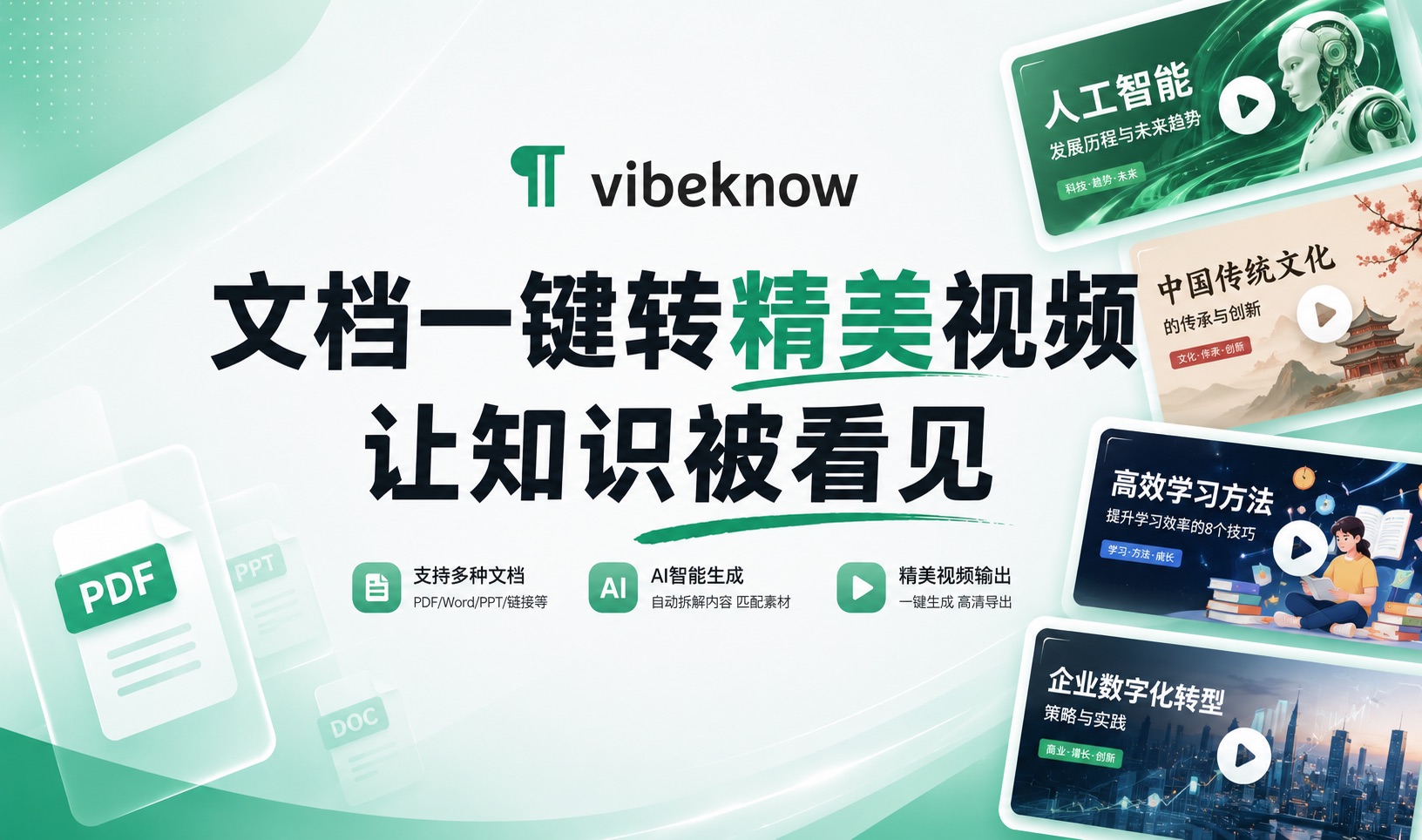
VibeKnow is an AI knowledge video creation platform whose core proposition is simple: turn a document or a URL into a video that actually explains the thing clearly. It is built for people who have no editing, voice-over, or design skills and who also do not want to appear on camera. You drop in text, a web link, a PDF, a Word file, or a TXT file, and an AI producer automatically handles storyboard design, visual generation, professional narration, and background music, delivering a usable knowledge video within minutes. Measured against the traditional outsourcing benchmark of a one-to-two week delivery cycle and more than 5,000 in cost per video, the trade-off is easy to read — what this saves is the time and headcount in the production chain, not the value of the content itself.
Main Capabilities
Multi-format source parsing Plain text, web links, PDF, Word, and TXT are all accepted, and the AI extracts the key information on its own. This means you never have to reorganize your material differently just because it came from a different source.
Automatic AI production Storyboards are split, visuals are selected, and pacing is set automatically, creating the video shot by shot based on an understanding of the content rather than applying a fixed template. This is the key difference from template-based video generation tools.
Intelligent visual matching Data is converted into charts automatically, processes become animations, and comparisons are shown in split screen. This kind of visual handling is what determines the readability of a knowledge video — presenting tables and workflows as static frames noticeably weakens the result.
Professional voice-over and music Professional narration is configured automatically, and the music adjusts intelligently to the emotional tone, so no sound design background is needed.
Batch production One-click batch generation of videos, which suits standardized content output needs, such as producing multiple versions from the same source material.
API service API access is provided for enterprise-scale batch video generation and platform integration.
How to Use It
- Prepare your material: Gather the input material — text content, web links, PDF, or Word documents. How clearly structured the material is directly affects the output, so sectioning it first is a good idea.
- Describe the requirement: Upload the material to VibeKnow and clearly describe the video style or goal, for example "make a punchy short science explainer." The more specific this description is, the more controllable the generation direction.
- AI parses and generates: The AI parses the content, designs the storyboard, matches visuals, and generates narration and music. The whole process runs in the cloud and requires an internet connection.
- Preview and adjust: Review the result. If the visuals, pacing, or voice-over do not satisfy you, revise the prompt and regenerate.
- Export the final cut: Once everything checks out, export the finished video for publishing.
Core Advantages
- Zero-barrier creation: No editing, voice-over, or design skills required, and no need to be on camera — drop in the material and you get a video.
- Very low cost: Per-video cost drops from the 5,000-plus of traditional outsourcing to a starting point in the tens.
- Efficiency gains by an order of magnitude: The production cycle shrinks from one to two weeks to a few minutes.
- Free to revise: Regenerate whenever you are not satisfied, with no rework from scratch.
- Depth of content understanding: Visual forms are matched to the logic of the content rather than applied mechanically.
- Full pipeline coverage: From script planning through visual design, voice recording, and editing and compositing, done in one place.
Use Cases
- Knowledge explainers and hot topic analysis: Turn professional knowledge, industry reports, or trending topics into visually punchy short videos with automatic data charting.
- Online education and course production: Teachers and training institutions can turn lesson plans, PPT decks, or Word handouts directly into teaching videos with animation demos and process walkthroughs.
- Corporate training and internal education: HR and training departments can convert employee handbooks, compliance documents, or product knowledge bases into standardized training videos.
- Video adaptation of published content: Publishers and content organizations can turn book chapters, research reports, or in-depth articles into explainer videos.
- Product introductions and marketing assets: Convert product manuals, technical whitepapers, or official website pages into two-to-three-minute product explainer videos.
- Academic research and results presentation: Researchers can turn paper abstracts, experimental data, or study reports into visualized video summaries.
Key Information and Requirements
- Input material: Text-based material must be provided (plain text, web link, PDF, Word, or TXT document) as the basis for the video content.
- Requirement description: Describing the video style or goal clearly is recommended, as it guides the generation direction.
- Revision mechanism: It uses a regeneration model rather than traditional editing-based revision, so you can adjust the prompt and regenerate when the result is unsatisfactory.
- Network environment: An internet connection is required, since the AI parses material in real time and performs cloud rendering.
- Commercial rights: Generated videos may be used directly for commercial purposes, including corporate training, product promotion, and paid knowledge content.
How It Differs from Similar Tools
Similar tools generally center on "turning long content into short videos": some take material from blogs, scripts, or long videos, split it into scenes automatically, and match visuals from a stock library; others focus on article-to-video conversion, extracting key points and pairing them with drag-and-drop scene editing. What they share is that they do not require appearing on camera, and their visual presentation depends mainly on a stock library or templates.
Where VibeKnow differs is in the logic behind visual generation — data becomes charts, processes become animations, and comparisons become split screens. The presentation method is chosen based on a judgment about the content type rather than retrieved from a stock library. Correspondingly, it suits knowledge content with clear structure, explicit data, and explicit processes better than material centered on personal narrative.
On the production side, this category of tools broadly offers batch generation, while the depth of integration depends on whether an API is exposed.
Limitations and Caveats
- Results are produced by AI, so factual accuracy, numbers, and citations still need human verification before publishing.
- Text-based material must be provided; entering images or video-only material is out of scope.
- Revision follows a regeneration model, so you cannot precisely adjust a single frame or a single line the way traditional editing allows, and the cost of adjustment depends on how stable the regenerated result is.
- An internet connection is mandatory, since both AI parsing and cloud rendering depend on the network environment.
- The efficiency and cost figures follow the platform's comparison benchmark; actual results depend on material quality, duration, and the number of revision rounds.
Frequently asked questions
What types of source material does VibeKnow support?
VibeKnow supports plain text, web links (URLs), PDF, Word, and TXT, and the AI parses them and extracts key information automatically. Note that it builds videos on text-based material; image-only or video-only sources fall outside the supported range.
Do I need editing or voice-over skills to use VibeKnow?
No. The AI producer automatically handles storyboard design, visual generation, professional narration, and background music, and you never have to appear on camera. A complete beginner can go from source material to finished video.
How do I revise a result I am not satisfied with?
VibeKnow uses a regeneration model rather than traditional editing-based revision. You can adjust the prompt or style description and generate again, but because a single frame or a single line cannot be edited precisely, the real adjustment cost depends on how stable the regenerated output is. Human verification of facts and data before publishing is still recommended.
Is an internet connection required, and can the videos be used commercially?
Yes, an internet connection is required because the AI parses material in real time and renders in the cloud. Generated videos can be used directly for commercial purposes, including corporate training, product promotion, and paid knowledge content.



