

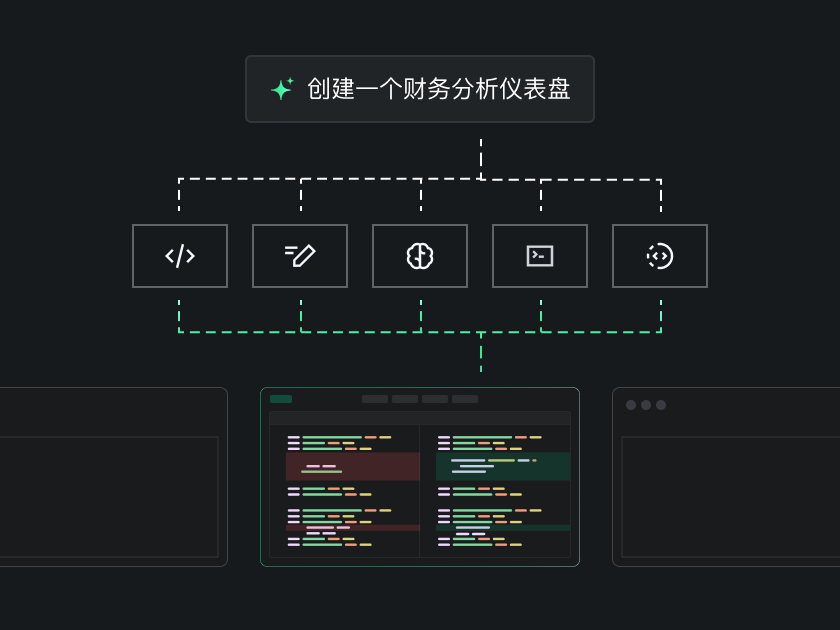
TraeWork is ByteDance's AI-native workbench, upgraded from TRAE SOLO. You describe a requirement in natural language in the central input box, and it automatically decomposes the task, plans steps, calls tools, and executes, eventually delivering documents, PPTs, Excel files, data analysis reports, web prototypes, and images or videos. When you need to write code, switch to Code mode to continue professional development.
Quick Answer
TraeWork is ByteDance's AI-native workbench, upgraded from TRAE SOLO. It provides Work / Code dual modes: non-technical users describe requirements in natural language, and the AI automatically decomposes tasks, calls tools, and delivers complete results; professional developers can continue with complex development in Code mode.
Product Positioning: From "Can Chat" to "Can Keep Executing Tasks"
TraeWork is not positioned as a purely conversational AI, nor is it a code assistant that only serves programmers. It brings the context understanding, file management, tool calling, and progress-tracking capabilities honed in AI programming scenarios into a wider range of daily work, covering document writing, data analysis, PPT creation, prototype design, and more.
Its goal is to let everyone bypass the barriers of complex tools and move ideas quickly into a visible, editable, and usable state.
Core Features
- Web search and information integration: automatically retrieves web information, consolidates multi-source data, and provides real-time references and background knowledge for tasks.
Work / Code Dual Modes
- Work mode: designed for non-technical users such as product managers, operations professionals, and content creators, letting them drive daily work with natural language.
- Code mode: retains professional programming capabilities, supporting complex development, debugging, and codebase management.
AI Agent Automatic Execution
Based on SOLO Auto Model, the AI decomposes the task, plans steps, and calls tools to move forward step by step. You only need to describe the requirement and wait for the delivered result, rather than assembling the workflow yourself.
Multi-Format Content Generation
Supports generating documents, PPTs, Excel files, data analysis reports, web prototypes, and interactive pages, covering the complete path from idea to deliverable.
Data Visualization and Analysis
Automatically cleans data, performs statistical analysis, generates charts, and outputs interactive visual reports, suitable for market research, user analysis, and similar tasks.
Skills System
Packages work standards and process specifications into reusable skill packs, injecting business context into the AI and improving output quality. Repetitive work benefits the most.
MCP Protocol Extension
Supports connecting external tools and data sources, extending the AI's capability boundary, and linking to internal enterprise systems or third-party services.
Cloud Agent Execution and Real-Time Sync Across Three Platforms
Code analysis, running, and debugging are completed in a cloud sandbox, so non-technical users don't need to set up a local development environment. Task data is fully synced in real time across the web version, desktop clients (macOS/Windows), and mobile.
Voice Task Submission
On mobile, you can enter requirements by voice; the cloud Agent executes them, and you review the results on the desktop client.
Design Mode
Generates design drafts through natural-language conversation, supports real-time editing on the canvas, and connects to development in one step, forming an all-in-one AI workflow from design to code.
Built-In Professional Image and Video Generation Models
TraeWork includes the Seedream 5.0 and Seedance series models, free for all users. It supports text-to-video, image-to-video, and text-to-image modes. Videos can be generated in 5s/10s/15s lengths, landscape/portrait/square aspect ratios, and 720P resolution. Generated images and videos appear as standalone cards that can be previewed and played, and they remain in the current task as context, allowing you to continue with subsequent work such as writing a proposal or preparing a report.
How to Use TraeWork
- Choose your entry point: visit the TraeWork official website at trae.cn or trae.ai to download the desktop client (macOS/Windows) or mobile app. Data syncs in real time across all three platforms.
- Switch modes: choose Work mode for documents, data, PPTs, and other daily work, or Code mode for professional programming.
- Describe the requirement: use natural language in the central input box to describe the task clearly. For example, ask it to write a personal-growth article for people aged 20-30 on overcoming procrastination, with a light, non-preachy style.
- Review the breakdown: the AI decomposes the task into sub-steps and shows execution progress in the right-side task panel in real time (for example, topic analysis → framework generation → first draft writing).
- Confirm the framework: first ask the AI to output an article framework, PRD structure, or data analysis approach, and confirm the direction before generating the full content to avoid rework.
- Iterate and refine: on the basis of the first draft, prototype, or report, add your own real experiences, business data, or revision feedback, and let the AI continue to adjust.
- Use skill packs: for repetitive work, load or configure Skills packs to inject business standards into the AI and improve output quality.
- Collaborate across devices: use voice on mobile to quickly assign tasks, let the cloud Agent execute automatically, and then review, edit, and accept the results on desktop.
- Export and deliver: download the generated document, HTML page, data chart, or interactive prototype for later discussion and publishing.
Use Cases
- Content creation: from topic planning, article framework, and first draft to supporting images and cover design, the AI assists the entire process; creators only need to add real experiences and personal style.
- Product planning and prototype validation: turn scattered ideas into a discussable first version, including user analysis, MVP feature design, PRD documents, product introduction pages, and interactive web prototypes.
- Data analysis and visual reports: upload raw data (such as CSV survey data) and the tool automatically cleans the data, interprets fields, performs statistical analysis, and generates charts.
- Everyday office document work: generate PPTs, Excel spreadsheets, Word documents, meeting minutes, and industry research reports with one sentence.
- Cross-device task collaboration: quickly assign tasks by voice on mobile, execute in the cloud, and review on desktop or web.
- Professional programming: in Code mode, it supports complex coding, codebase management, bug debugging, multi-file refactoring, and Git workflows.
Core Advantages
- AI-native execution, not simple generation: it first decomposes, then plans, calls tools, and progressively delivers complete usable results.
- Work / Code dual modes cover all roles: one core capability serves both non-technical users and professional developers.
- Inherits a solid Agent foundation: context understanding, file management, tool calling, and progress tracking are built on real AI programming scenarios.
- Cloud sandbox execution with zero environment setup: non-technical users can generate web prototypes, data analysis reports, and more without configuring any development environment.
- Real-time sync across three platforms with voice input: full data sync across web, desktop, and mobile, and mobile supports voice task submission.
- Skills inject business context: packaging work standards into skill packs improves output quality.
- MCP protocol removes capability boundaries: connect external tools, data sources, and internal enterprise systems.
Limitations and Considerations
- Task execution relies on cloud agents and a cloud sandbox; code analysis, running, and debugging all happen in the cloud, so the experience depends on network conditions and account status.
- Work mode output quality is directly related to how clearly you describe the requirement and whether the right Skills packs are configured: the more specific the description and the fuller the context, the less rework.
- Understand the data handling approach in advance: code files are saved on your local device by default. To generate an index, files may be temporarily uploaded to compute embeddings; after processing, all plaintext data is deleted. You can also use privacy mode or the ignore feature to restrict data usage.
- The specifications of built-in models and features may adjust with version updates; please refer to the current official website for the latest details.
Pricing Verification Note
The public information this article is based on only states that the built-in Seedream 5.0 and Seedance series models are free for all users. It does not provide TraeWork's pricing, plans, free quotas, or payment methods, so this article makes no pricing assumptions. Please verify on the official website before deciding to use it:
- TraeWork official website: https://www.trae.cn/sem/
- Product domains: trae.cn, trae.ai
Available platforms, feature entries, and model specifications may also change with versions; please follow the latest official instructions.
FAQ
How are TraeWork and TRAE SOLO related?
TraeWork is upgraded from TRAE SOLO and is ByteDance's AI-native workbench, providing Work / Code dual modes.
Can I use TraeWork if I don't know programming at all?
Yes. Work mode is designed for non-technical users such as product managers, operations professionals, and content creators. You only need to describe requirements in natural language; the AI will automatically decompose tasks, call tools, and deliver complete results.
What types of results can TraeWork deliver?
Documents, PPTs, Excel files, data analysis reports, web prototypes, and interactive pages are all supported. With the built-in Seedream 5.0 and Seedance series models, it also supports text-to-image, image-to-video, and text-to-video, with video lengths of 5s/10s/15s, landscape/portrait/square aspect ratios, and 720P resolution.
Which devices are supported? Can I collaborate across devices?
It supports the web version, desktop clients (macOS/Windows), and mobile, with full real-time sync of task data across all three. On mobile, you can submit tasks by voice; the cloud Agent executes them, and you can review, edit, and accept the results on desktop.
Can TraeWork connect to internal enterprise systems?
Yes. Through the MCP protocol extension, it can connect external tools and data sources, and link to internal enterprise systems or third-party services.
Are my code and data secure?
The product follows local-first and minimal data collection principles. Code files are saved on your local device by default. To generate an index, files may be temporarily uploaded to compute embeddings; after processing, all plaintext data is deleted. You can also use privacy mode or the ignore feature to restrict data usage. Strict access permission management and encrypted transmission mechanisms help prevent unauthorized access and reduce security risks. User data and service infrastructure are stored and deployed according to the region associated with the account, with isolation mechanisms to meet local data regulations.
Alternatives and How to Compare Similar Tools
The public materials do not list specific competitor names, so here are comparison directions instead:
- If your core need is coding itself, TRAE also has an AI IDE product centered on intelligent productivity, designed to flexibly adapt to your development rhythm and collaborate with you to deliver efficient, high-quality projects; you can evaluate it alongside TraeWork's Code mode.
- If you need a multi-agent desktop AI client, compare TraeWork with similar multi-agent desktop clients on the same dimension.
- If you focus on content creation and operations, you can refer to AI content creation and operations platforms and compare their coverage of topic planning, production, and operations.
Suggested comparison dimensions include: whether natural language can drive task decomposition; whether it delivers multi-format results (documents, PPTs, Excel files, prototypes, video); whether it has skill pack and protocol extension capabilities; whether it supports three-platform sync and voice submission; and whether its data handling and privacy policies meet your requirements.
Official Entry Points and Primary Sources
- TraeWork official website: https://www.trae.cn/sem/
- Product domains: trae.cn, trae.ai
Frequently asked questions
How are TraeWork and TRAE SOLO related?
TraeWork is upgraded from TRAE SOLO and is ByteDance's AI-native workbench, offering Work / Code dual modes.
Can people without programming experience use TraeWork?
Yes. Work mode is designed for non-technical users such as product managers, operations professionals, and content creators. You only need to describe requirements in natural language; the AI will decompose tasks, call tools, and deliver complete results.
What types of results can TraeWork deliver?
It supports documents, PPTs, Excel files, data analysis reports, web prototypes, and interactive pages. With the built-in Seedream 5.0 and Seedance series models, it also supports text-to-image, image-to-video, and text-to-video; videos can be 5s/10s/15s long, in landscape/portrait/square aspect ratios, and at 720P resolution.
Which devices does TraeWork support, and can I collaborate across devices?
It supports the web version, desktop clients (macOS/Windows), and mobile, with full real-time sync of task data across all three. On mobile you can assign tasks by voice; the cloud Agent executes them, and you can review, edit, and accept the results on desktop.
Is TraeWork free?
Public information only states that the built-in Seedream 5.0 and Seedance series models are free for all users. It does not provide overall pricing, plans, or free quotas. Please check the official website https://www.trae.cn/sem/ for the latest pricing details.
Can TraeWork connect to internal enterprise systems or third-party services?
Yes. TraeWork supports MCP protocol extension and can connect external tools and data sources, including internal enterprise systems or third-party services.



