
Suishenlu is an iOS app that turns recordings into text and automatically organizes them into meeting minutes, study notes and similar content, with multilingual translation and real-time captions.
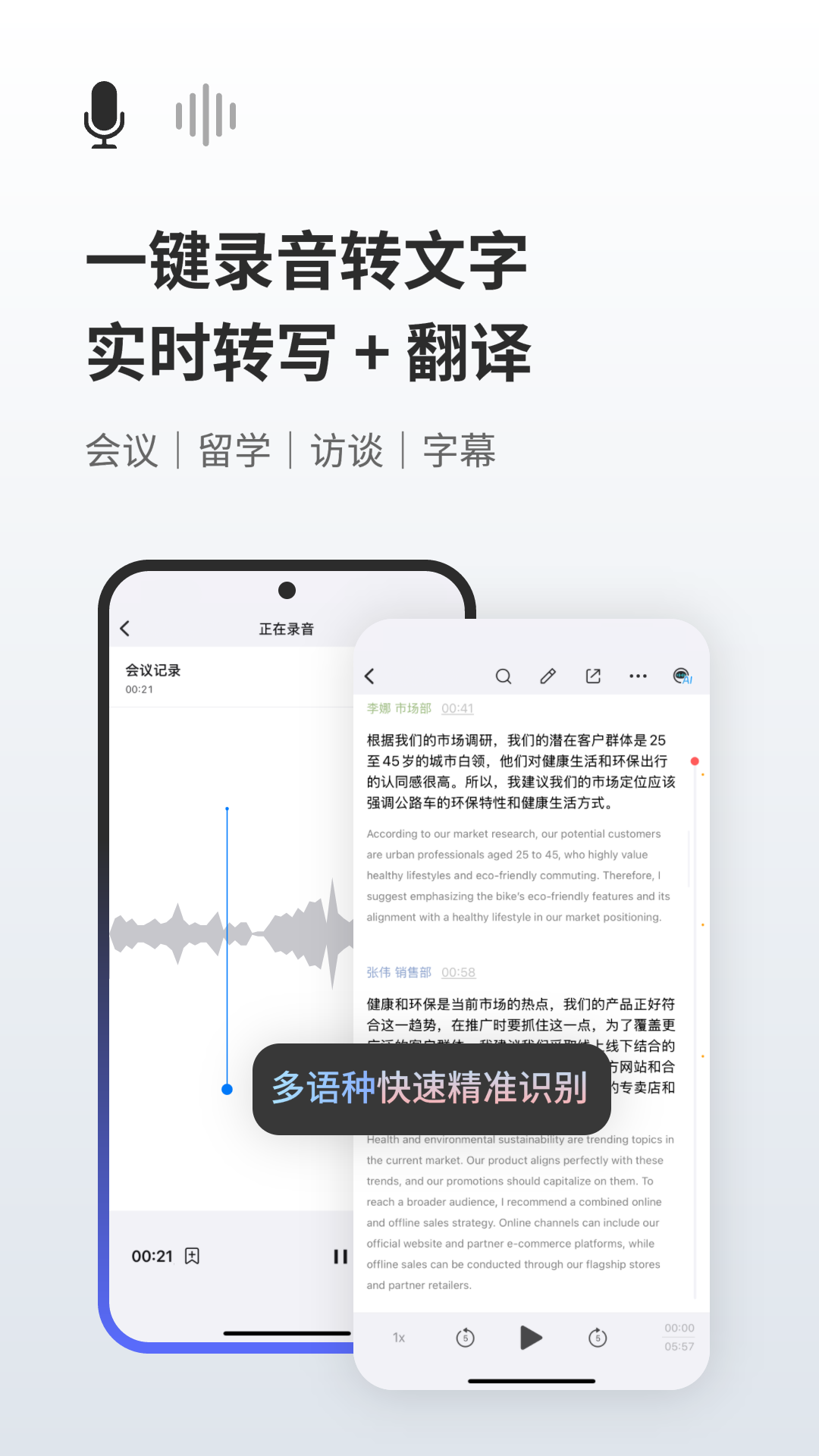
Suishenlu App: AI Speech-to-Text and Smart Organization Tool
Product overview
Suishenlu is an app built on advanced AI technology that converts speech into text and organizes the content intelligently. It turns recordings into usable text and then refines that text into structured content. It brings together speech transcription, text summarization, meeting-minute generation, study-note organization, interview-record distillation, floating captions for audio and video livestreams, and multilingual translation. It is suited to anyone who needs to record and organize spoken content efficiently. The app supports iOS 14.0 and later.
Main capabilities
- Speech to text: quickly converts recordings into text, supports multiple languages and offers high accuracy.
- Smart organization: automatically extracts key information and generates meeting minutes, study notes and more, saving time.
- Multilingual translation: translates foreign-language conversations in real time and supports multiple languages for cross-language communication.
- Floating captions: shows floating subtitles over audio and video livestreams to help users follow the content.
- Recording: high-fidelity recording suppresses background noise to keep audio clear.
- Category management: lets users classify recordings and notes for easy lookup and reuse.
- Real-time captions: displays captions in real time while watching livestreams or videos to improve comprehension.
How to use
- Install and open the app on a device running iOS 14.0 or later.
- Record or import audio with the built-in recording feature.
- Transcribe to text by turning the recording into editable text.
- Organize intelligently into meeting minutes, study notes or interview records.
- Categorize and find: file recordings and notes by category for later retrieval and reuse.
- Translate or show captions: use multilingual translation when needed, or turn on floating and real-time captions during livestreams and videos.
Suitable scenarios
- Business meetings: capture what is said and turn it into meeting minutes.
- Interviews: transcribe conversations to distill key points.
- Lectures and classes: record teaching content and organize it into study notes.
- Language learning: use translation and captions to understand foreign-language material.
- Watching livestreams: follow audio and video with floating and real-time captions.
Notes and limitations
- The app supports iOS 14.0 and later; use it on a compatible device.
- Transcription accuracy depends on the recording environment, background noise, speaking speed and accents; review important content manually.
- Translation and caption quality depends on the languages actually supported and on audio quality.
- Feature availability is subject to what the app actually provides; this article is based on public material and does not guarantee specific results.
FAQ
Who is Suishenlu for?
It is for users who need to record and organize spoken content efficiently in meetings, interviews, classes, language learning and livestreams.
Can Suishenlu be used offline?
The public material does not describe offline capability; check the app's own feature documentation.
Can transcription results be used directly?
Transcription produces a text draft quickly, but because of background noise, speaking speed and accents, important content should be reviewed manually.
Frequently asked questions
Who is Suishenlu for?
It is for users who need to record and organize spoken content efficiently in meetings, interviews, classes, language learning and livestreams.
Can Suishenlu be used offline?
The public material does not describe offline capability; check the app's own feature documentation.
Can transcription results be used directly?
Transcription produces a text draft quickly, but due to background noise, speaking speed and accents, important content should be reviewed manually.



