

SekoTalk creates character lip-sync animation from audio and offers multilingual and multi-speaker features.
SekoTalk: AI lip sync and multilingual video creation
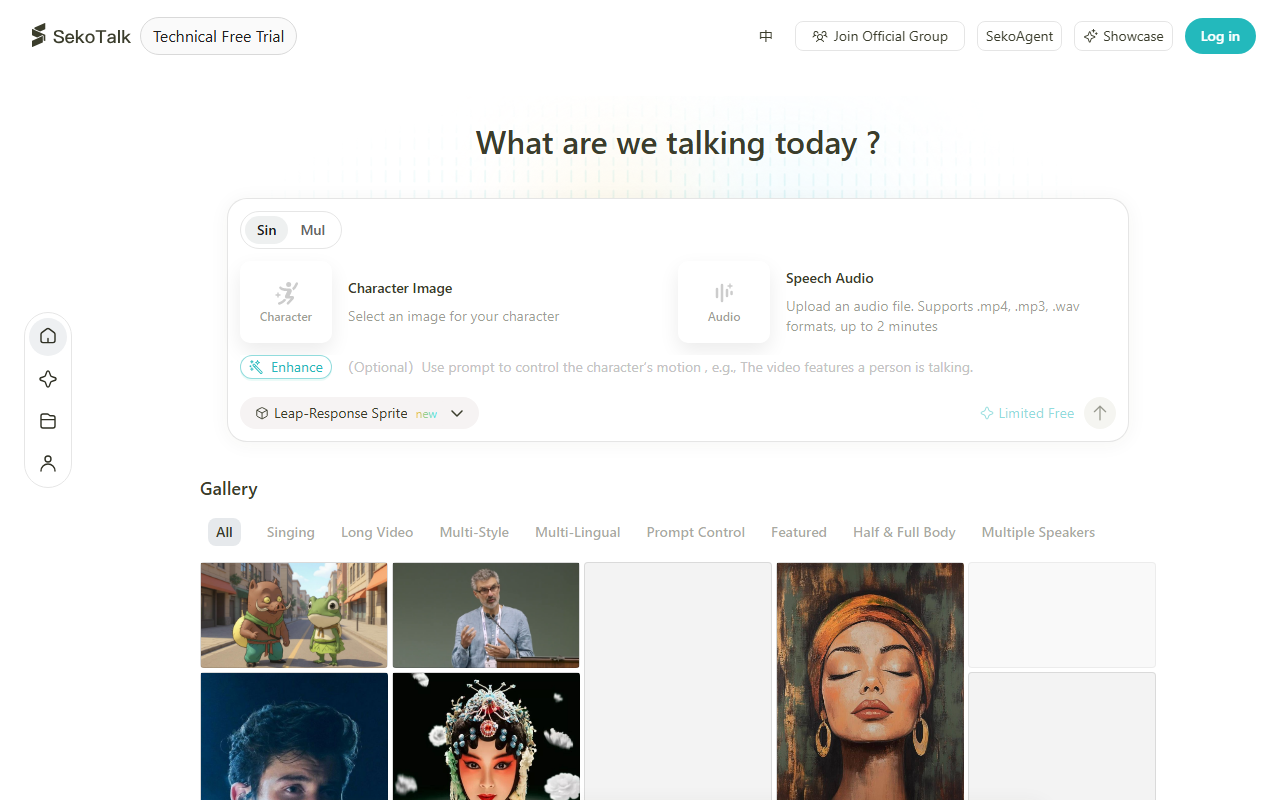
SekoTalk is an AI video tool that generates character mouth animation matched to audio. Described features include multilingual processing, custom character images, multiple speakers, video styles, and storyboard and character-setting adjustments. It may support workflows for short scenes, animation, and promotional videos.
Main features
Multilingual lip sync and audio input
The product description lists Chinese, English, and Japanese among supported languages, as well as common formats such as MP3 and WAV. Check the current interface for language coverage, file limits, duration, and audio requirements.
Custom characters and multiple speakers
Users can select or upload character images and generate mouth animation aligned with audio. The description also mentions processing audio with several speakers and generating corresponding animation. Results may depend on audio clarity, image quality, and scene complexity; review synchronization segment by segment.
Storyboard and visual editing
SekoTalk describes controls to adjust storyboards and character settings during creation. Review dialogue mapping, visual continuity, and export quality before using the finished video.
Getting started
- Visit the official SekoTalk website to review current features, account requirements, formats, and terms.
- Sign in and describe a video idea, or upload audio and choose character assets as the interface allows.
- Set language, characters, and video style. For multiple speakers, map each dialogue segment to the right character.
- Generate a draft, inspect lip sync and storyboard flow, and adjust sections if needed.
- Before export, confirm permission to use audio, dialogue, character images, voices, and other materials.
Uses and considerations
SekoTalk may support narrative shorts, animation, and promotional videos with speaking characters. It can reduce manual mouth-animation work, though time savings and output quality depend on inputs and workflow. Confirm rights for audio, likenesses, voices, and other materials before uploading. For real people, check image and voice permissions. Before public or commercial release, review product terms, asset licenses, and platform rules.
FAQ
What languages and audio formats are supported?
The description lists Chinese, English, Japanese, and formats such as MP3 and WAV. Check the official site for current details.
Can I use my own character image?
The product description says users can select or upload images. Confirm permission to use the image and likeness.
Does it support multiple speakers?
The description says it can process multiple speakers and generate corresponding lip sync. Review speaker segments and character mapping.
Frequently asked questions
What does SekoTalk do?
It creates character lip-sync animation from audio and describes support for multiple languages and speakers.
Can I upload my own character image?
Users can select or upload character images; confirm you have permission to use them.
What should I check before publishing?
Review synchronization and confirm rights for audio, dialogue, images, and any person's likeness or voice.



