

PromptKey is a prompt-building app for AI video and image work, suited to creators who need reusable prompt scripts quickly without studying prompt engineering from scratch.
PromptKey: Turn Video Links and Rough Ideas into Professional AI Prompts
PromptKey is a prompt assistant built for AI video and image creation. It closes a very common gap in the workflow: many people can tell instantly that an AI video looks good, yet cannot say which shots, lighting choices and style cues produced it. PromptKey uses link analysis, template reuse and prompt rewriting to shrink that gap into a handful of steps.
It is not a generator. It is the preparation layer before generation. You still render in the video or image model you already use; PromptKey translates "what I want" into a description the model can execute precisely.
Main features
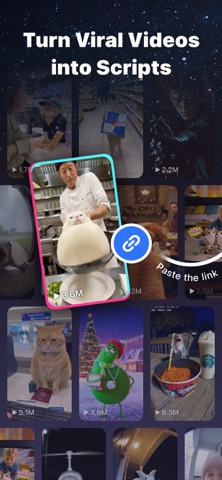
- Video link to prompt: paste the link of an AI video and the app analyses the composition to produce a reproducible prompt script, so you can rebuild the structure in another tool and swap in your own subject and ideas.
- Trending template library: more than 600 popular video templates are built in, each with the underlying "recipe" you can inspect and reuse to follow a visual trend quickly.
- Smart prompt optimisation: a one-line idea such as "a cat in space" becomes a professional description covering subject, scene, lighting, camera and style, cutting down trial and error.
- Automatic cinematic enhancement: one action adds film-level visual language such as lighting setup, photography style and camera movement, pushing output closer to a finished look.
- Beginner-friendly by design: no prompt engineering jargon required; the app handles technical detail so creators can stay focused on the idea.
How to use it
- Pick an entry point: choose link-to-prompt when you want to reproduce an existing style, or idea expansion when you are starting from nothing.
- Provide the input: paste a video link, or describe the subject and scene in one sentence. The more specific the description, the closer the result.
- Optimise and enhance: let the tool fill in camera, lighting and style descriptions, then edit details yourself, for example moving a night scene to dawn or a wide shot to a close-up.
- Move the prompt into your generator: carry the final script and any parameter hints into your usual AI video or image tool, and return to PromptKey if further tuning is needed.
Where it fits
- Short-form video creators who need a consistent look across a series and want templates plus reverse-engineered scripts to keep visuals aligned.
- E-commerce and product visuals, turning selling points into camera language and testing lighting or composition options quickly.
- Image and illustration work, converting a vague mental image into executable description and shortening the path from idea to render.
- Beginners learning prompt writing, who can compare an original sentence with the expanded script and see which parts actually change the result.
Limitations
- Output quality still depends on input. Clearer subject, scene and style details produce more usable expansions.
- Link analysis only works on publicly accessible videos; private or deleted content cannot be read.
- Templates are trend references and structural starting points. They do not guarantee a match with the original work and do not remove the original creator's rights.
- The final result is decided by the model you use. PromptKey does not control output quality, duration or resolution.
- Template count, feature details and pricing may change between versions, so check in-app information before relying on specifics.
FAQ
Does PromptKey generate videos or images itself?
No. It outputs prompts and scripts. Generation still happens in the AI video or image tool you choose.
What kind of videos work well for link-to-prompt?
Publicly accessible AI videos with clear composition. Heavily edited or information-dense footage produces a coarser script that needs manual additions.
Should I use the optimised prompt exactly as written?
Treat it as a starting point. Keep the useful structure and terminology, then replace subject, scene and brand elements to make the result your own.
Frequently asked questions
How is PromptKey different from writing prompts inside a generator?
The generator produces the output; PromptKey prepares the instruction. It adds link reverse-engineering, template reuse and cinematic expansion so you enter your generator with a complete script.
Do I need prompt engineering knowledge or English terminology?
No. The app is designed for beginners: you describe what you want, and structure, terminology and effect descriptions are filled in for you.
Can a script built from a video link reproduce the original exactly?
Not reliably. The script captures the descriptive logic, while the final frames depend on the model, parameters and footage you use, so expect one or two rounds of adjustment.



