

Polish is a photo and video editing app for background changes, portrait retouching, filters, collages, and short video edits.
Polish: AI Photo and Video Editor
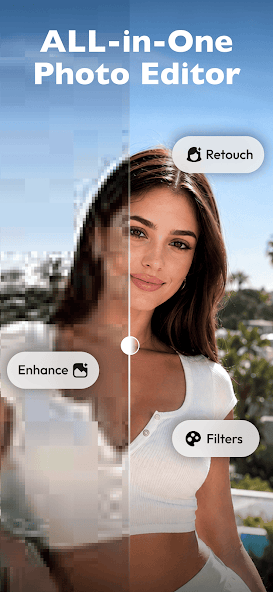
Polish is an app for photo retouching, creative effects, and video editing. Product information describes AI background replacement, blemish repair, image enhancement, portrait and body retouching, filters, collage layouts, and video tools. It says the app includes more than 500 filters and effects and supports collages of up to 18 photos. Counts and availability may change by version, so check the current app listing.
Main features
- Photo adjustments: Replace backgrounds, repair visible blemishes, enhance clarity, and use portrait or body retouching tools.
- Creative looks: Turn photos into cartoon or anime-style images, apply Y2K, VHS, glitch, and other filters, and adjust brightness or contrast.
- Collages: Combine several photos into an album-style layout; the product information states a limit of 18 images.
- Video editing: Trim or merge clips, adjust speed, and add music, text, or visual effects.
- Image effects: The description also mentions image blending, bokeh, and lens flare.
How to use it
- Check the app’s current version, supported devices, pricing, and privacy terms.
- Choose a photo or video tool and import media that you have the right to use.
- Adjust the background, filter, image, or clip settings, then preview before exporting.
- Before sharing, check the final result, music rights, consent for identifiable people, and platform rules.
Uses and considerations
Polish may suit personal photos, social media visuals, collages, and short videos. Portrait and body retouching can change how a person looks; use these features with respect for the subject and avoid misleading presentations. Confirm that you own or have permission to use imported photos and video. The available information does not specify prices, free limits, cloud processing, data retention, or differences between platforms. Review the privacy policy before uploading personal images. Product material says exports can be shared without a watermark, but export options may vary by version or plan.
FAQs
What photo edits are available?
The product information lists background replacement, blemish repair, enhancement, portrait retouching, filters, and collages.
Can I edit videos?
The description includes trimming, merging, speed changes, and adding music, text, and effects.
Can I freely share edited photos?
Check consent, material rights, platform rules, and the app’s export terms before sharing.
Frequently asked questions
What photo edits does Polish offer?
Product information mentions background replacement, blemish repair, image enhancement, portrait and body tools, filters, and collages of up to 18 photos.
Can it edit videos?
The description lists trimming, merging, speed changes, music, text, and effects.
What should I consider when editing someone else’s photo?
Get necessary consent and usage rights, handle personal images carefully, and check privacy, copyright, and sharing rules.



