

OJO is an AI design agent team workspace that lets you assemble agent teams and mount over 200 pluggable Skills, generate interactive prototypes from a sentence or an image, and export Figma, code, PPT/PDF/PNG or connect through a CLI.
OJO: assemble an AI design agent team and go from one sentence to a prototype and shipped code
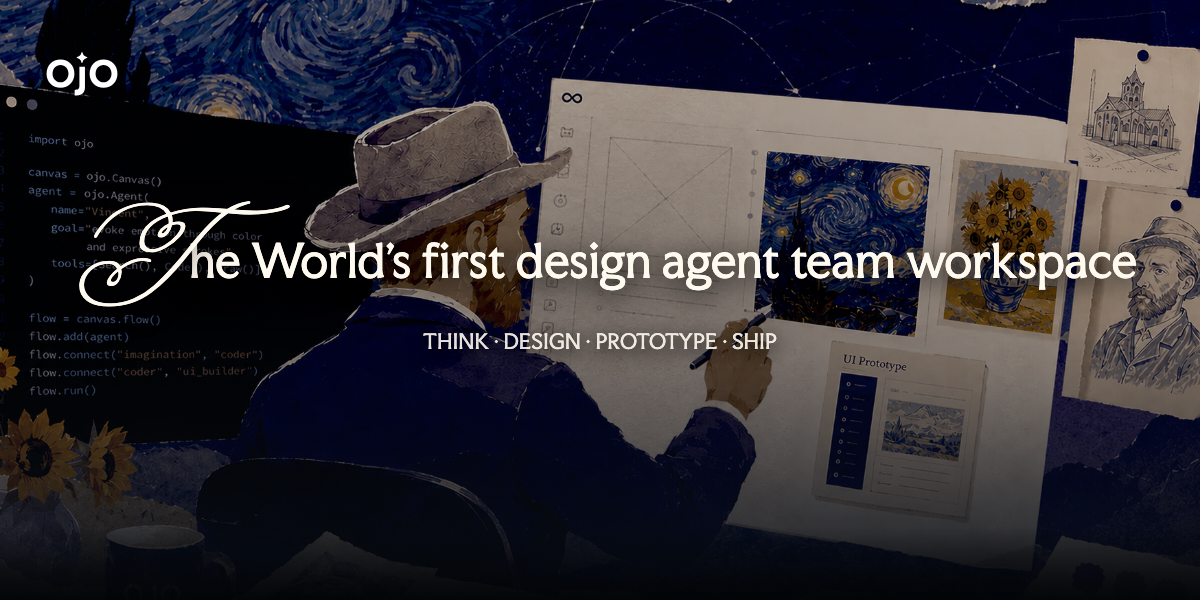
OJO positions itself as a design agent team workspace. It does not hand you a pen; it hands you a design department you can staff yourself: pick roles per task, mount more than 200 pluggable Skills, and work on a single canvas from creative exploration to an interactive prototype, then export code or Figma.
Most AI design tools solve for a single image. Real design work never is a single image: you clarify the brief, set brand direction and visual tone, build the interface, handle interaction, then hand it to engineering. OJO tries to fit that whole chain into one workspace, and swaps the single model for a team of agents you assemble yourself.
Two mechanisms carry that idea. The first is the agent team: different roles with different skills cooperate, and you assign work the way you would to people. The second is a library of more than 200 pluggable Skills spanning product strategy, UI/UX and visual style, mounted as needed. The material also mentions built-in visual style genes, such as retro-futurism and cyber renaissance, so output carries a reusable aesthetic instead of a fresh gamble each time.
On the input side, a sentence, an image or a link can produce an interactive prototype directly. On the output side, one click exports Figma, code, PPT/PDF/PNG or a share link. A CLI is also provided that plugs into Claude Code, Codex and Cursor, so design enters an existing engineering habit rather than opening another island.
Key features
Agent team assembly
Build an AI design team per task, assigning roles and skills so several agents cooperate on one goal instead of a single model making every judgement call.
200+ pluggable Skills
More than 200 addable Skills across product strategy, UI/UX and visual style: take one visual direction, or mount the entire chain.
End-to-end coverage
Brand positioning, creative divergence, visual definition, interactive prototype and code delivery, covering both ends of the process rather than only the rendering in the middle.
One-canvas workflow
Exploration, prototyping and code generation happen on the same canvas, which reduces the style drift caused by moving context between tools.
Multimodal input
A sentence, an uploaded image or a pasted link each can produce a working interactive prototype.
Visual genes and taste memory
Built-in visual style genes give output a stable aesthetic bias and retain memory across sessions, which suits projects that must hold a brand tone over time.
CLI and dev-flow embedding
A command-line tool plugs into mainstream AI development flows such as Claude Code, Codex and Cursor, sending design artefacts straight into coding.
Design as delivery
One-click export to Figma, code, PPT/PDF/PNG and share links collapses design finished and ready to hand over into a single action.
How to use it
- Get access first. Visit the OJO site and join the waitlist or enter an invite code to unlock the workspace. Access runs through a beta queue rather than open signup.
- Staff the team for the task. Choose the specialisms you need from the 200-plus Skills. A landing page and an admin console should not start from the same roster.
- State the brief. Describe the idea in a sentence, upload a reference image or paste a link. The more concrete the input, the fewer clarification rounds follow.
- Take the questions. The agent pushes back and draws out implicit requirements, turning a vague idea into a defined design strategy. Do not skip this pass; it decides how much rework comes later.
- Finish the front-end definitions. Work with the agents to settle brand positioning, creative divergence and visual tone, converting good-looking into something discussable.
- Generate the prototype. Produce an interactive prototype with click and hover states on the same canvas, so it can be demonstrated rather than screenshotted.
- Diagnose and iterate. Call design optimisation Skills to audit and improve interface and experience round by round, then export the format you need or connect through the CLI.
Who it suits
- Startups building an MVP: founders without design headcount use an agent team for positioning, prototype and front-end code to validate the model cheaply.
- Marketing and growth: feed in a campaign brief, call the marketing specialist agents and get a landing page visual ready to deploy.
- Independent developers: write the backend yourself and hand the whole UI/UX chain to OJO, from wireframe to prototype to exported code.
- Designers: shift from execution to strategy, letting agents spread out requirement analysis and ideation while you keep the high-value calls.
- Corporate marketing teams: unify visual genes and batch-produce sites, campaign pages and product interfaces with cross-project consistency.
Limits and caveats
- Access is gated. Entry is via waitlist or invite code, so you cannot simply sign up and start, and timing is outside your control. Have a fallback if a project is urgent.
- Pricing is not disclosed in this material. Nothing here should be read as a price, quota or commercial licence, and none is inferred; check the official site.
- Configuring the team is itself a skill. Two hundred Skills are both capability and choice overload; how you assemble roles shapes the result, and people unfamiliar with design process tend to stack Skills instead of composing a team.
- Taste cannot be outsourced. Visual genes keep style stable, but whether a direction is right still depends on your read of users and brand. Generated output needs human selection, especially anything customer-facing.
- Code and files still need review. Exported code and design files must pass conventions, responsive and accessibility checks before they count as production delivery.
FAQ
How is OJO different from an AI image generator?
An image tool solves a single frame. OJO covers requirement clarification, brand and visual definition, interactive prototype and code export, and turns the executor into a team you assemble.
Do I have to use the CLI?
No. The browser canvas handles exploration, prototyping and export; the CLI exists for people embedding OJO in an existing dev flow.
What can I export?
The material lists Figma, code, PPT/PDF/PNG and online share links.
Is it for people with no design background?
It is good for a first version and for testing an idea, and the agent's questions help clarify requirements. For public-facing polish, someone with design judgement should still review.
Can I use it today?
Access requires the waitlist or an invite code; the product is in a beta phase.

Frequently asked questions
How is OJO different from an AI image generator?
An image tool solves a single frame. OJO covers requirement clarification, brand and visual definition, interactive prototype and code export, and turns the executor into a team you assemble.
Do I have to use the CLI?
No. The browser canvas handles exploration, prototyping and export; the CLI exists for people embedding OJO in an existing dev flow.
What can I export?
The material lists Figma, code, PPT/PDF/PNG and online share links.
Is it for people with no design background?
It is good for a first version and for testing an idea, and the agent's questions help clarify requirements. For public-facing polish, someone with design judgement should still review.



