
NarraLand is an AI presentation platform: describe what you need and it gathers data, picks a format and generates an interactive piece across six styles, with live preview, multi-turn editing, ZIP export and link sharing.
NarraLand: build interactive presentations by describing them
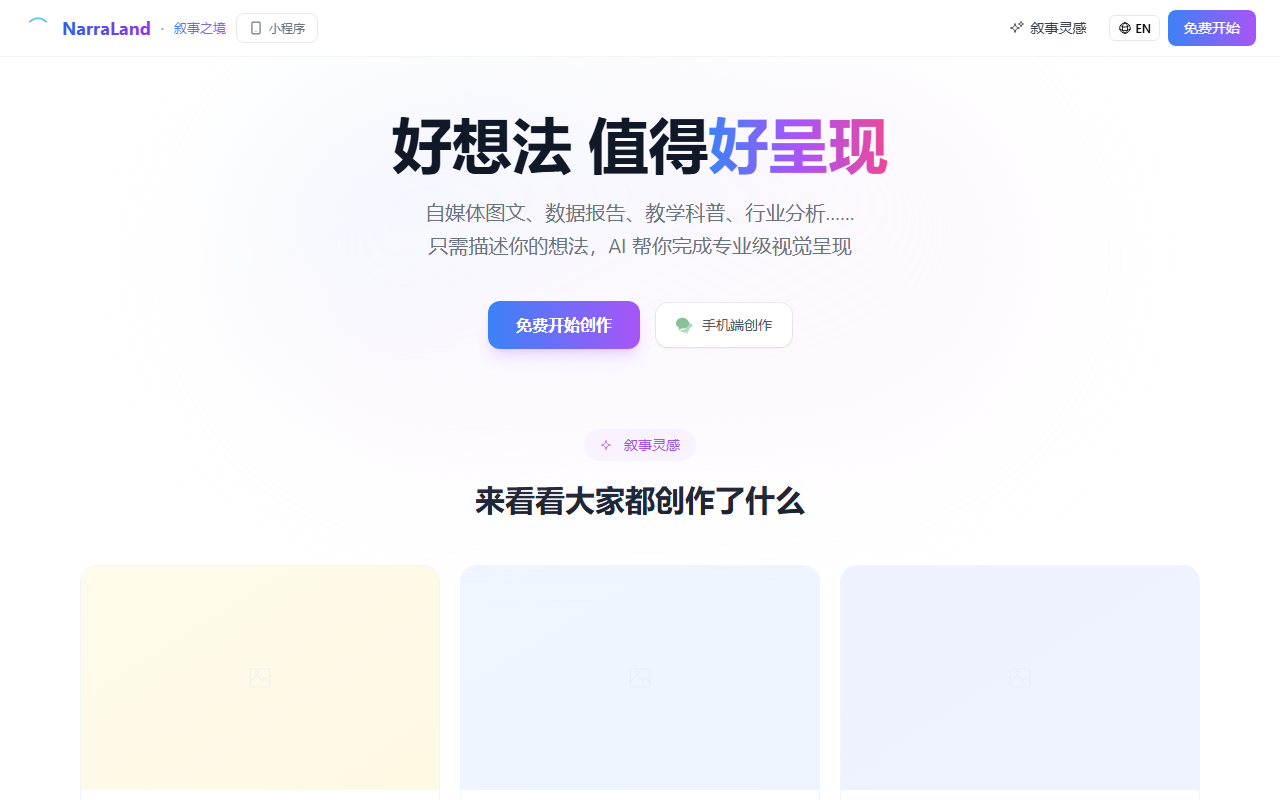
NarraLand is an AI platform for presentation content. You describe what you need in a chat box, and it interprets the intent, gathers data from the web, designs the layout and produces a finished piece — a slide deck, infographic, timeline or story card. Preview sits on the left, conversation on the right, and no design or coding skill is required.
Most presentation tools solve layout: they hand you a template and you fill it in. NarraLand starts a step earlier, with where the content comes from and which format tells the story best, then handles layout along the way. In practice that turns three jobs — research, chart-making, templating — into one request plus a few follow-up turns.
Six formats are available: free style, slides, long image or infographic, timeline, story cards and a promo page. Output can be shared by link, exported as a ZIP that opens locally, or fitted with purchase links and support QR codes.
How the core pieces work
Conversational creation
Describe the goal in plain language and the AI works out the structure, collects material, designs the layout and generates the whole piece. Suits people who know what they want to say but not how to lay it out.
Automatic data gathering
The system searches the web and pulls page content to fill the work with real figures. It saves the half hour of searching, but the numbers still need checking.
Six presentation formats
Free style lets the AI choose; the others each have a clear job — slides to present, long image and infographic to circulate, timeline to show sequence, story cards to narrate, promo page to convert.
Live preview and iteration
The result renders on the left while you talk on the right. Ask for a dark theme or an extra comparison and the AI keeps the context instead of starting over.
Assets and export
Upload images, video or audio and the AI folds them in; export as a ZIP that opens with a double click, no extra software.
Gallery and sharing
Community pieces can be forked into your own workspace; every project carries a share link that opens full screen for whoever receives it.
From a blank page to a finished piece
- Open the site and sign in by scanning a QR code with WeChat.
- Pick a format — slides, infographic, timeline, story cards, promo page — or leave it on free style.
- Describe the intent in the chat, for example a 2025 industry report on electric vehicles.
- Optionally drag in local images, video or documents as reference material.
- Let the AI gather data and lay it out while the preview updates on the left.
- Ask for changes directly: swap the theme, add comparison data, trim a section.
- Add purchase links or a support QR code if the piece needs to convert.
- Export the ZIP, send the share link, or export images for social posts.
Plans and quotas
- Free: 100,000 tokens per month and 50MB of storage on sign-up, with access to all features.
- Plus top-up: ¥20 for 2 million tokens and 500MB of storage.
- Pro top-up: ¥200 for 30 million tokens and 5GB of storage, described as the best value.
- Referral: 50,000 tokens for each friend who registers.
Where it fits
- Data and research reports: industry studies, financial analysis, market surveys turned into visuals.
- Business decks: product introductions, investor material, project updates.
- Content marketing: brand pages, landing pages and campaign pages with links built in.
- Teaching and explainers: history timelines, profiles, technical walkthroughs, lesson slides.
- Social and personal work: long-form graphics, travel albums, annual reviews.
Worth knowing before you start
- Automatically gathered data must be checked item by item; never ship a research piece without verifying the numbers.
- Token quotas determine how many complex pieces you can build, and long graphics or multi-page decks cost more than a single card.
- Sign-in is through a WeChat QR code, so users without a WeChat account stop at the first step.
- The exported ZIP is a local static file, so its interactivity is not identical to the hosted share link.
- The source does not state page limits per project or concurrency rules; test with the free quota before producing at scale.
Frequently asked
Do I need design or coding skills?
No. Everything runs through conversation: the AI decides layout and visuals, and you describe the need and judge the result.
What can it produce?
Six formats: free style, slides, long image or infographic, timeline, story cards and promo page, all presentable full screen in the browser.
Is the free quota enough?
100,000 tokens a month plus 50MB of storage works for trying it out; regular production usually needs a Plus or Pro top-up.
Can I share the result?
Yes. Every project has a share link, and you can also export a ZIP for local playback or images for social media.
Frequently asked questions
Do I need design or coding skills?
No. Everything runs through conversation: the AI decides layout and visuals, and you describe the need and judge the result.
What can it produce?
Six formats: free style, slides, long image or infographic, timeline, story cards and promo page, all presentable full screen in the browser.
Is the free quota enough?
100,000 tokens a month plus 50MB of storage works for trying it out; regular production usually needs a Plus or Pro top-up.
Can I share the result?
Yes. Every project has a share link, and you can also export a ZIP for local playback or images for social media.



