

Lingguang is an omni-modal AI assistant app from Ant Group covering language, images, speech, and data. Its chat mode answers with read-aloud speech, 3D models, generated illustrations, charts, and interactive maps, and supports deeper interpretation plus source tracing. Its vision mode handles real-time scene understanding, questions about uploaded photos, and image or video creation, and a single photo can be turned into an explorable 3D world on the phone.
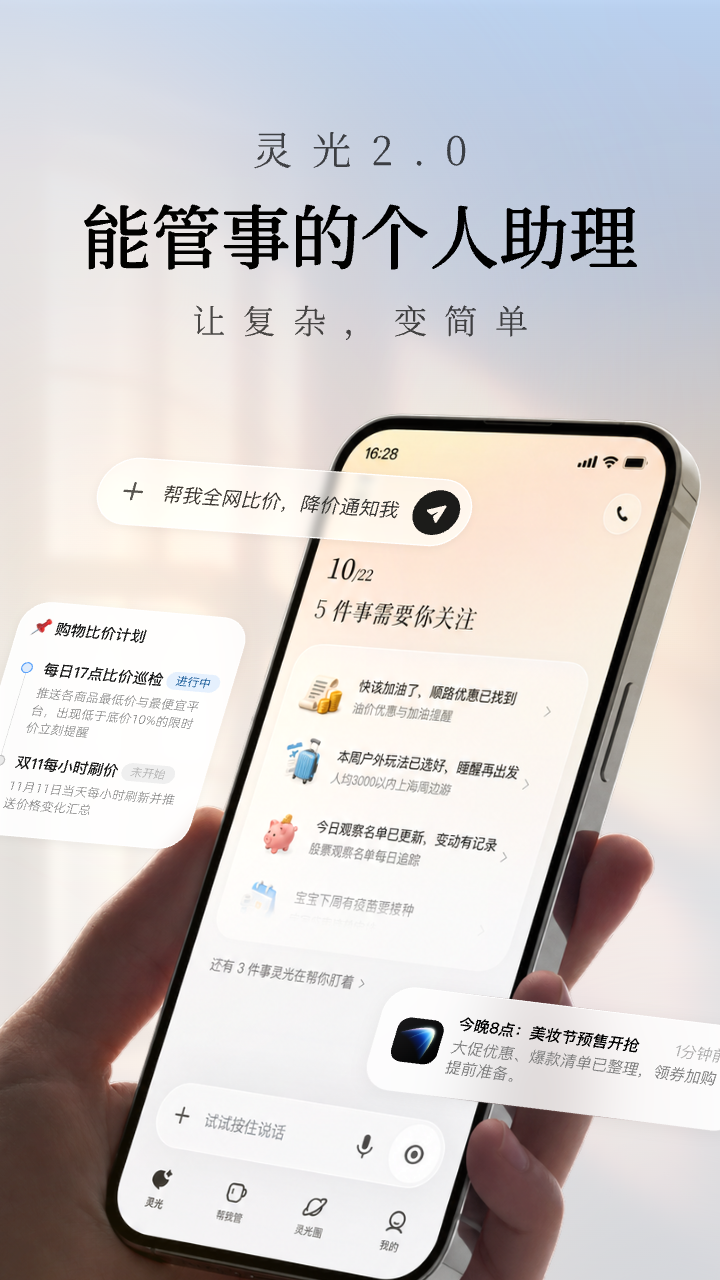
Lingguang: Ant Group's omni-modal AI assistant answers in 3D, charts and maps
Lingguang is an omni-modal AI assistant app from Ant Group that puts language, image, speech, and data understanding into a single entry point, and the answers are no longer just paragraphs. They can be a read-aloud passage, a 3D model you rotate in your hand, an illustration that draws an abstract idea, a chart you can question, or a map you can tap. Two features carry the product: Lingguang Chat, which explains things properly, and Lingguang Vision, which turns the phone into something that can read the scene in front of you.
The problem it targets is that a text answer is often not enough. Ask what a pyramid looks like and a model you can spin beats a paragraph; ask what quantum entanglement is and one diagram beats three explanations; ask what is worth eating on a street and a tappable map beats a list of shop names. Lingguang's approach is to match the form of the answer to the nature of the question, using visuals, space, and sound for the material text handles badly.
The second thread is presence, courtesy of Lingguang Vision: point the camera at a roadside plant or a museum painting and ask about it, upload a photo and keep asking what it is, why it works, or how to use it, then have the same conversation edit the image or generate video. That moves the assistant from question-and-answer toward looking and remaking together. One caveat: the source page discloses no pricing, regional availability, or account quotas, and any professional conclusion or data point still needs line-by-line verification.
Key features
Read-aloud speech
Converts written answers into natural speech, useful for English pronunciation, rare characters, or bedtime stories. If you are walking, cooking, or your eyes are tired, listening to a long answer is more realistic than reading it on screen.
3D models
Generates interactive models such as a pyramid or a tyrannosaurus through 3D digitisation. Rotating, zooming, and changing the viewing angle beats reading a description, and it works especially well when explaining spatial structure to children.
Generated illustrations
Turns abstract knowledge into images or animation. For ideas like quantum entanglement or economic principles, build intuition from one picture first and return to the definition afterwards; the comprehension cost drops sharply.
Charts and data
Presents complex data from financial reports or papers quickly, with follow-up questions supported. The value is being able to keep asking about a single number, though any formal citation should go back to the original source for definitions and periods.
Interactive maps
Produces maps for food crawls or travel routes to help plan a path. Good for rough pre-trip arrangement, while opening hours and booking rules still deserve a check on official channels.
Interpretation and source tracing
Answers can be unpacked in more depth and traced to sources. This is the main credibility entry point: having a source does not make a conclusion correct, but it gives you a route back you can walk yourself.
Lingguang Vision
Reads complex scenes and moving images in real time with voice Q&A, for example identifying a roadside plant or explaining a museum painting. It also takes free-form questions about an uploaded photo and can edit the picture, generate video, or produce new images in the same conversation.
3D worlds from one photo
Upload a single image and the app builds an interactive 3D world on the phone that you explore in first person with an on-screen joystick. Treat it as a demonstration of spatial generation rather than a measuring tool.
How to use it
- Install Lingguang on iPhone, iPad, or Mac and sign in.
- Type a question or keyword in Lingguang Chat and see which answer form it chooses.
- Keep asking follow-ups on the same question, or switch the presentation to speech, a 3D model, an illustration, a chart, or a map.
- When credibility matters, expand the interpretation and check the cited sources against the original material.
- Open Lingguang Vision, point the camera at a scene or upload a photo and ask, then issue instructions to retouch, edit, or generate images and video.
- To try spatial generation, upload one photo, build the 3D world, and explore it in first person.
Pricing and availability
- The source page describes features and device support only; it discloses no pricing, free quota, subscription plan, or membership benefits.
- Whether features roll out in stages and whether 3D or video generation has usage caps must be checked inside the app on your own account.
Where it fits
- Learning and popular science: swap abstract concepts for illustrations, 3D models, or animation, building intuition before definitions.
- Work and research: chart data from reports and papers, follow the numbers with questions, then verify against the original.
- Travel planning: lay out food stops and routes on an interactive map, confirming opening details before departure.
- Language learning: hear pronunciation for words and rare characters, or turn long text into audio for the commute.
- Exploring in person: ask about objects in museums or botanical gardens and let the phone explain what is in front of you.
- Content creation: retouch, edit, and generate images or video with the vision mode to get a usable draft quickly.
Limits and caveats
- 3D models, one-photo 3D worlds, and video generation need device performance; the source does not describe how results differ across models.
- Interpretation and source tracing give you a way to check, but conclusions still need your own verification, especially for financial, medical, or legal material.
- Generated illustrations and 3D content can distort details, so review key elements by hand before using them in teaching, publishing, or promotion.
- The source discloses no pricing, regional availability, or commercial-use terms; confirm the licensing scope before publishing anything externally.
- Photo recognition depends on light, angle, and occlusion, so treat the result as a lead rather than the only basis for a decision.
Frequently asked questions
What is Lingguang?
Lingguang is an omni-modal AI assistant app from Ant Group that combines language, image, speech, and data understanding and generation. It outputs speech, 3D models, illustrations, charts, animation, and maps, with Lingguang Chat and Lingguang Vision as its two main features.
How is it different from a typical AI assistant?
Mostly in answer form. A typical assistant replies in text, while Lingguang can present the same answer as speech, a 3D model, a generated illustration, a chart, or an interactive map, with interpretation and source checks attached. That suits cases where you need to see rather than read.
Which devices are supported?
The source lists iPhone, iPad, Mac, and other devices. Specific system requirements and per-device feature differences are not itemised, so check the download page before installing.
Can it recognise objects in a photo?
Yes. Lingguang Vision reads scenes and moving images in real time and accepts free-form questions about an uploaded photo, such as what it is, why, or how to use it. Results depend on shooting conditions, so cross-check anything important.
What is the 3D world from one photo?
After you upload a single image, the app builds an interactive 3D world on the phone that you explore in first person with a joystick. It is best treated as a demonstration of spatial generation rather than accurate mapping.
Frequently asked questions
What is Lingguang?
Lingguang is an omni-modal AI assistant app from Ant Group that combines language, image, speech, and data understanding and generation. It outputs speech, 3D models, illustrations, charts, animation, and maps, with Lingguang Chat and Lingguang Vision as its two main features.
How is it different from a typical AI assistant?
Mostly in answer form. A typical assistant replies in text, while Lingguang can present the same answer as speech, a 3D model, a generated illustration, a chart, or an interactive map, with interpretation and source checks attached. That suits cases where you need to see rather than read.
Which devices are supported?
The source lists iPhone, iPad, Mac, and other devices. Specific system requirements and per-device feature differences are not itemised, so check the download page before installing.
Can it recognise objects in a photo?
Yes. Lingguang Vision reads scenes and moving images in real time and accepts free-form questions about an uploaded photo, such as what it is, why, or how to use it. Results depend on shooting conditions, so cross-check anything important.



