

Dia is an AI-native browser built by the Arc team and released in April 2025. Based on Chromium, it treats AI as a base capability rather than an add-on, understanding the current page and multiple tabs, and supporting summarisation, comparison, multimodal parsing and natural-language commands. It also offers a Skills Gallery, a Research mode and personalisation. Access is limited to macOS 14 or later and requires an invitation or an Arc account.
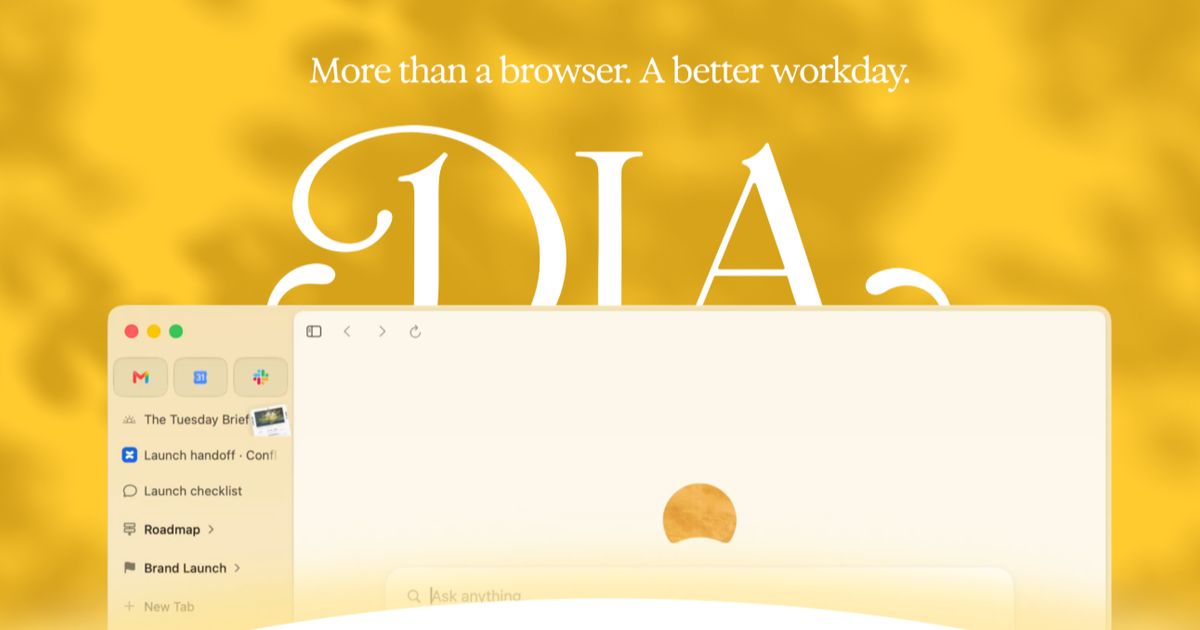
Dia: an AI-native browser that puts the assistant inside the engine
In most browsers AI arrived later, as an extension or a sidebar you have to remember to open. Dia takes the other route. Built by the Arc team and released in April 2025, it is an AI-native browser that treats the assistant as a base capability, so it always knows what you are looking at.
Dia is built on Chromium, so page compatibility and the extension ecosystem do not have to be rebuilt from scratch, and bookmarks and tab data can sync with Chrome, which keeps migration relatively manageable.
The interface is deliberately minimal: the home page keeps a single search box and tabs sit horizontally. What you type in the address bar does not have to be a URL; it can be a question or an instruction such as summarise this article or turn this into an email. Select text on a page and the selection automatically becomes part of the prompt, which removes the copy-and-paste step.
Two constraints matter. Dia currently runs only on macOS 14 or later, and access is gated by an invitation code. Existing Arc users can create a Dia account with their Arc email address, while new users join a waitlist or use someone else's invitation.
Main features
Skills Gallery
A deliberately minimal app store where you install skill modules built by others with a single click, for example a writing assistant or a coding helper. Browser capability becomes extensible in a plugin-like way, but through one concentrated entry point.
Research
Supports multi-round, staged research that can search the web and produce a consolidated report. It suits tasks that require gathering before concluding, rather than single-turn lookups.
An assistant tied to what you are reading
The assistant is embedded in the browser environment and understands the content in front of you, answering questions and producing summaries in context. Reading a technical article, you can ask for the key points or push back on a specific claim.
Multimodal handling
Pages, documents, video and audio can all be parsed and summarised. Send a video link and the assistant can pull out the essential information into a compact overview.
Search and interaction
Beyond typing URLs, the address bar holds a chat bot. Enter a question or keyword, and the assistant interprets the intent and answers directly. While browsing, selected text becomes part of the question automatically.
Multi-tab context
Several tabs can be pulled into one conversation so the assistant can synthesise material across pages. For comparison work this is more useful than summarising pages one by one.
Split view and multitasking
The browser splits into as many as four panes, so you can read sources and assemble conclusions without shuffling windows.
Personalisation
Through Personalize Dia you can adjust how answers are phrased, for instance borrowing the reasoning style of a historical figure, or setting the tone to formal, casual or humorous.
Smart cursor and capture
Select text or click the cursor to open the AI sidebar for explanation, continuation or rewriting, and every answer carries a Copy as image option so results can be saved and shared.
How to get started
- Check the system requirement. Dia currently requires macOS 14 or later; other platforms cannot install it yet.
- Get access. Arc users are already covered; new users join a waitlist or use an invitation code.
- Create an account. Arc users sign up with their Arc email address, which can be found in Arc under Settings and Account. The two products do not need to share a password.
- Download and install. Get the build from the official channel and follow the setup prompts on first launch.
- Treat the address bar as a chat box. Type the question or instruction first instead of starting from a URL.
- Select to ask. Highlight text on a page and let it flow into the prompt context.
- Combine tabs. Add related tabs to a single conversation and ask for synthesis or comparison.
- Split the screen. When several documents are in play, open up to four panes side by side.
- Tune the style. Set tone and style once in the personalisation settings instead of restating it every time.
Who it suits
- Researchers and students: literature reviews, comparing positions, translating terminology and drafting an outline.
- Office and business users: writing email, tracking project status, analysing data, moving information from mail into a calendar or to-do list.
- Content creators: finding angles, drafting copy, planning video scripts and generating a content outline from a topic.
- Online shoppers: comparing products, filtering promotions and managing a shopping list.
- Anyone reading across sources: keeping several documents open for cross-checking, then asking the assistant to consolidate the findings.
Points to keep in mind
- Platform coverage is narrow. Only macOS 14 and later is supported for now, so Windows, Linux and mobile users are left out.
- Access is invitation-gated. New users must apply or be invited, so it is not an install-and-go product.
- AI output still needs checking. Summaries can miss detail or misread context, and anything involving figures, citations or factual claims should be verified against the original page.
- Context is also a privacy question. Because the browser interprets what you read, page content enters the AI processing flow, and sensitive pages deserve deliberate handling.
- The product is still evolving. As a recent release, specific capabilities and entry points may shift between versions, so the live interface is the reference.
FAQ
What is Dia?
An AI-native browser from the Arc team, released in April 2025. It is built on Chromium and embeds the assistant in the browser itself, supporting summarisation, multimodal parsing, multi-tab context and task automation.
Which systems are supported?
Only macOS 14 and later for now; other platforms are not open yet.
How do I get access?
Arc users can sign in directly by creating a Dia account with their Arc email. New users need to join the waitlist or use an invitation code.
How is it different from a normal browser?
In a normal browser AI usually arrives as an extension you have to invoke. In Dia it is a base capability that understands the page and the tab context in real time and accepts natural-language instructions.
Can I bring my bookmarks over?
Yes. Because it is Chromium-based, bookmarks and tab data can sync with Chrome.
How many panes can I open?
Split view supports up to four panes at once, which helps when comparing several documents.
Frequently asked questions
What is Dia?
An AI-native browser from the Arc team, released in April 2025. It is built on Chromium and embeds the assistant in the browser itself, supporting summarisation, multimodal parsing, multi-tab context and task automation.
Which systems are supported?
Only macOS 14 and later for now; other platforms are not open yet.
How do I get access?
Arc users can sign in directly by creating a Dia account with their Arc email. New users need to join the waitlist or use an invitation code.
How is it different from a normal browser?
In a normal browser AI usually arrives as an extension you have to invoke. In Dia it is a base capability that understands the page and the tab context in real time and accepts natural-language instructions.



