

CosyVoice App latest version is a mobile AI voice tool: with just 3–10 seconds of reference audio, it can zero-shot clone any person's voice, generate highly realistic personalized speech, support Chinese, English, Japanese, Korean, Cantonese, Sichuan dialect, and also perform cross-language voice cloning and emotional style adjustment.
One-sentence answer
CosyVoice App latest version is an AI voice application that runs on mobile and is built on Alibaba Tongyi open-source speech large model. You only need 3–10 seconds of reference audio to clone any voice zero-shot and generate highly realistic personalized speech.
Product positioning
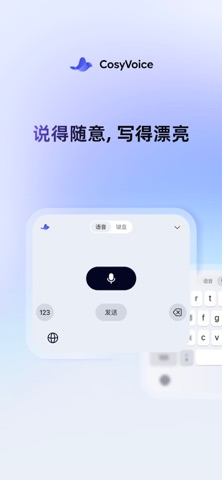
CosyVoice is described as an AI voice input method application. Its focus is not only converting text into speech, but bringing the entire "voice cloning + speech generation" workflow to mobile: recording, uploading, cloning, and synthesis can all be done on a phone, without a professional recording studio or complex equipment.
For short video creators, audio content producers, and users who want to recreate a family member's voice, it works more like a portable voice workbench.
Core features
Zero-shot voice cloning
With only 3–10 seconds of reference audio, it can accurately reproduce any person's voice timbre without additional training. This is the product's most important capability.
Multiple languages and dialect support
It covers Chinese, English, Japanese, and Korean, as well as dialects such as Cantonese and Sichuan dialect, to accommodate different expression habits and regional audiences.
Cross-language voice cloning
You can use reference audio in language A to make the cloned voice speak language B naturally and fluently, breaking language boundaries.
Emotion and style control
It supports adjusting tone and emotional intensity, making synthesized speech more expressive and realistic.
One-stop mobile workflow
Recording, uploading, cloning, and synthesis are all completed on a phone, with a relatively low technical barrier.
Multi-scenario speech generation
It is suitable for short video voiceover, audiobooks, AI assistant customization, family voice recreation, and other scenarios.
Usage steps
- Prepare reference audio: record or upload a 3–10 second voice sample on your phone.
- Complete voice cloning: submit the sample and generate the corresponding cloned voice.
- Enter the text to synthesize: type or paste the content you want to turn into speech.
- Select a language or dialect: choose Chinese, English, Japanese, Korean, Cantonese, Sichuan dialect, or another available option.
- Adjust emotion and tone: set the emotional intensity and expression style as needed.
- Synthesize and preview: check the generated voice and adjust and regenerate if necessary.
Note: the interface and entry locations may differ by app version. Please follow the in-app guidance in the latest version.
Suitable scenarios
- Short video voiceover: quickly produce consistent narration or character voices.
- Audiobooks: continuously generate long-form content with a stable voice.
- AI assistant customization: configure a personalized voice for a voice assistant.
- Family voice recreation: preserve or recreate a familiar voice for family members.
- Cross-language content: use the same reference audio to generate speech in different languages.
- Dialect expression: create localized content for Cantonese, Sichuan dialect, and other regional audiences.
Advantages
- Low barrier: 3–10 seconds of reference audio is enough to start, without training a separate model for each voice.
- Broad language coverage: Chinese, English, Japanese, Korean, plus dialects such as Cantonese and Sichuan dialect.
- Adjustable expressiveness: tone and emotional intensity can be adjusted according to the content.
- Mobile workflow: the whole process is completed on a phone, suitable for producing content anytime and anywhere.
- Strong scenario flexibility: the same capability can be used for voiceover, audiobooks, assistant customization, and voice recreation.
Limitations and notes
- The public fact sheet does not provide details such as pricing, plans, free quota, device compatibility, or commercial licensing. These details change quickly, so always refer to the latest official information.
- Zero-shot cloning results are closely related to the reference audio. The public information gives a threshold of 3–10 seconds; using a clear, low-noise sample is recommended for more stable results.
- When cloning another person's voice, obtain authorization from the rights holder first and comply with local laws and the content rules of the platform you use.
- The fact sheet does not state offline availability, concurrency limits, export formats, or other engineering details. If you have strict requirements, confirm these with official channels first.
Pricing verification note
The public fact sheet used for this content does not include pricing, subscription plans, or free quota information. Before making a purchase or subscription decision, check the current price, trial conditions, and refund policy on the official product website or app store page.
FAQ
How much reference audio does CosyVoice App latest version require?
The threshold given in the public material is 3–10 seconds of reference audio to complete zero-shot voice cloning, without additional training.
Which languages and dialects does it support?
It covers Chinese, English, Japanese, and Korean, as well as dialects such as Cantonese and Sichuan dialect.
What is cross-language voice cloning?
It means using reference audio in one language and making the cloned voice speak another language, so the voice timbre remains consistent across languages.
Can all operations be completed on a phone?
Yes. Recording, uploading, cloning, and synthesis can all be completed on mobile, without relying on complex equipment.
How much does it cost?
No pricing information is included in the public fact sheet. Please recheck the latest price and plans on the official website or app store page.
Alternatives
If CosyVoice does not fully meet your needs, you can compare the following categories:
- Other open-source speech synthesis and voice cloning solutions: they can be self-hosted and are highly flexible, but require some technical ability and computing resources.
- Cloud speech synthesis services: usually ready to use and billed by usage, suitable for quickly integrating into products.
- Traditional professional voiceover software: more precise manual adjustment, but with a higher learning curve.
- Human voice actors: strong realism and performance control, but higher cost and longer production time.
The public fact sheet does not list the names or comparison data of specific similar products, so these are described only by category. If you need item-by-item comparisons, look for related audio tool topics on the site.
Frequently asked questions
How much reference audio does CosyVoice App latest version require?
The public material gives a threshold of 3–10 seconds of reference audio to complete zero-shot voice cloning, without additional training.
Which languages and dialects does it support?
It covers Chinese, English, Japanese, and Korean, as well as dialects such as Cantonese and Sichuan dialect.
What is cross-language voice cloning?
It means using reference audio in one language and making the cloned voice speak another language, so the voice timbre remains consistent across languages.
Can all operations be completed on a phone?
Yes. Recording, uploading, cloning, and synthesis can all be completed on mobile, without relying on complex equipment.
How much does CosyVoice App latest version cost?
No pricing information is included in the public fact sheet. Before deciding, recheck the latest price, plans, and trial conditions on the official website or app store page.



