

CodeFlicker is an AI coding tool offering code questions, completion and agent collaboration.
CodeFlicker: AI-assisted coding and project development
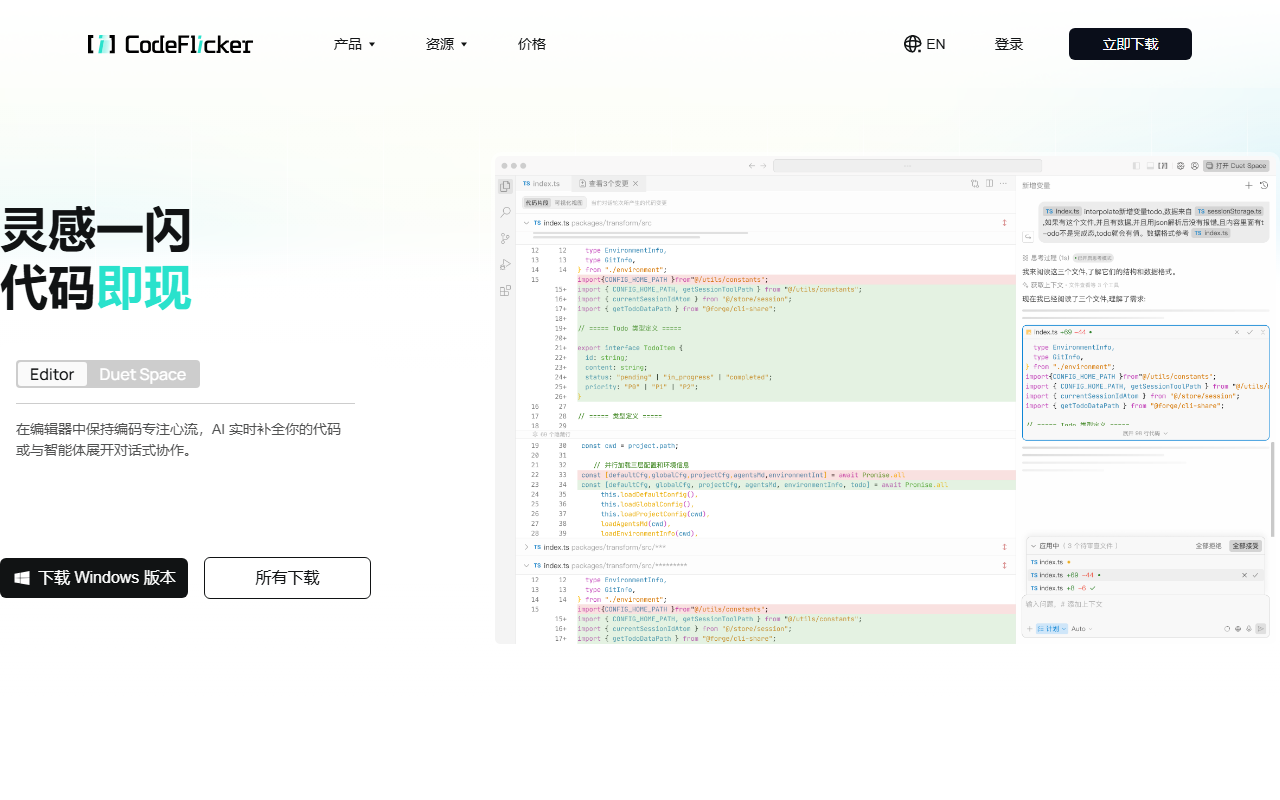
CodeFlicker is an AI coding tool from Kuaishou that provides in-editor questions and answers, code completion and agent-based task collaboration. Developers can describe a requirement, reference project context, receive proposed changes and review them in a diff view. It can support prototyping, code comprehension and team development work.
Main capabilities
Ask coding questions in natural language and receive context-aware completion suggestions while editing. Agent tasks can break requirements into steps and use project files to generate or change code; the actual scope depends on permissions and task settings. Different interaction modes support individual coding and collaborative discussions or task breakdown. Users can reference files and snippets, configure supported rules and MCP tool connections, review diffs, accept or reject changes and preview or debug supported projects.
Getting started
- Visit the official CodeFlicker website and check current versions and installation requirements.
- Create or import a project and confirm which files and permissions the tool can access.
- Describe the task and provide relevant file context. Break complex requirements into steps first.
- Review each proposed change and run relevant tests before deciding whether to accept it.
Considerations
AI output can contain errors, outdated dependencies or security issues; generated code is not automatically tested. Check actions and permissions before running commands, accessing external services or changing sensitive files. Avoid placing secrets and unnecessary sensitive information in prompts or project context. Review data handling and organizational policies before using external models or tools. Features and modes can change by version, so consult current official documentation.
Frequently asked questions
What tasks can CodeFlicker help with?
It can support code comprehension, drafting, completion, task breakdown and review of changes.
Can I import an existing project?
Open an existing project using supported product options and control file access permissions.
Can AI changes be merged immediately?
Review the diff, run appropriate tests and assess dependency and security effects first.
Frequently asked questions
What tasks can CodeFlicker help with?
Code comprehension, drafting, completion, task breakdown and change review.
Can I import an existing project?
Use the supported project options and control file access permissions.
Can AI changes be merged immediately?
Review the diff, run appropriate tests and assess dependencies and security first.



