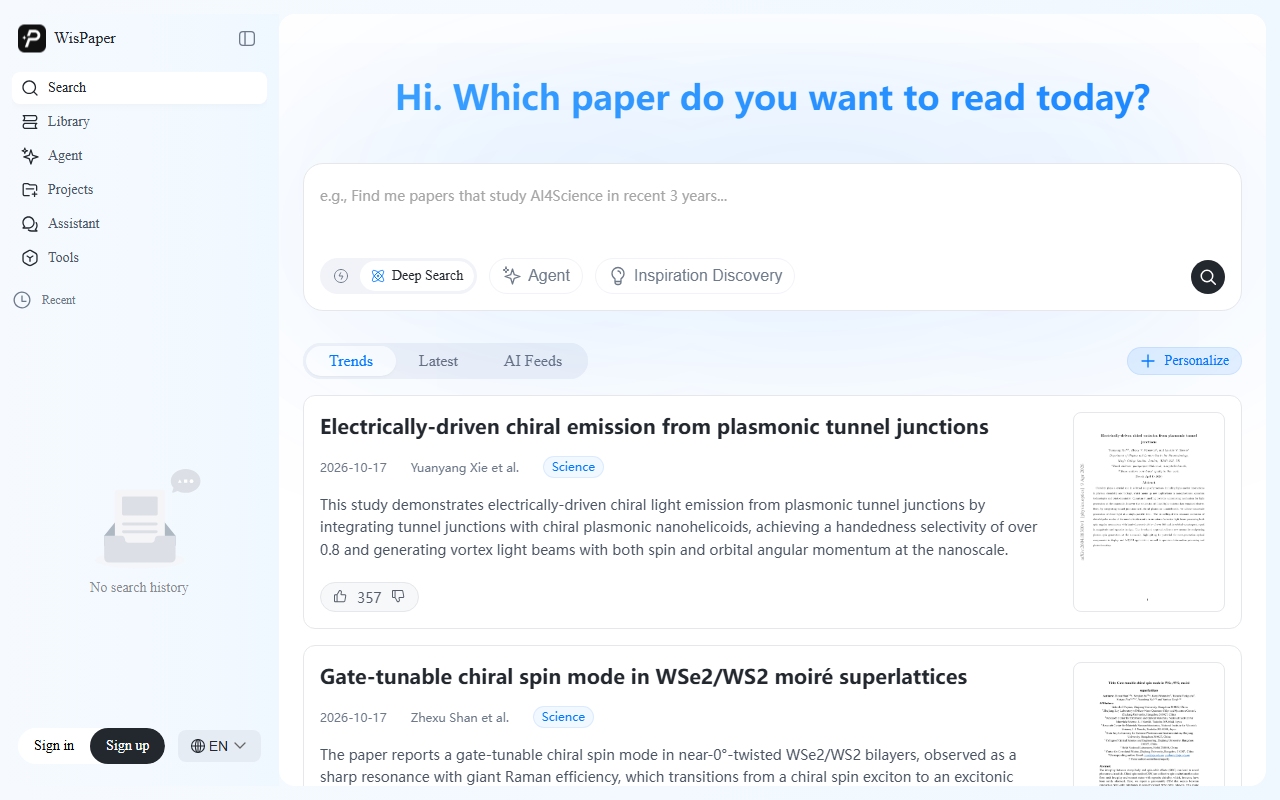
WisPaper is an AI-assisted academic search and reading tool with scholarly search, personal-library search, translation, Q&A, and summary features.
WisPaper: AI Academic Search and Paper Reading
Literature review often involves finding relevant studies and understanding their arguments, methods, and findings. WisPaper is an AI-assisted academic search and reading tool. Its described features include scholarly search, search across a personal library of downloaded papers, passage translation, questions about selected text, and structured summaries. These tools can support literature exploration and personal research workflows.
Search and discovery
WisPaper can break a research question into search needs and search overseas scholarly collections. Its product information says it connects to major academic databases, including Google Scholar, and uses additional checks and deeper search to help surface papers. A “prefect” label appears as a product relevance signal. Treat it as a screening aid: open the paper and check its topic, methods, and source rather than assuming the label proves relevance or quality.
Personal library and reading tools
Users can create a local library from papers they have downloaded and search within their contents. This may find relevant passages even when a keyword is absent from the title. Search quality depends on the files and how they are parsed, so verify important matches in the original document. For reading, the tool offers translation of passages from English papers, questions about selected text, and summaries of key arguments, methods, and conclusions. Search results can also be shared with an adviser or research group.
Getting started
- Visit the official WisPaper website and follow its current account instructions.
- Enter a research topic or keywords in Scholar Search and review the results and summaries.
- Open promising papers and verify their research question, methods, findings, and publication details.
- If using a personal library, add downloaded papers and search their text. Select a passage to request translation, ask a question, or create a summary.
- Share search results with collaborators when useful, and confirm bibliographic details before citing a paper.
Use cases and limitations
WisPaper may assist with academic discovery, first-pass reading of English papers, note preparation, discussion, and searching a personal collection. Relevance labels, machine translation, answers, and summaries can miss context or contain errors. Use the original paper and reliable publication records for important claims and citations. Public product information does not specify the complete database coverage, pricing, or every platform requirement; check the official website for current details.
Frequently asked questions
What can WisPaper search?
It supports academic search and searching within papers that a user has downloaded and added to a personal library.
Can it help with English papers?
Passage translation, questions about paper text, and summaries can support an initial review. Verify terminology, context, and conclusions in the original.
Does the “prefect” label certify a paper?
It is a product relevance signal, not a scholarly quality certification. Review the content, methods, and publication record before citing.
Frequently asked questions
What can WisPaper search?
It supports academic search and searching within papers that a user has downloaded and added to a personal library.
Can it help with English papers?
Passage translation, questions about paper text, and summaries can support an initial review. Verify terminology, context, and conclusions in the original.
Does the “prefect” label certify a paper?
It is a product relevance signal, not a scholarly quality certification. Review the content, methods, and publication record before citing.