

WinClaw is a desktop AI agent platform for individuals and businesses that want to deploy an AI assistant with almost no setup while keeping security under control, and it fits personal productivity, customer service, market intelligence, and centralized device management.
Product introduction
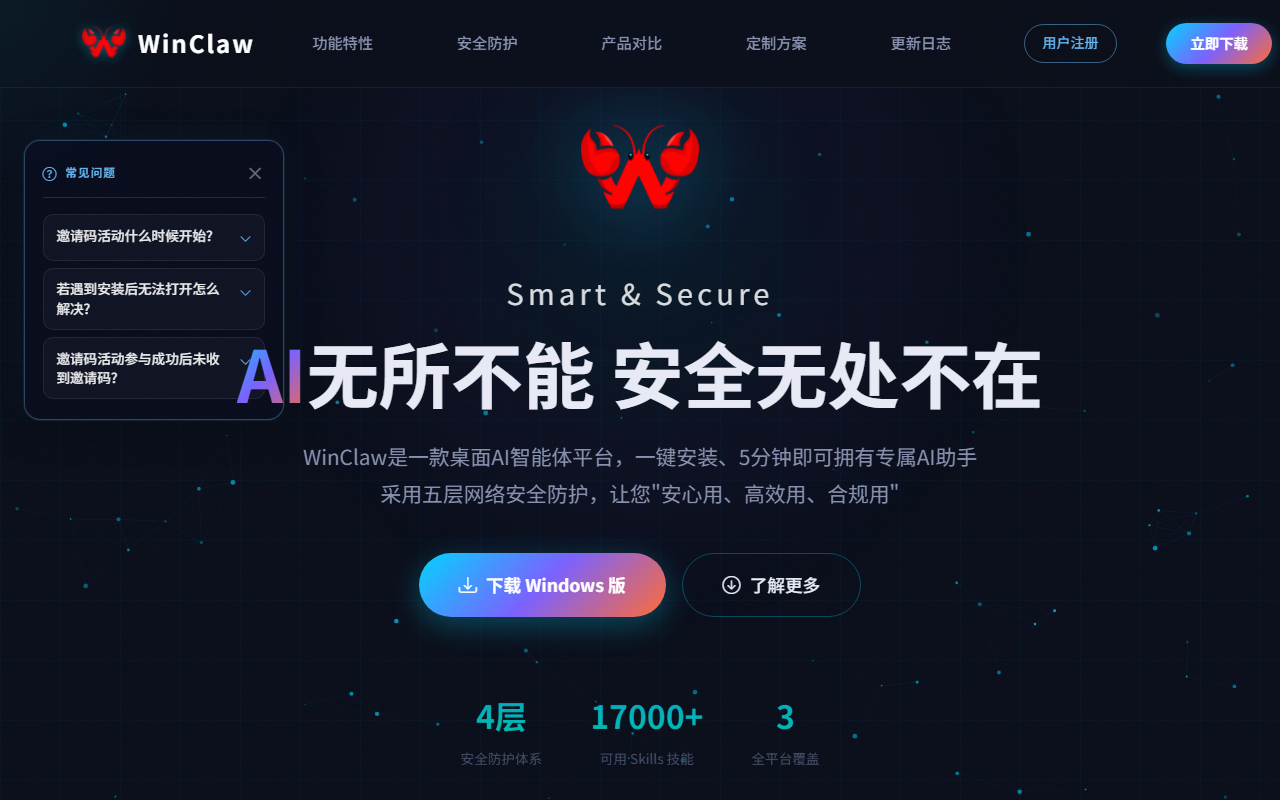
WinClaw is a desktop AI agent platform built on OpenClaw that focuses on being both secure and easy to use. It applies a five-layer security framework (identity verification, installation review, message interception, execution constraints, and monitoring audits) to block malicious Skills and data-leak risks at the source. WinClaw supports one-click installation and graphical configuration and can be picked up in about five minutes, and it runs on Windows, macOS, and Linux. A rich built-in Skills ecosystem connects to mainstream platforms such as WeChat, Feishu, and DingTalk, helping both individuals and businesses use AI automation safely and efficiently.
Key features
- One-click installation: Zero-threshold deployment gives you a dedicated AI assistant in about five minutes, with no coding or command line required.
- Cross-platform support: Compatible with Windows, macOS, and Linux, covering both x64 and ARM64 architectures.
- Five-layer security: Identity verification, installation review, message interception, execution constraints, and monitoring audits form an end-to-end security framework.
- Unattended operation: Supports 24-hour scheduled tasks and custom working directories so the assistant can run continuously.
- Skills ecosystem: A built-in skill marketplace covering many scenarios, with local Skill package import and team sharing.
- Channel connectors: Connects to WeCom, Feishu, DingTalk, QQ, Telegram, WhatsApp, Discord, and more.
- Automatic environment completion: Scans and repairs the runtime automatically, with no manual Python or dependency setup.
- Graphical management: Model selection, API access, and parameter tuning all happen in a visual interface.
- Multilingual interface: Ships with Chinese, English, and Japanese interfaces, with no extra configuration.
- Enterprise controls and customization: A unified management platform centrally manages devices and pushes security policies, and custom Skills can be built for key scenarios.
Core advantages
- Security DNA: WinClaw's developer has long served critical national infrastructure such as nuclear power and high-speed rail, bringing a high-grade security philosophy into the product and establishing a leading five-layer protection framework as an AI agent security baseline.
- Near-zero learning curve: It rethinks OpenClaw's complex configuration into one-click installation and a five-minute start, so even non-technical users can handle AI automation through a visual interface.
- End-to-end protection: It covers the full chain of identity verification, code review, message interception, execution constraints, and monitoring audits, with 41 security rules and 14 categories of risky-behavior detection and zero tolerance for malicious Skills and data leaks.
- Enterprise-grade capabilities: A unified management platform, custom Skill development, and local audit compliance meet deep customization and centralized control needs in critical industries.
- Open ecosystem: Built transparently on OpenClaw, with a rich Skills marketplace and support for local skill sharing and multi-platform connectors.
How to use
- Download and install: Visit the WinClaw official site at http://winclaw.winicssec.com/ and download the Windows installer to complete installation.
- Initial configuration: The system scans the runtime automatically and repairs missing components with one click, so no manual Python setup is needed.
- Model setup: Select a model online in the graphical interface to finish API access and parameter tuning.
- Install Skills: Browse and install the skills you need from the built-in Skills marketplace, or import local Skill packages.
- Start using it: After setting a working directory, the assistant can execute tasks automatically or respond at any time through connected channels.
- Enterprise deployment: Manage devices centrally and push security policies and Skill configurations through the unified management platform.
Use cases
- Personal productivity: Give natural-language instructions and let the AI operate the mouse and manage local files to finish complex tasks such as data processing and file organization quickly.
- Customer service: After deployment, it automatically handles close to 70% of routine customer inquiries with minute-level responses, significantly reducing the load on human agents.
- Market intelligence tracking: It schedules automatic collection of competitor moves and industry information and generates analysis reports, helping businesses keep up with market changes.
- Enterprise device management: IT administrators use the unified management platform to centrally manage employee devices and push security policies and Skill configurations.
- Cross-platform collaboration: It connects to channels such as WeCom, Feishu, and DingTalk, so the AI assistant can respond to team collaboration needs at any time.
Things to know
- Some enterprise features, such as the unified management platform, centralized policy distribution, and custom Skill development, require the appropriate enterprise licensing and deployment configuration; refer to official documentation for details.
- The scope of unattended operation, channel connectors, and third-party integrations may change with version updates, so check the official site for the latest information.
- When local file operations and automated execution are involved, configure permissions according to your own security policy to avoid mistakes or data risks.
- Descriptions such as the five-layer protection and the number of security rules come from official public information, and actual results depend on your specific deployment and configuration.
FAQ
What is WinClaw? WinClaw is a desktop AI agent platform built on OpenClaw that focuses on security and ease of use, applying a five-layer security framework and supporting one-click installation, graphical configuration, cross-platform use, a built-in Skills ecosystem, and multi-channel connectors.
Which operating systems does WinClaw support? WinClaw runs on Windows, macOS, and Linux, and covers both x64 and ARM64 architectures.
How does WinClaw keep things secure? It builds an end-to-end security framework from five layers: identity verification, installation review, message interception, execution constraints, and monitoring audits, backed by 41 security rules and 14 categories of risky-behavior detection to block malicious Skills and data leaks.
Do I need to know how to code to use WinClaw? No. It supports one-click installation and graphical configuration and can be picked up in about five minutes; model selection, API access, and parameter tuning all happen in a visual interface, and it scans and repairs the runtime environment automatically.
Which platforms can WinClaw connect to? It can connect to channels such as WeCom, Feishu, DingTalk, QQ, Telegram, WhatsApp, and Discord, so the AI assistant can respond to team collaboration needs at any time.
Frequently asked questions
What is WinClaw?
WinClaw is a desktop AI agent platform built on OpenClaw that focuses on security and ease of use, applying a five-layer security framework and supporting one-click installation, graphical configuration, cross-platform use, a built-in Skills ecosystem, and multi-channel connectors.
Which operating systems does WinClaw support?
WinClaw runs on Windows, macOS, and Linux, and covers both x64 and ARM64 architectures.
How does WinClaw keep things secure?
It builds an end-to-end security framework from five layers: identity verification, installation review, message interception, execution constraints, and monitoring audits, backed by 41 security rules and 14 categories of risky-behavior detection to block malicious Skills and data leaks.
Do I need to know how to code to use WinClaw?
No. It supports one-click installation and graphical configuration and can be picked up in about five minutes; model selection, API access, and parameter tuning all happen in a visual interface, and it scans and repairs the runtime environment automatically.
Which platforms can WinClaw connect to?
It can connect to channels such as WeCom, Feishu, DingTalk, QQ, Telegram, WhatsApp, and Discord, so the AI assistant can respond to team collaboration needs at any time.



