
RHTV is an AI-native infinite canvas creation tool from RunningHub built around genuine human-AI co-creation. The AI agent is embedded in and resident within the canvas itself, and users drive it with natural language to complete every stage — requirement analysis, script planning, storyboard generation, image and video generation, scoring and voiceover, editing and compositing, all the way to finished output — without jumping windows. The whole process appears as a visual node tree with precise per-node editing, and Anchor First locks core visual anchors for consistency. It rests on 100,000+ models and 13,681 ComfyUI nodes across image, video, audio, 3D and text, runs in the browser, and lets creators publish canvas works and templates to the community to earn.
The short version
With most so-called canvas agents, you still get a chat panel bolted beside the canvas and end up hauling things between two surfaces yourself. RHTV puts the agent inside the canvas and leaves it there. You state a request in one sentence, and on that same infinite canvas it breaks the task down, assembles a workflow, lays out the storyboard, generates assets and finally cuts everything into a finished video, with no window switching along the way. Built by RunningHub, it draws on an ecosystem of over 100,000 models and 13,681 ComfyUI nodes.
What is RHTV
RHTV is an AI-native infinite canvas creation tool from RunningHub, built around genuine human-AI co-creation. It departs from the conventional "fake canvas agent" pattern — instead of docking a chat box outside the canvas, the AI agent lives inside it. Users drive it with natural language and it carries work from requirement analysis, script planning and storyboard generation all the way to finished output, without jumping between windows.
RHTV leans on a fully loaded ecosystem of 100,000+ models and 13,681 ComfyUI nodes, spanning five modalities — image, video, audio, 3D and text — and supports a create, share and monetise loop that lets a solo creator command something close to a professional team's output. The product takes the form of an infinite canvas in the browser, with nothing to deploy locally.
Key features of RHTV
Native canvas agent: the AI agent resides permanently inside the infinite canvas, available around the clock, so every interaction happens without leaving the canvas.
Natural-language driving: describe what you want in one sentence and the agent decomposes the task, reads the style and tone, plans the execution path and assembles the workflow.
Transparent workflow: the whole process appears as a visual node tree, with every model call, parameter setting and generation decision visible, allowing precise edits at any single node.
Anchor First: core visual anchors such as product prototypes or three-view character sheets are locked in first, keeping every later asset consistent.
All-modality pipeline: one-stop output covering script and storyboard, image generation, image-to-video, voiceover and scoring, 3D rendering, editing and packaging.
One-click access to the ComfyUI ecosystem: closing the last mile between ComfyUI and the canvas, letting you call a vast library of professional workflows in the cloud with no local installation.
Create-to-earn loop: canvas works and templates can be published to the community for exposure and ongoing revenue, forming a create, share and earn cycle.
How to use RHTV
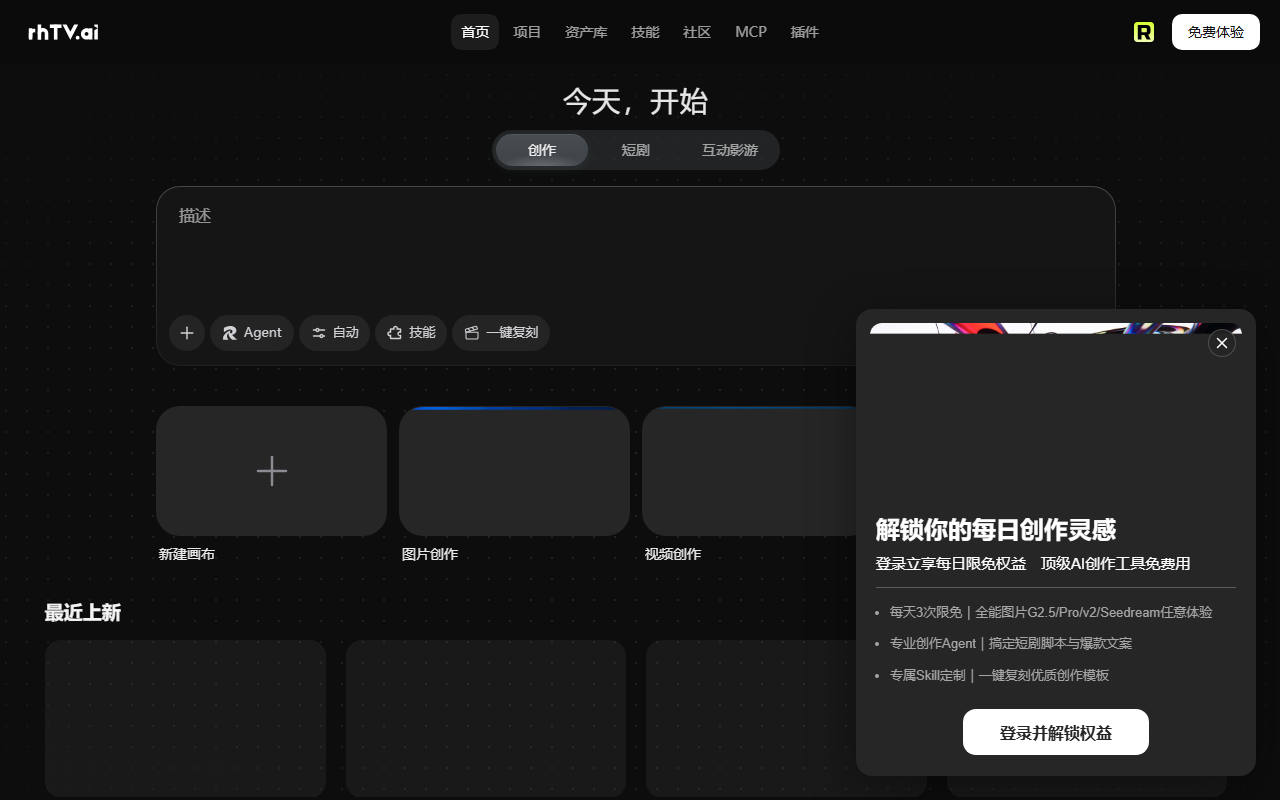
Open the platform: go to the official RHTV site at https://rhtv.ai/, register and sign in, and you land directly in the browser-based infinite canvas with no local setup.
Issue the instruction: describe what you need in plain language in the input box at the bottom of the canvas, for example "produce a sci-fi foldable phone TVC concept film."
Configure the mode: pick the agent's execution strategy, domain skill packs and generation preference, manual or automatic, then press GO to start the agent.
Confirm the plan: review the visual style, point-of-sale analysis, content outline and scene design the agent proposes before moving on.
Lock the anchors: the agent creates a product finalisation board or three-view character sheet on the canvas, fixing the core visual anchors that every later clip must match.
Run the nodes: the agent unfolds the full pipeline as a visual node tree; click any node to inspect its logic and change it in isolation.
Render the output: once every node is confirmed, the agent chains the image, video and audio modalities together and completes the finished film inside the canvas's built-in editor.
Publish and earn: release the canvas work or workflow template to the community to gain exposure and ongoing income.
Key specifications of RHTV
- Product name: RHTV (RunningHub TV)
- Developer: RunningHub
- Positioning: AI-native agent platform for all-round content creation
- Core features: infinite canvas plus native agent plus ComfyUI ecosystem
- Supported modalities: image, video, audio, 3D and text
- Model and node scale: 100,000+ models and 13,681 usable nodes
- Community scale: 100,000+ community AI apps and 15,000+ daily active developers
- Barrier to entry: no coding or local deployment; natural-language interaction in the browser
- Business model: platform usage plus monetisation of published works and templates
Why RHTV stands out
- A genuinely native agent with zero jumps: unlike the split interaction of "canvas plus chat window," the agent truly lives inside the canvas, so the creative flow is never interrupted.
- A white-box process you can control: no black boxes; every generation step appears as a visible node, so you fix exactly what went wrong instead of starting over.
- An ecosystem without a ceiling: the upper bound of capability is set collectively by 15,000+ active open-source community developers, with day-one update speed.
- ComfyUI without the friction: professional workflows that once required local deployment and steep learning are reduced to a cloud-side single call.
- One person as a whole team: from brand strategy and directing to storyboarding and post-production, the agent takes the execution roles while you stay the decision-making director.
How it compares
Others on the infinite-canvas path take different routes. LibTV comes from LiblibAI and pairs an infinite canvas with node-based workflows, offering both human and agent entry points, aggregating 30+ top models including Seedance, Kling and Midjourney, and shipping tools like character three-views, grid storyboards and cinematic lighting. TapNow offers Tapflow, an AI-native creative canvas that combines node dragging with natural-language commands, centred on a Cinema Lab professional camera library and point-and-edit local adjustments. RHTV's difference is that the agent is resident inside the canvas: there is only one interaction surface, and together with Anchor First and the 13,681-node foundation below, everything you see in one place is the whole process.
Use cases for RHTV
- AI comic dramas and live-action short dramas: write scripts automatically, lock character three-views, lay out nine-panel storyboards, call video models to generate footage and finish with built-in editing, all the way to a completed episode.
- TVC and commercial films: enter product selling points and receive a concept film, with virtual cameras calling cinematic lens moves as well as targeted relighting and material fixes — one person doing what once took a team.
- E-commerce visual assets: generate an entire set of brand visuals from one sentence, switch instantly between white-cyclorama, outdoor and retro scenes, restyle and repose virtual models, and ship ready-to-list assets.
- Interior design rendering: describe the floor plan and style in natural language and receive multi-angle renders, furnishing schemes and layout drawings, then swap materials or lighting in place on the canvas.
- Full brand identity programmes: from logo concepts to business cards, packaging, posters and social assets, extend a complete visual system with one consistent tone, with no outsourcing.
Frequently asked questions
A fair question is how this differs from simply putting a chat box next to a canvas. The crux is whether the agent really lives inside the canvas. In RHTV the agent creates nodes, unfolds workflows and produces assets directly on the canvas; you edit real nodes rather than manually importing conclusions from a conversation, so the creative thread is never cut by switching windows.
People also ask what happens when an output disappoints. Every step appears as a node tree with model calls, parameters and logic fully visible, so you open the offending node, adjust it there and nothing else needs rebuilding. On capability boundaries, the platform keeps updating through its community; for the exact model and skill pack coverage and for pricing, check the official site for the latest information.
Frequently asked questions
How is RHTV different from an ordinary "canvas plus chat window" AI tool?
The difference is whether the agent truly lives inside the canvas. RHTV's AI agent is resident within the infinite canvas, creating nodes, unfolding workflows and producing assets right on the board. You edit genuine canvas nodes instead of manually carrying conclusions out of a conversation, so the creative process is not severed by switching between windows.
Do I need coding skills or local deployment to use RHTV?
No. RHTV is an infinite canvas in the browser: register, sign in and start, with nothing to install locally. Interaction is driven by natural language; you choose the execution strategy, domain skill packs and generation preference, press start, and the agent unfolds the rest of the pipeline.
What can I do when a generated result falls short?
The entire process appears as a visual node tree with every model call, parameter and generation decision visible. Open the node that caused the problem and revise it in isolation rather than rebuilding everything; with Anchor First keeping the core visual anchors stable, local changes do not ripple through the whole project.
Which modalities and typical scenarios does RHTV cover?
It covers image, video, audio, 3D and text. Typical scenarios include AI comic dramas and live-action short dramas, TVC and advertising films, bulk e-commerce visual assets, interior design renders, and complete brand identity programmes running from logo to posters and social assets.



