

Miaojiduo is an AI note-taking tool that helps capture information, organize notes, manage reminders, and search saved content.
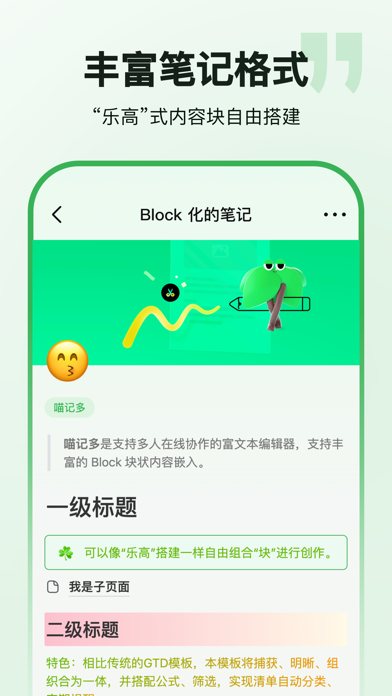
Miaojiduo: AI notes, task reminders, and information management
Miaojiduo is an AI note-taking tool for capturing, organizing, and finding everyday information. Users can chat with its AI assistant, Miaozai, to record text, images, or files and turn them into notes. The app also supports task lists with reminders. This conversational approach can help collect small pieces of information from work, study, or daily life and keep them available for later search.
The product description also mentions voice input and chat-based interaction with the assistant. Supported formats, reminder options, and other features may change by version or account, so review the current app description before relying on a particular capability.
Main features
- Collect and organize information: Save text, images, and files as notes to bring scattered materials into one place. Add titles or details that make later retrieval easier.
- Tasks and reminders: Record to-dos and set reminders for everyday plans. For important deadlines, confirm the time, notification permissions, and device settings; keep another check for critical tasks.
- Search saved notes: Look through stored information to find a note when needed. Search results depend on what was saved and the retrieval options currently available in the app.
- Voice input: The app description mentions voice recording. It can be useful when typing is inconvenient, but background noise, names, and recognition errors may affect the transcript. Review the text after recording.
- AI assistant interaction: Use chat to capture information or interact with the assistant. Generated responses may require correction and should not be treated as fact-checking or professional advice.
A practical workflow
- Find Miaojiduo through an app distribution channel you trust. Read the current product information, privacy terms, and requested permissions. The supplied materials do not include a verifiable official product URL.
- Record a note by text or voice. Before adding images or files, check supported formats and size limits.
- Organize the note and add a task or reminder if needed.
- Search for older notes when you need them, and check transcribed or AI-organized content for omissions and mistakes.
- Review important tasks periodically. Confirm that backup, export, or synchronization options meet your needs.
Privacy and limitations
Notes may contain personal plans, documents, or other sensitive information. Before saving or uploading content, consider the app privacy terms, data handling, and any workplace requirements. Avoid storing sensitive information that is not necessary. A reminder cannot guarantee that you will notice a notification, so keep another check for critical deadlines. The AI assistant can help with recording and organization, but users should verify important information themselves. Features and availability may change; check the current app version.
Frequently asked questions
What can Miaojiduo record?
The product description mentions text, images, files, and voice input. Check the current app version for specific formats and limits.
Can it help manage tasks?
It supports recording to-dos and setting reminders. Confirm the time, notification permissions, and device settings after setup.
Should I review AI-organized notes?
Yes. Speech recognition and AI-generated content can omit or alter details. Check important notes before relying on them.
Frequently asked questions
What can Miaojiduo record?
The product description mentions text, images, files, and voice input. Check the current version for formats and limits.
Can it help manage tasks?
It supports recording to-dos and setting reminders. Confirm the time and notification settings.
Should I review AI-organized notes?
Yes. Speech recognition and generated content can omit or alter details. Check important notes.



