Meijian AI is a canvas-style AI design platform that creates and edits design scenes from a single sentence, and handles image tasks such as cutout, removal, expansion, enhancement and upscaling, plus posters, proposal decks, marketing copy and asset generation. It suits e-commerce design, marketing planning, interior design and teaching material.
Meijian AI: A Canvas-Based AI Design Platform Driven by a Single Sentence
What Meijian AI is
Meijian AI is a new-generation canvas-style creative design platform. Type one sentence and you can create a scene, edit its content and adjust the details: swap materials and styles, change the background, edit text, remove or add scene elements, and replace the main subject. It is built for e-commerce designers, creative professionals, in-house marketers and people with no design background at all.
Beyond one-sentence editing, the platform ships a full set of efficient design tools: intelligent cutout, realism enhancement, image expansion, flaw removal, design asset generation, marketing copy, background image creation, comic-style conversion, lossless upscaling, proposal PPT and poster generation. Its core strengths are speed and ease of use, so beginners can pick it up quickly and still produce solid design work.
Main capabilities
One-sentence design. Describe what you want and the platform creates the scene, edits content and adjusts details, including swapping materials and styles, changing the background, editing text, removing or adding scene elements and replacing the main subject.
Image processing. Smart cutout uses deep learning for hair-level precision with one-click batch processing and natural edges. Smart removal clears impurities, blemishes and watermarks by simply brushing over them. AI expansion recognises the content and enlarges it losslessly with several upscaling modes. AI realism enhancement refines lighting, colour and texture with high-definition algorithms and offers stylised looks. Lossless upscaling raises resolution while keeping the original clarity.
Design creation. AI poster turns your copy or a chosen template into multiple style options that you can adjust live. AI proposal PPT takes a short text description and combines AI copy with a template library to produce a personalised deck in one click. AI copywriting generates marketing text from product traits and needs in several tones. AI asset generation turns keywords into icons, patterns and other design assets.
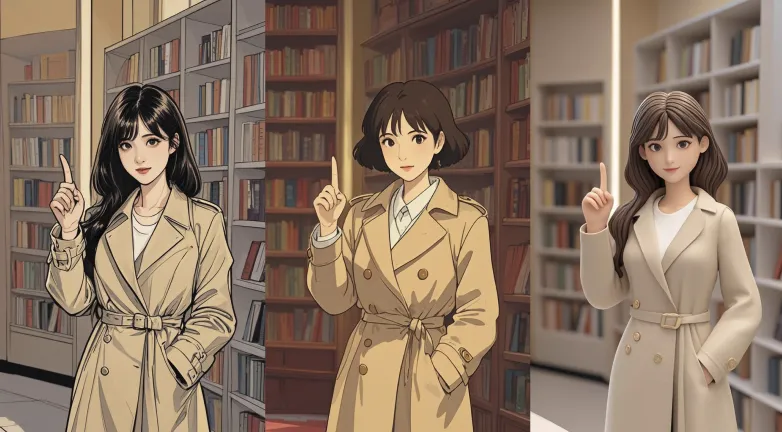
Signature features. AI comic face turns real portraits into comic styles with several effects. AI soft furnishing design produces furnishing schemes for interior scenes. AI video narration turns a proposal deck into an explanatory video and writes the script automatically.
AI background tool. Multiple background styles can be applied to several images at once, which keeps a batch of product shots visually consistent.
Multi-angle generation. Product display images can be produced from several angles fast, cutting the cost of repeated photography.
AI inspiration library. Upload an image and it generates matching assets in the same style, along with a supporting proposal deck and poster, so one idea can be expanded quickly.

How to use it
- Register and sign in: go to the official site and register with a phone number, email or third-party account. Filling in nickname, occupation and interests helps the system recommend more relevant inspiration.
- Create a project: click new project, choose a type such as e-commerce poster or product display, set the canvas size or pick a preset template, then upload product images in bulk.
- Use the tools: run smart cutout to isolate the subject, brush with smart removal to clear unwanted objects, choose AI expansion and set the scale and output size, apply AI realism enhancement to improve the look, generate assets from keywords, produce poster options from your copy, build a proposal deck with one click, or drag product images into scene composition for a 3D render.
- Preview and export: review the result live and export in several formats and resolutions once you are happy.
- Collaborate and share: invite collaborators from the canvas page by email or account to edit together, and share a link or QR code so others can view the canvas.
Who it suits
- E-commerce design: produce marketing images, main images and hero images quickly and shorten the design cycle.
- Marketing planning: generate copy, posters and proposal decks to strengthen brand communication.
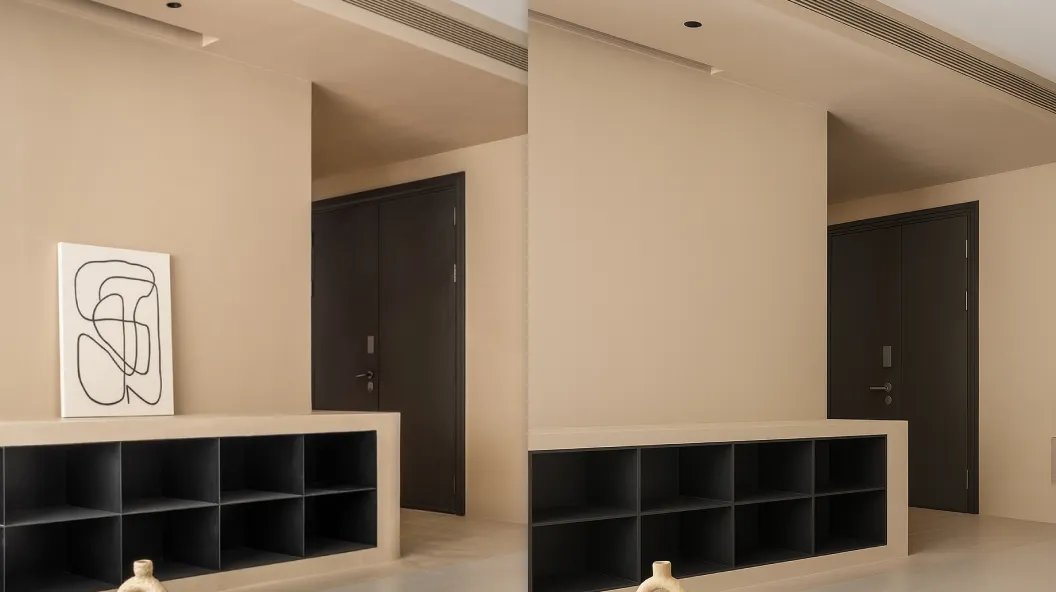
- Interior design: get soft furnishing schemes and 3D renders that speed up proposals.
- Education: build course slides and promotional posters faster.
- Beginners: complete work that once needed a designer and a schedule, without professional software skills.
Limitations
- Public material does not list prices, membership plans or free quotas; actual charges follow what the platform states.
- Cutout, removal and expansion results depend on the clarity of the source, subject complexity and lighting. Hair, transparent materials and busy backgrounds may show flaws, so check important artwork yourself.
- AI copy, proposal decks and narrated videos are supporting material; verify facts and brand tone before publishing.
- When uploading images with faces, trademarks or client assets, respect portrait rights, copyright and commercial licensing.
- Upscaling and expansion infer new pixels from the original; they cannot recover real detail that was never captured.
Frequently asked questions
Can beginners use Meijian AI? Yes. Ease of use is one of its core strengths: one sentence creates and edits a scene, with no professional design software experience required.
Can images be processed in batches? Yes. Smart cutout supports one-click batch processing, and the AI background tool can apply one style to several images at once.
Can a generated proposal deck become a video? Yes. AI video narration turns the deck into a detailed explanatory video and writes the script automatically.
Does it support collaboration? Yes. From the canvas page you can invite collaborators by email or account and edit the same project together.
Frequently asked questions
Can beginners use Meijian AI?
Yes. Ease of use is one of its core strengths: one sentence creates and edits a scene, with no professional design software experience required.
Can images be processed in batches?
Yes. Smart cutout supports one-click batch processing, and the AI background tool can apply one style to several images at once.
Can a generated proposal deck become a video?
Yes. AI video narration turns the deck into a detailed explanatory video and writes the script automatically.
Does it support collaboration?
Yes. From the canvas page you can invite collaborators by email or account and edit the same project together.