

MeiGen is a community gallery and one-click generation platform focused on AI Prompts: you can browse community works, copy their prompts, and call the corresponding models to generate the same images or videos, without needing to master complex prompt engineering.
One-Sentence Answer
MeiGen is a community gallery and one-click generation platform focused on AI Prompts. You can browse community works, copy their prompts, and call the corresponding models to generate the same images or videos, without needing to write prompts from scratch.
Product Positioning
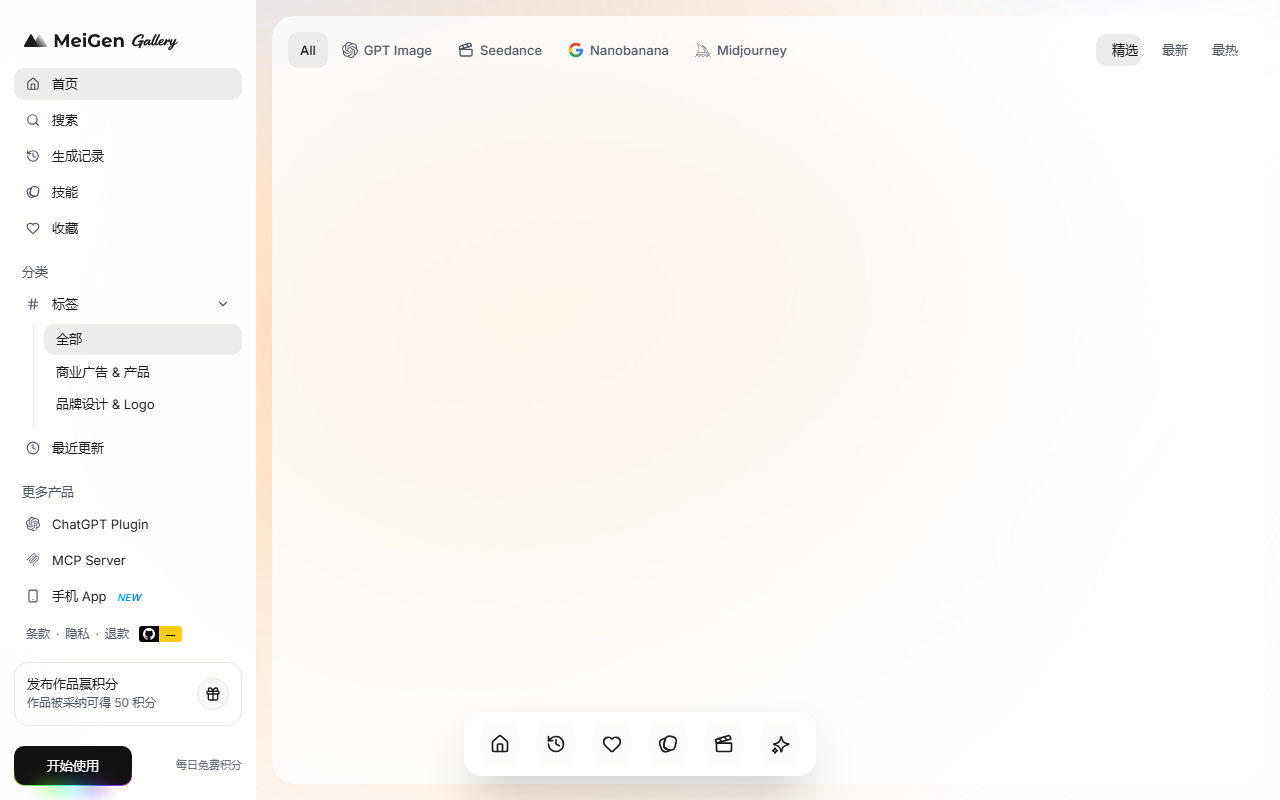
MeiGen places prompts at the center of its product. It aggregates high-quality prompts from mainstream models like GPT Image 2, Nano Banana 2, Seedance 2.0, Veo 3.1, and Midjourney, organizing them into a visual community gallery by style and theme.
The platform positions itself as "no prompt engineering needed"—it does not require users to have prompt engineering skills. If you see a work you like, copy its prompt to transfer the same expression to the target model.
It covers a wide range of styles, including 3D figurines, clay aesthetics, movie posters, realistic portraits, and advertising design; in terms of creation modes, it supports image-to-image and video Remix. In a word: it is both an inspiration library and a shortcut to recreate viral works.
Core Features
Massive Prompt Gallery
It features selected prompts for models like GPT Image 2, Nano Banana 2, Seedance 2.0, Veo 3.1, and Midjourney, categorized by style and theme.
One-Click Copy and Generate
When browsing any work, you can directly copy the full prompt to connect with the target model for reproduction, without having to manually dismantle the prompt structure.
Multi-Model Compatibility
The same prompt can be switched between different backend models for generation to compare their performance differences under the same semantics.
Image-to-Image and Style Transfer
It supports uploading reference images and combining them with prompts for style conversion, such as photos to black-and-white line art, or realistic to 3D figurines.
Video Prompt Zone
It provides full prompts and generation effect previews for video models like Seedance 2.0, supporting Remix secondary creation.
Community Interaction System
Works support likes, view count statistics, and author profile displays, forming a closed-loop ecosystem for prompt creation and sharing.
Usage Steps
- Visit the Gallery: Open the MeiGen official website https://www.meigen.ai/ to browse the Featured AI Image Prompts or Seedance 2.0 video prompts recommended on the homepage.
- Filter Styles: Click on works of interest according to your needs, such as "3D figurine style stamp," "commercial ad poster," or "black-and-white line art."
- View Prompts: Enter the work detail page to view the complete English prompt and the target model used.
- Call to Generate: Paste the prompt into the generation interface of the corresponding model (GPT Image 2, Midjourney, Nano Banana, etc.), or run it directly in the generation portal linked by MeiGen.
- Advanced Image-to-Image: When style transfer is needed, upload your own reference image and combine it with the copied prompt for image-to-image creation.
- Video Remix: In the video prompt zone, modify keywords based on existing Seedance 2.0 prompts to generate personalized videos.
Applicable Scenarios
- Social Media Visual Production: Quickly produce 3D figurine avatars, clay-style selfies, and cinematic portraits for platforms like Xiaohongshu/Instagram.
- Commercial Poster Design: Replicate and replace brand elements based on highly-rated ad poster prompts from the community to produce e-commerce detail pages and product posters.
- Short Video Material Generation: Use Seedance 2.0 video prompts to generate dynamic titles, product showcase videos, and AI animation clips with one click.
- IP and Character Design: Utilize specialized prompts like "3D figurine styles" and "clay aesthetics" to quickly produce character prototypes and peripheral visuals.
- Style Transfer and Secondary Creation: Upload personal photos to achieve stylized transformations through prompts like "photo to black-and-white line art" and "photo to 3D figurine."
- AI Teaching and Training: Serve as a prompt case library to show students the impact of different models and prompt structures on generation results.
Core Advantages
- Zero-Barrier Reproduction of Viral Works: Highly-rated community works come with full prompts, allowing beginners to quickly produce professional-level AI images or videos.
- Comprehensive Model Coverage: From OpenAI's GPT Image 2 to ByteDance's Seedance 2.0, it facilitates a one-stop comparison of style differences among mainstream generative models.
- Inspiration as Productivity: Browsing the gallery is itself a process of finding inspiration. If you see a style you like, copy it directly, saving time on repeatedly tweaking prompts.
- Huge Style Span: Covers dozens of visual styles including 3D figurines, clay aesthetics, movie posters, commercial ads, realistic portraits, and anime line art.
- Dual Track of Image + Video: Simultaneously supports static image prompts and dynamic video prompts, meeting the dual needs of graphic design and short video creation.
- Community-Driven Updates: Prompts are continuously contributed by global creators, keeping the gallery content frequently updated and closely following the pace of AI model iterations.
Limitations and Notes
- Prompts are primarily in English: The detail pages display full English prompts; users unfamiliar with English may need translation tools to understand their structure.
- Generation relies on third-party models: MeiGen provides prompts and linked generation portals, but actual image/video generation still depends on specific models, whose available versions and statuses may change.
- Same Prompt, Different Results: Switching the same prompt to different backend models will yield different results due to model differences, which is an inevitable outcome of the "multi-model compatibility" feature.
- Content quality requires self-filtering: Gallery content is continuously contributed by community creators; it is recommended to judge its reference value based on likes and view counts.
Price Verification Notice
Public sources do not list MeiGen's specific pricing, subscription tiers, or free quotas. Please check the latest pricing and terms of use at https://www.meigen.ai/, focusing on three things: whether it charges, whether there is a free trial quota, and whether calling various models through MeiGen's linked portals incurs additional fees. Pricing and availability are subject to change, so always refer to the real-time page on the official website.
Frequently Asked Questions
Does MeiGen require writing my own prompts?
No. The platform is positioned as "no prompt engineering needed"; you can directly browse community works and copy existing prompts to use.
What models does MeiGen support?
Public information mentions mainstream models like GPT Image 2, Nano Banana 2, Seedance 2.0, Veo 3.1, and Midjourney. The model list will change with iterations, please refer to the official website.
Can I directly generate images or videos on MeiGen? The platform provides linked generation portals, and you can also paste the copied prompts into the generation interface of the corresponding model to run them. For specific available portals and quotas, please verify on the official website.
Can I upload my own photos for style transfer?
Yes. The platform supports image-to-image; after uploading a reference image, you can combine it with a prompt for style conversion, such as photo to black-and-white line art or realistic to 3D figurine.
Does the video prompt support secondary creation?
Yes. The video prompt zone provides full prompts and generation effect previews for models like Seedance 2.0, allowing you to modify keywords on this basis to complete a Remix.
Will I be charged for using MeiGen?
Public sources do not provide pricing information. Please verify the latest pricing, whether free quotas exist, and whether calling models incurs additional fees at https://www.meigen.ai/.
How to Compare Similar Tools
If you are choosing between MeiGen and similar platforms, you can score them based on the following dimensions:
- Model Coverage: Whether it includes the models you commonly use, such as GPT Image 2, Nano Banana 2, Seedance 2.0, Veo 3.1, Midjourney.
- Prompt Completeness: Whether the works come with copyable full prompts, rather than just effect images.
- Modality Coverage: Whether it provides both image and video prompts.
- Advanced Capabilities: Whether it supports image-to-image, style transfer, and video Remix.
- Community Activity: Whether signals like likes, view counts, and author profiles are complete, and whether content is updated frequently.
Alternatives
- Directly use the model's official interface + self-written prompts: Offers the highest controllability, but requires accumulating prompt experience yourself.
- Use the prompt sharing zones provided by the official model or community: Closer to the model itself, but usually only covers a single model.
- Build your own prompt library: Use note-taking tools or spreadsheets to accumulate your prompts; flexible but lacks ready-made effect previews.
- Combined usage: Find inspiration and prompts on MeiGen, then go to the specific model interface for fine-tuning, balancing speed and controllability.
Frequently asked questions
Does MeiGen require writing my own prompts?
No. MeiGen's positioning is 'no prompt engineering needed'. You can directly browse community works and copy existing prompts to use without manually constructing prompt structures.
What models does MeiGen support?
Public information mentions mainstream models like GPT Image 2, Nano Banana 2, Seedance 2.0, Veo 3.1, and Midjourney. The model list will change with version iterations; please refer to the official MeiGen website https://www.meigen.ai/
Can I directly generate images or videos on MeiGen?
The platform provides linked generation portals; at the same time, you can also paste the copied prompts into the generation interface of the corresponding model to run them. For specific available portals and quotas, please verify on the official website.
Can I use my own photos for style transfer?
Yes. The platform supports image-to-image. After uploading a reference image, you can combine it with a prompt for style conversion, such as photo to black-and-white line art or realistic to 3D figurine.
Does the video prompt support secondary creation?
Yes. The video prompt zone provides full prompts and generation effect previews for models like Seedance 2.0, allowing you to modify keywords on this basis to complete a Remix.
Will I be charged for using MeiGen?
Public sources do not provide pricing information. Please verify the latest pricing, whether free quotas exist, and whether calling models through linked portals incurs additional fees at https://www.meigen.ai/



