

Loopit is an AI interactive-content community where users describe or reference an idea, generate a playable work, then preview, modify, publish, and share it.
Loopit: create interactive mini-apps with AI
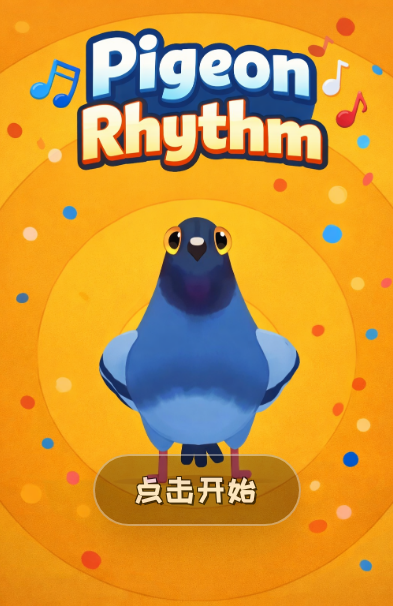
Loopit is a community for creating and exploring interactive content with AI. Users can describe an idea in natural language or upload an image as a reference, and AI can generate a playable work with interaction logic, visual assets, and sound. Works may respond to taps, shaking, blowing, or other supported inputs, and creators can Remix an existing work. After previewing and testing, a creator can publish to the community; some works can also be shared through an H5 link or QR code.
Main capabilities
Create from a prompt: Describe an idea or provide an image reference to generate an interactive work. Product information says the result can include interaction logic, visuals, and sound, which can then be refined through further instructions.
Sensor-based interaction: Works may support taps, shaking, blowing, gestures, and other physical interactions. The product information mentions phone gyroscopes, microphones, and cameras. Actual behavior depends on device capability, permissions, and browser support.
Remix: Users can continue from an existing work's creative context and use new instructions to change interaction logic, characters, or scenes. Check the original work's sharing and reuse rules before making a derivative.
Feed and sharing: A single-column vertical feed lets people discover and play content. Creators can switch to a player view in preview mode to test an interaction before publishing. Product information mentions standalone H5 links and QR codes for browser access; some content also supports real-time multi-user interaction.
Getting started
- Visit the Loopit website and follow its instructions to get the app.
- Sign in and browse community works. Try the interactions each work supports, such as tapping or shaking.
- Choose a quick or deep creation mode, describe an idea in natural language, and optionally upload an image reference.
- Switch to player view in preview mode and test the result. Publish when ready, then share a link or QR code if appropriate.
Suitable use cases
Loopit may suit people who want to experiment with interactive content, make a playable prototype, or explore works created by others. Creators can start with a short prompt and refine the interaction or visual direction over several steps. For social or event settings, a shareable link can let others try a work in a browser. It can also be used to explore sensor-based and multi-user interaction concepts.
Before using
Product information does not specify supported operating system versions, device coverage, generation quotas, pricing, or content moderation rules. Camera, microphone, gyroscope, and multi-user features require compatible hardware, permissions, and app support. Generation quality, response time, and browser behavior may vary by device and network. Before publishing or remixing another person's work, review community rules, asset rights, and personal-data handling. Preview AI-generated work before release.
FAQ
Can I create without programming?
Product information describes generating an interactive work from a natural-language idea, without listing coding as a prerequisite. Check the available options in the app.
Can people without the app try a work?
The product information mentions H5 links and QR codes that open an experience in a browser. Confirm compatibility for the specific work and device.
Can I remix another person's work?
Product information describes continuing from an existing work's context. Follow the work's permissions and community rules before remixing.


Frequently asked questions
Can I create without programming?
Loopit is an AI interactive-content community where users describe or reference an idea, generate a playable work, then preview, modify, publish, and share it.
Can people without the app try a work?
H5 links and QR codes are mentioned; check compatibility for the specific work and device.
Can I remix another person's work?
Follow the original work's permissions and the community rules before making a derivative.



