

iTerms offers AI-assisted legal Q&A, contract draft generation, and contract review support.
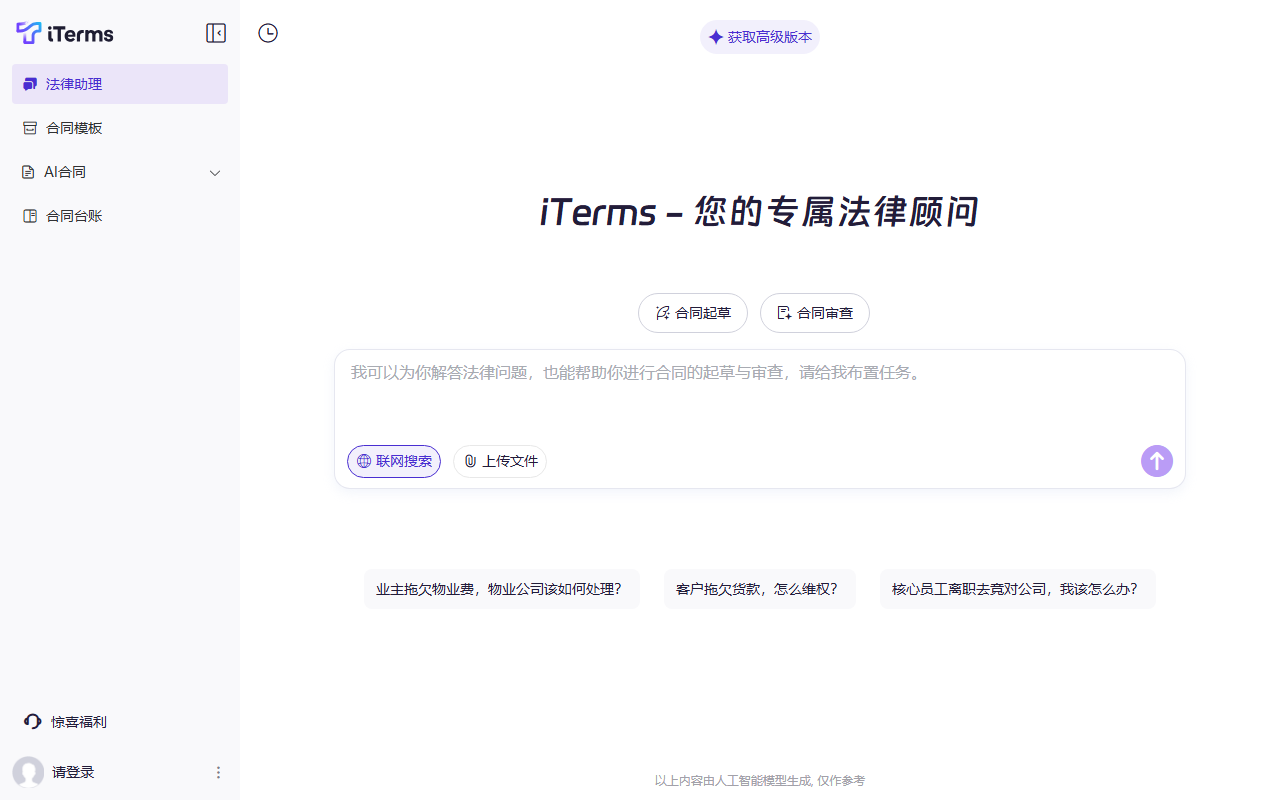
iTerms: AI Legal Q&A and Contract Review Support
iTerms is an AI-assisted platform for people and teams who work with legal information and contracts. Its described features include legal questions and search, contract draft generation, contract review, and risk prompts. These tools can help organize questions and support an initial review, but their output should be checked against the applicable law, complete facts, and professional judgment.
Main features
Legal questions and information search
Users can submit a legal question and review the response and related information provided by the platform. The product description says it supports online search and references to laws, regulations, and judicial cases. Legal rules vary by jurisdiction, date, and facts. For important decisions, check current official materials instead of relying only on generated answers.
Contract drafting
The platform can generate a first draft from a contract type and key details supplied by the user, with online editing described as available. Treat the draft as a starting point. Before signing, check party details, the transaction, governing law, and key terms; arrange review by a qualified legal professional when appropriate.
Contract review
The review feature can summarize a document, flag possible risk clauses, and suggest revisions. Users can ask follow-up questions about specific wording. Automated analysis may miss issues or flag text incorrectly. Check each prompt against the original clause and its full context; it is not a legal conclusion.
Getting started
- Visit the official iTerms website to check current features, account requirements, and terms. Follow its instructions for any mobile access.
- Register and complete any verification required by the platform.
- Choose legal Q&A, contract drafting, or contract review, and submit only information needed for the task.
- Check answers, draft language, and risk prompts carefully; seek professional review when needed.
- Read the privacy and data-handling terms before uploading contracts, personal details, or other sensitive material.
Use cases and limitations
iTerms can support preliminary legal research, contract drafting, and document review. The product description also mentions online editing and saving or exporting completed files in formats such as PDF and Word; check the official site for current availability. AI output is not legal advice and is not guaranteed to be accurate, complete, or suitable for a particular jurisdiction. For litigation, major transactions, legal rights, or deadlines, verify the applicable law and consult a qualified professional. Before submitting sensitive materials, confirm access controls, confidentiality requirements, and data-retention practices.
Frequently asked questions
What can iTerms do?
Its described tools include legal Q&A and search, contract draft generation, summaries, and risk prompts.
Can I sign a contract generated by iTerms without review?
Do not sign without checking the facts, terms, governing law, and transaction context. Seek qualified review when appropriate.
Does AI legal Q&A replace a lawyer?
No. Use it for information support, and verify important matters with authoritative sources and a qualified legal professional.
Frequently asked questions
What can iTerms do?
Its described tools include legal Q&A and search, draft contract generation, summaries, and risk prompts.
Can I sign a contract generated by iTerms without review?
Review the facts, terms, applicable law, and transaction context first; seek qualified legal review when needed.
Does AI legal Q&A replace a lawyer?
No. Treat it as information support and verify important matters with authoritative sources and a qualified legal professional.



