iFlytek Wenshu is iFlytek's AI writing assistant for official documents. It splits writing into five stages - material preparation, drafting, review, recording notes and text-to-image - covering the path from source gathering to a finished document.
iFlytek Wenshu: an AI writing assistant for official documents and workplace paperwork
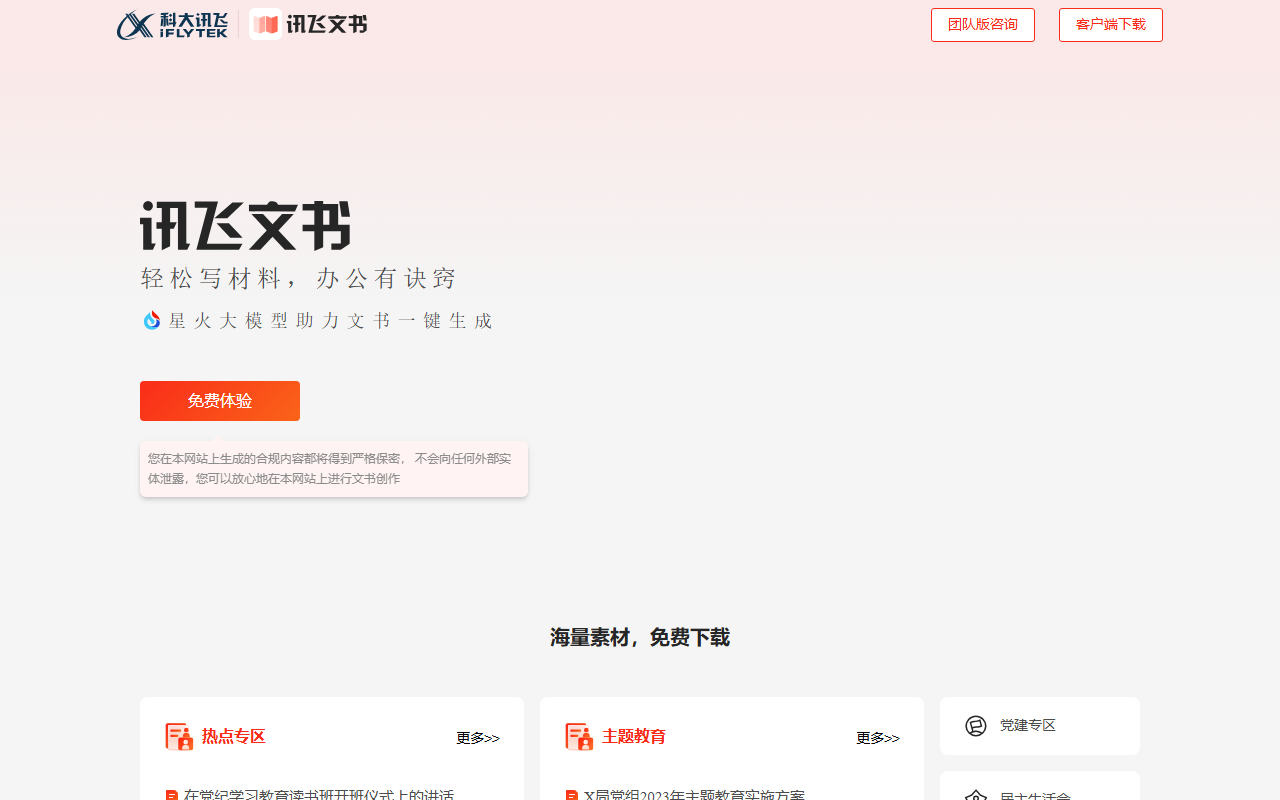
iFlytek Wenshu is a writing assistant from iFlytek aimed at formal documents and workplace paperwork. Instead of handing users a blank prompt box, it gathers the scattered parts of document work - collecting reference material, drafting, proofreading, tidying meeting recordings and adding visuals - into one workspace that follows a prepare, draft, review, finish sequence.
Most AI writing tools work on a simple loop: give a sentence, receive an article. iFlytek Wenshu breaks the job into smaller stages - collect material, pick a document type, generate a draft, then review it. Every stage keeps a manual editing entry point, so the model handles the repetitive and formatting-heavy parts while the author keeps judgement and the final signature.
According to the vendor, the tool targets civil servants, company staff, educators and individual users. Typical jobs include work reports, reflection write-ups, meeting minutes, business reports, teaching plans, financial analysis reports, and more personal documents such as student papers, resumes and job-performance summaries. The focus is not creative fiction but the kind of text that has a required structure, an approval step, and a high cost of revision.
What the main functions do
Material preparation: gather sources first
A topic library and a library of model documents cover common formal scenarios such as institutional and meeting materials, and the tool can search the web for recent policy highlights and quotable lines. When you know roughly what to write but not where the supporting material lives, this stage removes most of the early searching.
Drafting: more than 30 document types, plus draft-from-draft
Drafts can be generated directly by document type; the vendor cites more than 30, with work reports and reflection pieces among the commonly used ones. The more practical feature is draft-from-draft: pick or upload an existing example of the same genre and the system produces a new piece with a matching structure, tone and hierarchy. That solves most of the consistency problem before editing starts.
Review: errors and risk flags
Smart proofreading looks for three classes of problem: typos and awkward sentences, factual or knowledge-level inaccuracies, and content-orientation risks. For material that must pass an approval chain, the value is not replacing the reviewer but filtering obvious issues so the human reviewer can spend attention on judgement calls.
Recording notes: meeting audio into usable minutes
Meeting recordings can be transcribed, speakers separated automatically, and minutes plus action items extracted. For roles that must produce minutes right after a meeting, this is the biggest time saver in the whole flow, and it joins the recording step to the writing step.
Text-to-image: illustrated documents in one pass
The added text-to-image capability lets a document be finished with visuals in place, without switching to a separate design tool. For internal briefings, promotional material and training decks, that removes one round of file shuffling between applications.
How to use it
- Open the official web app in a browser, register and create an account.
- Choose the module you need: material preparation, drafting, review, recording notes or text-to-image.
- Enter the requirement - a topic, a document type - or upload an existing file or meeting recording.
- The system returns a draft, a proofreading report, or a transcript with minutes.
- Edit by hand and fill in the facts, figures and wording that only you know.
- Save or export the document and move it into your approval, sharing or archiving process.
Who it fits
- Office and secretariat teams in public institutions: frequent formal documents, work reports and minutes where format and accuracy matter most.
- Corporate administration, project management and marketing: business reports, project plans and meeting summaries are high-volume and template-driven, so letting the model produce the skeleton pays off.
- Teachers and academic administrators: teaching plans, lesson notes and student comments are numerous and structurally fixed.
- Finance and consulting analysts: the frame of an analysis or research report can be reused, while the analyst fills in data and draws conclusions.
- Reporters and editors: interview transcription plus a first draft shortens the gap between interview and filing.
- Students and job seekers: papers, resumes and self-appraisals, mainly to get past the first paragraph.
Limits worth knowing first
- This source does not disclose pricing, free quota or subscription benefits, so billing and licensing need to be confirmed directly before any purchase decision.
- Output is always a draft. Policy wording, cited figures, conclusions and signing responsibility must be checked line by line by the author; the tool cannot take on the signatory's accountability.
- Proofreading catches common language and knowledge problems but cannot guarantee coverage of every industry standard or local rule, so critical documents still go through the existing review chain.
- Transcription accuracy depends on audio quality, accents and people speaking over each other; keep the original recording and verify names and numbers for important meetings.
- Generated images suit internal material and general promotion; official layout, fonts and seal placement still follow your organisation's rules.
- Before uploading internal, unpublished or personal information, check whether your organisation permits the use of an external AI service.
Frequently asked questions
How is this different from a general AI writing tool?
A general tool solves one step, producing text. This one links material gathering, drafting, review, recording clean-up and illustration into a single flow and is tuned for genres that carry fixed formats and approval steps, which cuts the number of times you move content between tools.
Will AI-written documents all sound the same?
Draft-from-draft is designed for that concern: it uses an existing example from your organisation or a comparable one as the reference for structure, tone and hierarchy. Manual polishing is still needed, especially in passages describing your own practices and wording.
How are meeting minutes produced?
Upload the recording to the recording-notes module. The system transcribes it, separates speakers, then extracts key points and action items. Place the recorder sensibly before the meeting and verify names, figures and decisions afterwards.
Is it worth it for an individual user?
For the occasional email the gain is small. For a resume, a self-appraisal, a paper draft or a study reflection that needs a complete structure and a set word count, starting from a generated skeleton saves a lot of setup time.
Frequently asked questions
How is this different from a general AI writing tool?
A general tool solves one step, producing text. This one links material gathering, drafting, review, recording clean-up and illustration into a single flow and is tuned for genres that carry fixed formats and approval steps, which cuts the number of times you move content between tools.
Will AI-written documents all sound the same?
Draft-from-draft is designed for that concern: it uses an existing example from your organisation or a comparable one as the reference for structure, tone and hierarchy. Manual polishing is still needed, especially in passages describing your own practices and wording.
How are meeting minutes produced?
Upload the recording to the recording-notes module. The system transcribes it, separates speakers, then extracts key points and action items. Place the recorder sensibly before the meeting and verify names, figures and decisions afterwards.
Is it worth it for an individual user?
For the occasional email the gain is small. For a resume, a self-appraisal, a paper draft or a study reflection that needs a complete structure and a set word count, starting from a generated skeleton saves a lot of setup time.