

Floatboat is an AI agent workspace and work OS for one-person companies, best suited to schedule-driven, repetitive tasks like meeting prep and follow-ups.
Floatboat: the AI workspace that turns your calendar into an agent runtime
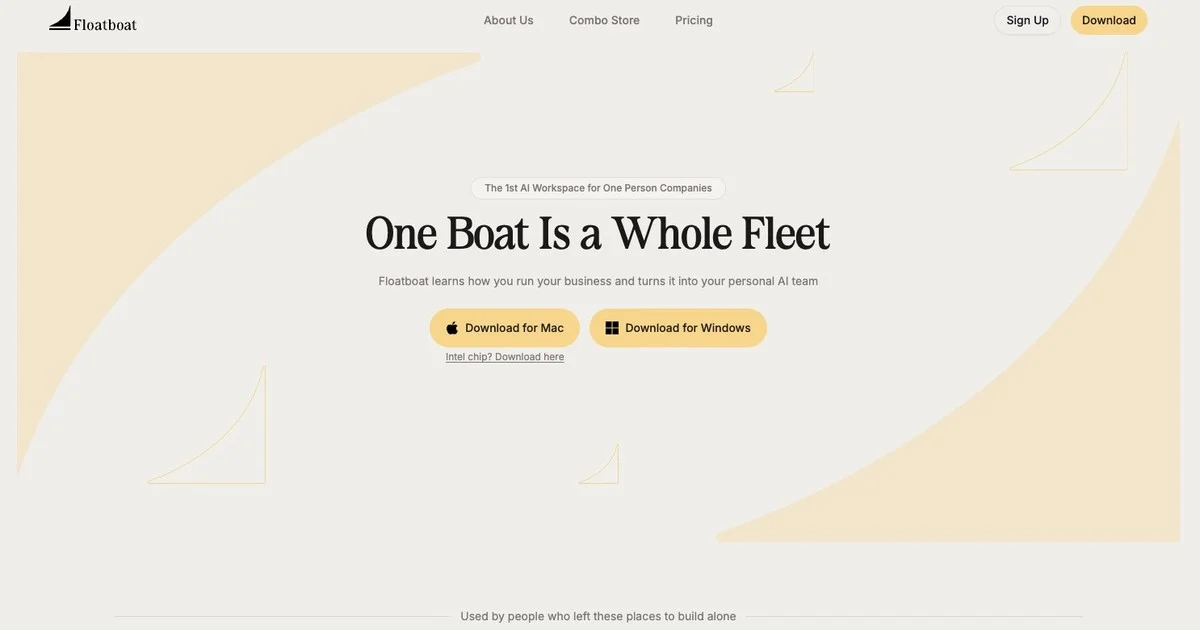
Floatboat is an AI agent workspace from AOE Tech Labs, positioned as an AI work operating system built for one-person companies (OPC). It is not another chat window. Instead, it puts schedules, files, a browser and multiple agents onto a single desktop, so work keeps moving on plan rather than waiting for you to remember and ask again.
The problem it solves
Independent workers usually operate in fragments. The schedule lives in a calendar, source material in a folder tree, research in a dozen browser tabs, and conversations across several chat tools. Every switch means re-explaining context, and the same document gets uploaded and downloaded between apps until nobody is sure which copy is current.
Floatboat's answer is to pull those fragments into one surface and make the calendar event itself the unit of work. Before a meeting there is a briefing; after it there are notes and a drafted follow-up. The calendar stops being a reminder board and becomes the thing that triggers execution.
Core capabilities
Flow Mode: The file manager, browser and AI conversation sit side by side, with up to four columns on screen. Information can be dragged directly between panels, so nothing has to be exported and re-uploaded, and context survives the handoff from one tool to the next.
AI Scheduling Assistant: Calendar blocks double as agent run units. You describe what has to ship this week, and it lays out blocks for preparation, drafting, overnight runs and follow-up, producing a briefing before a meeting and notes afterwards.
AI File Manager: Connected directly to local and cloud file systems, the agent can read from and write to local files, with preview and editing for many formats. This is where the local-first stance shows: when the work is done, the files are still on your own machine.
FloatIM communication network: People and agents, and agents and agents, share one communication network. Multiple agents split the task and push it forward on their own, coming back to you for confirmation only at key checkpoints.
Skills marketplace: Repeated workflows can be packaged as Combo Skills that start with a single click, backed by more than 3,500 integrated tools covering common office and collaboration services.
Tacit Engine: It quietly observes how you edit, decide and execute, gradually building a model of your personal working style so recommendations move closer to what you actually do.
How to use it
- Go to floatboat.ai, download the native macOS or Windows client and complete the installation.
- In settings, connect calendar accounts such as Google, Outlook and iCloud, plus cloud storage such as iCloud Drive, so the agent can read your schedule and files.
- Turn on Flow Mode and arrange the file, browser and conversation panels the way you like to work.
- Tell the AI Scheduling Assistant what you need to deliver this week, and let it place preparation, drafting, overnight runs and follow-up on the calendar.
- Browse, preview and edit local files inside the file manager; the agent reads their contents live and carries out the related actions.
- Once a repetitive workflow is finished, save it as a Combo Skill so the next run is a single click.
- When several people and several agents need to work together, put them in the same FloatIM group and let the task move forward there.
Where it fits
- Solo founder operations: client meeting prep, follow-up drafts and desktop file cleanup all run off the calendar, without hiring an assistant.
- Creator production: asset gathering, script writing and cross-platform publishing schedules chained into Combo Skills.
- Small business client management: the three-stage rhythm of pre-meeting briefing, in-meeting notes and post-meeting follow-up, with contracts and invoices filed along the way.
- Studios of two to five people: humans and multiple agents handling project files and deliverables in one group, cutting the cost of hopping between tools.
- Independent developers: code, technical documentation, client communication and release scheduling kept in the same workspace instead of scattered SaaS tabs.
Limitations and things to keep in mind
Floatboat is a native desktop client, not something that runs in a browser tab, so it has to be installed locally and the first session takes real time to authorize calendars and storage. Its value shows up mainly in schedule-dense, repetitive work that spans files and tools; for a one-off deep task the gain is much smaller. Billing also runs on credits: there are free and paid tiers, and the tiers differ in model access, concurrency and queue priority. Prices, credit allowances and feature scope change between versions, so check what the official site currently publishes before you decide.
FAQ
What is Floatboat?
It is a proactive agent operating system. It connects to the calendar you already use and turns meetings, deadlines and plans into agent workflows that run on time, with a persistent Agent Workspace holding the context, files and action history for each task.
Which calendars does it support?
Google Calendar, Notion Calendar, Lark, iCloud and Outlook, plus any online calendar that offers an ICS subscription feed. Connect once and it keeps reading your schedule rhythm.
How is it different from chat-based AI such as ChatGPT?
Chat-based AI waits for a prompt and starts each session from scratch. Floatboat runs continuously against a plan: agents prepare in advance, execute on time and follow up afterwards, and they can work across devices and with team members.
Is it a web app or a desktop app?
It is a native macOS and Windows desktop application, built that way so it can integrate deeply with local files, calendars and native system features.
Frequently asked questions
What is Floatboat?
It is a proactive agent operating system. It connects to the calendar you already use and turns meetings, deadlines and plans into agent workflows that run on time, with a persistent Agent Workspace holding the context, files and action history for each task.
Which calendars does it support?
Google Calendar, Notion Calendar, Lark, iCloud and Outlook, plus any online calendar that offers an ICS subscription feed. Connect once and it keeps reading your schedule rhythm.
How is it different from chat-based AI such as ChatGPT?
Chat-based AI waits for a prompt and starts each session from scratch. Floatboat runs continuously against a plan: agents prepare in advance, execute on time and follow up afterwards, and they can work across devices and with team members.
Is it a web app or a desktop app?
It is a native macOS and Windows desktop application, built that way so it can integrate deeply with local files, calendars and native system features.



