
The Figma mobile app helps teams view design files, exchange feedback and preview interactive prototypes on phones or tablets.
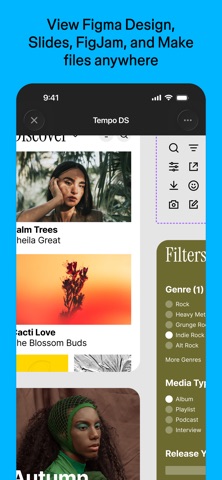
Figma mobile: view designs and test prototypes
The Figma mobile app helps teams view design files, exchange feedback and preview interactive prototypes on phones or tablets.
Features
Users can browse files they have permission to access, view and reply to comments, and play prototypes on a mobile device. They can also mirror a desktop design to check it on a real screen. On iPad, Apple Pencil can be used for drawing and annotation; consult official guidance for supported features.
How to use
Install Figma from an app store and sign in. Open an accessible file or prototype, check the layout and interactions, and add comments. To mirror a design, follow the official desktop connection instructions and verify your account and file permissions.
Things to consider
Mobile capabilities differ from the full desktop design workflow. Supported features, device requirements and plan terms may change. Check access permissions before sharing a file to avoid exposing unpublished designs.
Frequently asked questions
Can I test prototypes on a phone?
Yes, supported prototypes can be viewed and played in the mobile app; consult official guidance for details.
Can I see changes from the desktop?
The app supports mirroring desktop designs to a mobile device when set up as directed.
Can I access every team file?
Only files your account is permitted to view; check permissions before sharing.
Frequently asked questions
Can I test prototypes on a phone?
Yes, supported prototypes can be viewed and played in the mobile app; consult official guidance for details.
Can I see changes from the desktop?
The app supports mirroring desktop designs to a mobile device when set up as directed.
Can I access every team file?
Only files your account is permitted to view; check permissions before sharing.



