

Fast3D generates 3D models from text or image inputs and offers preview, mesh and texture settings, and several export formats for creators preparing assets for further editing.
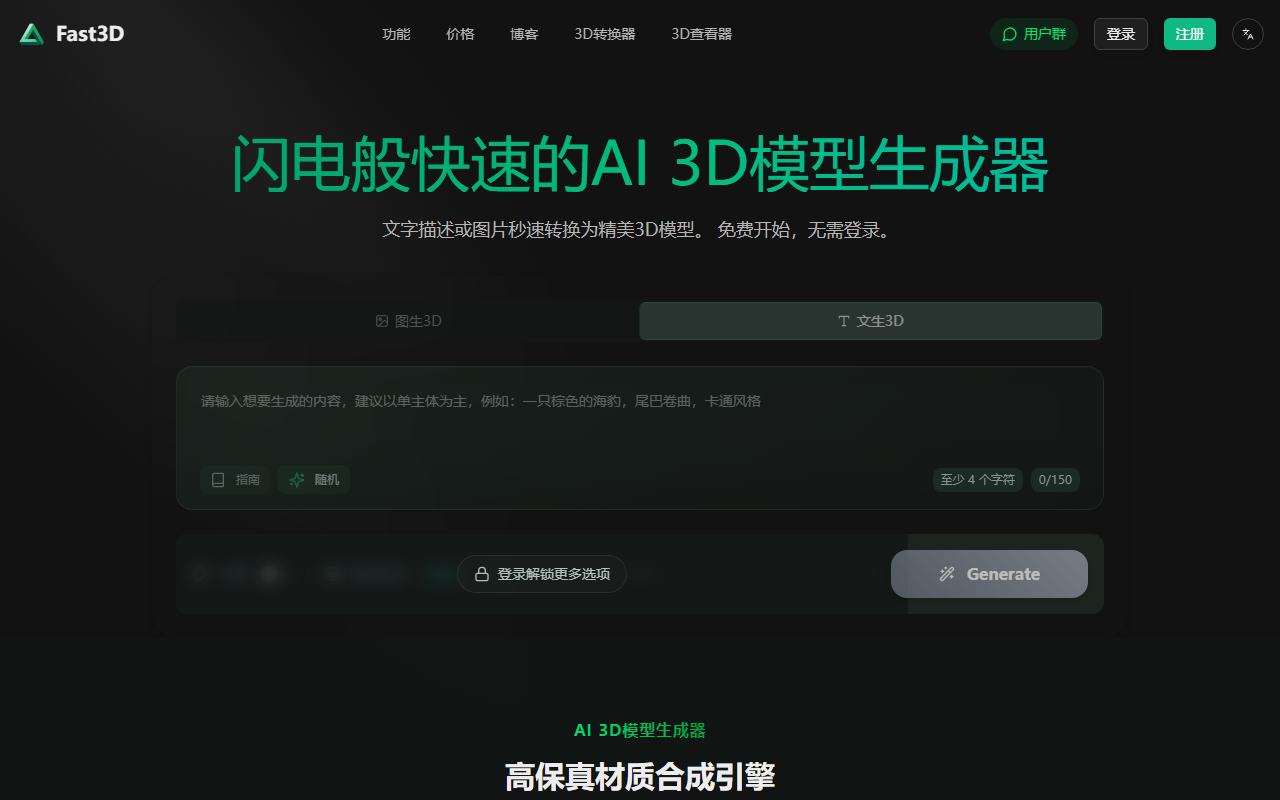
Fast3D: AI 3D model generator
Fast3D is an online tool for generating 3D models from a text description or an image. It provides a model preview, mesh-density and texture controls, and export to several common formats for further editing or production. Results depend on the input and settings, so treat generated files as drafts and inspect them before relying on them.
What it can do
- Generate from text or images: Describe the object or upload an image as the starting input. Clear descriptions can communicate shape and intended use, but the generated geometry still needs review.
- Adjust geometry and materials: Product information describes geometry generation and texture synthesis. Mesh density can be set to options such as Fast, Standard or Extreme, and texture can be enabled or disabled. Higher detail may also increase model complexity.
- Preview and export: Rotate and zoom the model in the preview, then save it as GLB/GLTF, FBX, OBJ/MTL or STL. Applications can handle geometry and materials differently, so verify the file after importing it into your target tool.
- Basic and account features: The product describes basic use without signing in and some additional features after registration, such as higher-detail generation or custom textures. Check the current interface for exact access conditions.
A typical workflow
- Open the Fast3D website and review the available mode and current terms.
- Choose text or image input. Use only images you have permission to upload.
- Select mesh density and texture settings. Start with a lower or standard setting to test the direction before increasing detail.
- Generate and inspect the preview from several angles, checking the silhouette, surface and important features.
- Export a suitable format, then open it in your 3D, game-development or printing software to check geometry, materials and scale.
Use cases and limitations
Fast3D may help explore early concepts for game characters or props, architectural forms, animation assets, teaching models and 3D-printing prototypes. It can produce a starting point quickly, while cleanup of topology, proportions, materials, UVs or printability may still be needed in dedicated software.
The product information lists several formats and geometry or texture capabilities, but does not establish complete compatibility guarantees, detailed input limits or a single commercial license for every output. Quality can vary with prompts, images and settings. Before delivery or fabrication, inspect the model, test the export, confirm rights to the input material and review the product’s current terms.
Frequently asked questions
Can I generate a model from text alone?
Yes. Product information describes text prompts as well as uploaded images. Follow the current interface requirements.
Can I send an STL file directly to a 3D printer?
STL export and 3D-printing use are listed. Check that the mesh is suitable, scaled correctly and accepted by your slicer before printing.
How should I choose mesh density?
The product lists Fast, Standard and Extreme settings, with higher settings intended for more detail. Test a lower setting first, then increase detail if the target workflow needs it.

Frequently asked questions
What inputs can Fast3D use to generate a model?
The product information describes text prompts and uploaded images as inputs. Check the current interface for supported formats and requirements.
Which formats can I export?
Listed formats include GLB/GLTF, FBX, OBJ/MTL and STL. Test the exported file in your target software or printing workflow.
Does the no-login mode include every advanced feature?
The product information distinguishes basic no-login use from some advanced features that may require an account. Confirm current availability and terms in the product interface.



