

ChartGen is an AI chart generator that converts CSV and Excel data into nine professional chart types. It accepts natural language prompts in Chinese and English, generates charts in about 30 seconds and supports multiple export formats for business analysis, operations and academic work.
ChartGen: An AI Tool That Turns CSV and Excel Data Into Professional Charts
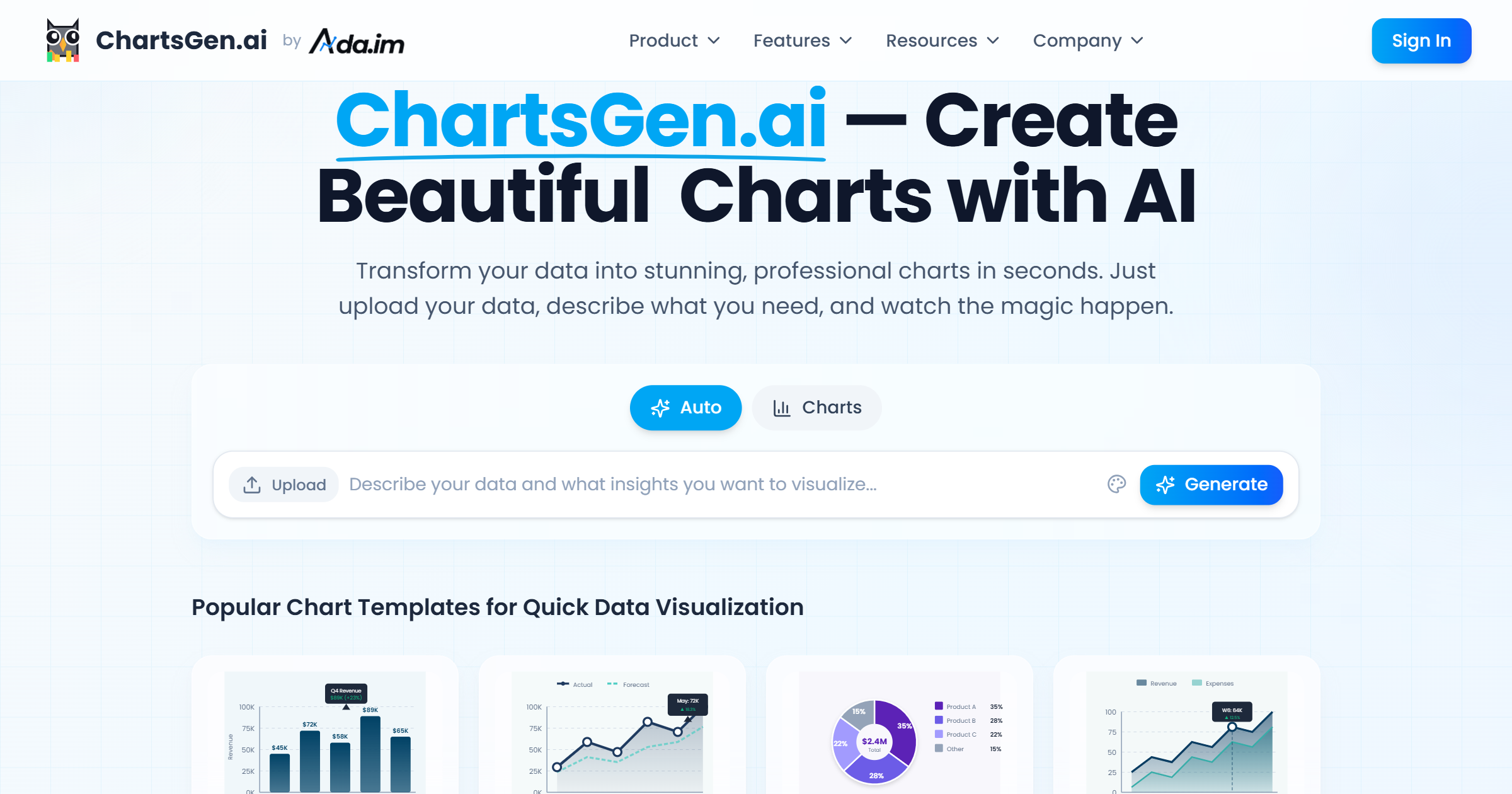
ChartGen is a fast, convenient AI chart generation tool focused on turning raw data from CSV and Excel files into professional-grade visualizations. You upload your data, describe what you need in natural language, and the AI understands the data structure, picks a suitable chart type and produces a high-quality chart.
Key Features
Fast chart generation: After uploading CSV or Excel data, describe your requirement in plain language and the AI produces a professional chart in about 30 seconds — no design or coding skills required.
Nine chart types: It covers nine common chart types, including bar, line, pie, scatter, heatmap, combination, waterfall and funnel charts. The AI recommends the most suitable type based on your data, and you can switch manually.
Natural language interaction: Chinese and English descriptions are supported. The AI automatically identifies data dimensions, metrics and aggregation methods, handling operations such as sum, average and count.
Professional palettes and customization: Twelve business-grade color themes are built in. You can customize colors to match brand visuals and fine-tune sorting, the number of items displayed, labels and other details.
Multiple export options: Export high-resolution PNG images. Higher tiers also support SVG, PDF and embed codes for slides, reports, web pages and dashboards.
Real-time data sync: Once a data source is connected, charts refresh automatically to keep them current and accurate.
How to Use It
- Visit the platform: Go to the official site at https://chartgen.ai/ and sign up or log in.
- Upload data: Upload your CSV or Excel file, or connect a database or another data source.
- Describe the requirement: Explain clearly, in Chinese or English, which chart type and presentation you want.
- Generate the chart: The AI reads the data, builds the chart and provides data insights.
- Refine: Adjust chart type, palette and sorting until it looks right.
- Export and share: Export PNG, SVG or PDF, or grab an embed code for slides, reports or web pages.
Core Strengths
- Instant output: roughly 30 seconds from upload to finished chart.
- No learning curve: plain-language instructions, no specialist skills needed.
- Automatic recommendations: nine chart types, with the AI matching the best fit.
- Business-grade palettes: built-in themes plus custom color control.
- Multiple export formats: PNG, SVG and PDF for different uses.
- Security and compliance: SOC 2 compliant with end-to-end encryption.
Use Cases
- Business analysis: financial reports, sales trends and market share charts to support data-driven decisions.
- Operations analysis: visualize key metrics such as customer retention and order processing time.
- Marketing reporting: present campaign results, channel ROI and brand impact.
- Academic research: turn complex research data into clear charts for papers and reports.
- Product management: analyze user behavior and feature usage to guide iterations.
- Consulting reports: produce professional charts for industry analysis and case studies.
Limitations
- Public materials do not list specific pricing tiers or free quotas. SVG, PDF and embed-code exports belong to higher tiers; check the official site for current availability.
- AI-recommended chart types and insights are advisory — verify data definitions before external publication.
- Real-time sync depends on a connected data source; otherwise the chart stays static.
FAQ
What does ChartGen do?
It converts raw CSV and Excel data into professional charts. You upload the data and describe what you need in natural language.
Which chart types are supported?
Nine common types, including bar, line, pie, scatter, heatmap, combination, waterfall and funnel charts.
How long does a chart take?
According to the official description, about 30 seconds from data upload to chart generation.
Which formats can I export?
PNG images are supported, and higher tiers add SVG, PDF and embed codes.
Frequently asked questions
What does ChartGen do?
It converts raw CSV and Excel data into professional charts. You upload the data and describe your requirement in natural language.
Which chart types are supported?
Nine common types are available, including bar, line, pie, scatter, heatmap, combination, waterfall and funnel charts, with the AI recommending the best fit.
How long does it take to generate a chart?
According to the official description, roughly 30 seconds from data upload to finished chart.
Which formats can I export?
High-resolution PNG is supported, while higher tiers add SVG, PDF and embed codes.



