

AutoClaw is a desktop client that packages the OpenClaw agent framework into a one-click installer, runs tasks on the local machine, and accepts instructions from chat windows such as Feishu.
AutoClaw: Zhipu's One-Click Local OpenClaw AI Agent
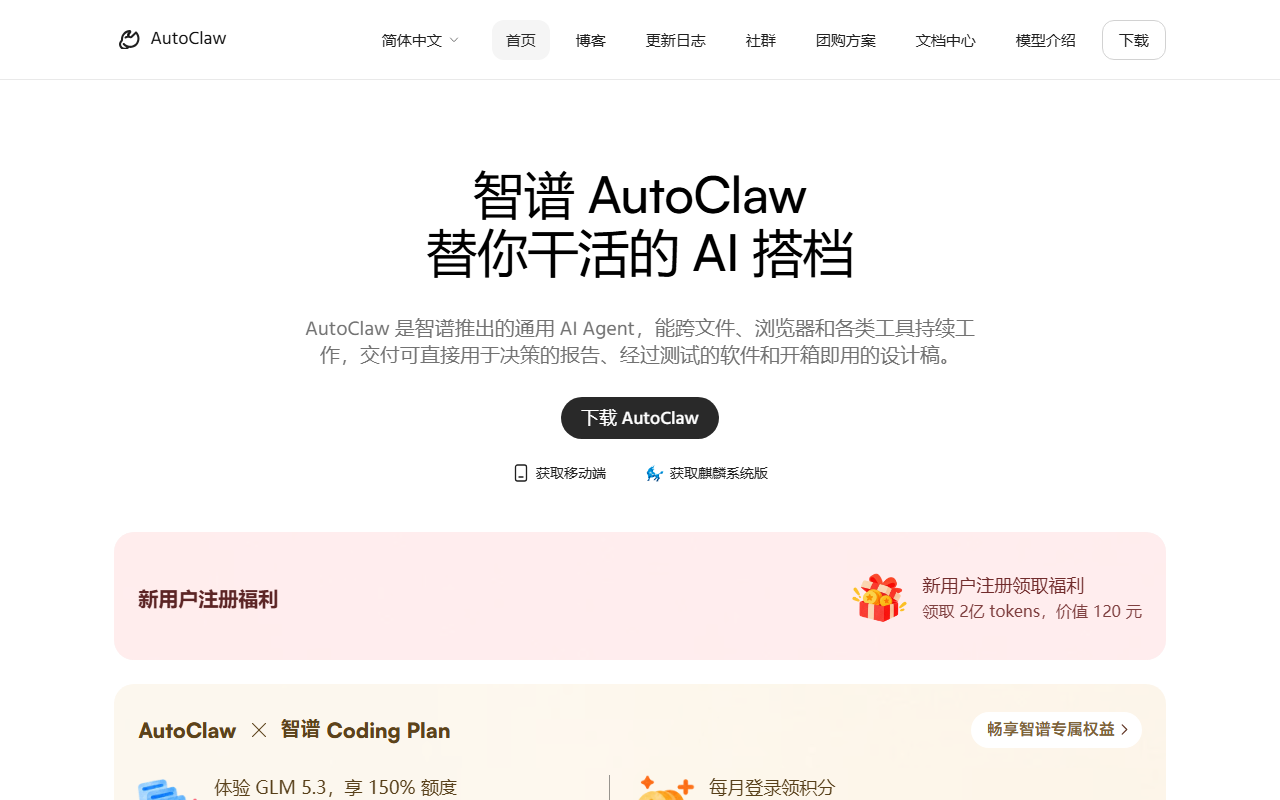
AutoClaw is a desktop AI agent client released by Zhipu AI and described by its publisher as the first one-click local build of OpenClaw in the Chinese market. OpenClaw is an open-source agent framework that normally requires a runtime, dependency chain and a messaging bridge to be wired up by hand. AutoClaw folds that setup into a single installer for macOS and Windows, so deployment takes roughly a minute, after which the user assigns work to the agent from a chat window in Feishu or a similar tool. The meaningful difference from cloud-only assistants is that tasks execute on the local machine while the model layer stays open to third-party APIs.
Structurally the product has three layers. A local agent core turns a natural-language request into a multi-step plan and calls tools to carry it out. An access layer receives instructions from instant messaging and returns results to the same conversation. On top of that sit two extension surfaces: more than 50 prebuilt skills and a model layer that can switch between Zhipu's own Pony-Alpha-2 and external APIs such as DeepSeek, Kimi, MiniMax and GLM.
That combination addresses a practical problem rather than a capability gap. Open-source agent frameworks are already capable, but setup involves runtimes, credentials, permissions and message channels, which is where most non-technical users stop. AutoClaw moves that work into the installer and narrows the user-facing surface to a chat box.
Main capabilities
One-click deployment on both desktop systems
Installers are offered for macOS and Windows, and the publisher states that setup completes in about a minute without manual environment configuration. For a framework that otherwise requires following documentation command by command, this removes the first and steepest barrier.
Task assignment inside messaging
AutoClaw plugs into Feishu and other mainstream instant-messaging tools. Once an account is bound, tasks can be issued directly in the chat window and the output flows back into the same thread. Work and conversation context stay in one place instead of being split between a chat client and a separate agent console.
More than 50 skills plus a skill store
The client ships a ready-to-use skill library covering coding, document handling, data analysis and content creation. A separate GLM Office Skills bundle adds five office skills for PPT, DOCX, XLSX, PDF and charts, with layout presets per scenario, self-checks and format conversion; the publisher says it can generate a complete office document together with matching speaker notes.
Browser automation
An AutoGLM-based browser agent can drive a browser through multi-page, multi-step chains such as collecting information, filling forms and processing orders. This is the part that turns conversation into completed work, because most real tasks end in a web form or an admin console rather than in a chat reply.
Model choice and local execution
AutoClaw does not lock users to one model. Beyond the built-in Pony-Alpha-2, API keys for DeepSeek, Kimi, MiniMax and GLM can be supplied. Tasks run on the local computer, so working data does not need to be uploaded to a vendor cloud, which matters for contracts, financial statements and internal documents.
Self-evolving memory
After a conversation the agent identifies corrections, preferences and failed attempts, and once the user approves them they are stored as permanent memory. A mistake corrected once does not need to be explained again, so behavior converges on individual habits over time.
How to get started
- Open the official AutoClaw page at autoglm.zhipuai.cn/autoclaw, download the macOS or Windows build for your system and run the one-click installer.
- Configure the model in the client: keep the built-in Pony-Alpha-2, or paste an API key from DeepSeek, Kimi or GLM. Third-party usage is billed by that provider at its own rates.
- Follow the on-screen steps to bind a Feishu account, then mention AutoClaw in a chat to assign a task; progress and results return to the conversation.
- Start with one narrowly scoped job, such as summarising meeting notes or extracting a table from a page, verify the output, and only then hand over longer multi-step work while letting the memory feature capture your corrections.
Cost and quotas
- The publisher states that a certain amount of free usage is included so users can try the product at no cost; the exact quota is not disclosed.
- Compared with cloud agent platforms there is no prepaid monthly rental, so cost follows actual usage rather than a fixed subscription.
- When external models are connected, token fees are charged by DeepSeek, Kimi, MiniMax or GLM under their own price lists. AutoClaw does not publish any markup rule, and no subscription tier or enterprise pricing has been disclosed.
Where it fits
- Content production: drafting social copy, laying out text and images, and publishing to several platforms in one flow.
- Software development: writing site code from a requirements document, plus architecture sketches, code review and bug fixing.
- Office automation: spreadsheet analysis, slide production and meeting-note cleanup for repetitive document work.
- Financial research: pulling listed-company filings, drafting research notes and tracking market movement.
- Browser chores: collecting information across several sites, filling forms and handling order workflows end to end.
- Best suited to individuals and small teams that want an agent embedded in their existing chat workflow and are unwilling to move sensitive files to a cloud service.
Limitations to check
- Local execution ties the agent to one machine: when that computer is off, asleep or offline the agent stops working, so unattended long-running jobs need a machine that stays on.
- Data does not need to reach a vendor cloud, but text sent to a third-party model API still leaves the machine and goes to that provider; for confidential material the model source has to be chosen accordingly.
- Messaging integration is documented mainly around Feishu. The publisher does not state whether WeCom, DingTalk or Slack are supported, so multi-platform teams should confirm the entry point first.
- Browser automation can break on captchas, multi-factor logins, anti-bot rules or a site redesign, so critical flows should keep a human review step.
- Minimum OS version, memory and disk footprint, per-task time limits and concurrency are not published, and no service-level commitment is stated; validate under your own load before production use.
- Memory entries are stored only after approval, but a permissive approval habit can preserve wrong preferences, so the stored items deserve a periodic review.
FAQ
How does AutoClaw relate to OpenClaw?
AutoClaw is a local distribution of the OpenClaw agent framework built by Zhipu AI. Its contribution is collapsing installation and configuration into one click and adding a messaging front end, a prebuilt skill library and browser control; OpenClaw itself remains the open-source framework underneath.
Do I have to use Zhipu's model?
No. Besides the built-in Pony-Alpha-2, AutoClaw accepts API keys for DeepSeek, Kimi, MiniMax and GLM, and users pay those providers directly for what they consume.
Does my data leave the machine?
Task execution happens locally and working files do not need to be uploaded. Any prompt sent to an external model API is processed by that provider, so sensitive workflows should account for that path.
Which operating systems are supported?
macOS and Windows builds are offered. No Linux build is mentioned by the publisher.
Frequently asked questions
How does AutoClaw relate to OpenClaw?
AutoClaw is a local distribution of the OpenClaw agent framework built by Zhipu AI. Its contribution is collapsing installation and configuration into one click and adding a messaging front end, a prebuilt skill library and browser control; OpenClaw itself remains the open-source framework underneath.
Do I have to use Zhipu's model?
No. Besides the built-in Pony-Alpha-2, AutoClaw accepts API keys for DeepSeek, Kimi, MiniMax and GLM, and users pay those providers directly for what they consume.
Does my data leave the machine?
Task execution happens locally and working files do not need to be uploaded. Any prompt sent to an external model API is processed by that provider, so sensitive workflows should account for that path.
Which operating systems are supported?
macOS and Windows builds are offered. No Linux build is mentioned by the publisher.



